NETGEAR is aware of a growing number of phone and online scams. To learn how to stay safe click here.
Forum Discussion

wrmann
Feb 02, 2022Tutor
Not trusted certificate issue
The message boards are not definitive on the issue I’m having, which is causing significant intermittent internet connection issues for multiple devices on my network.
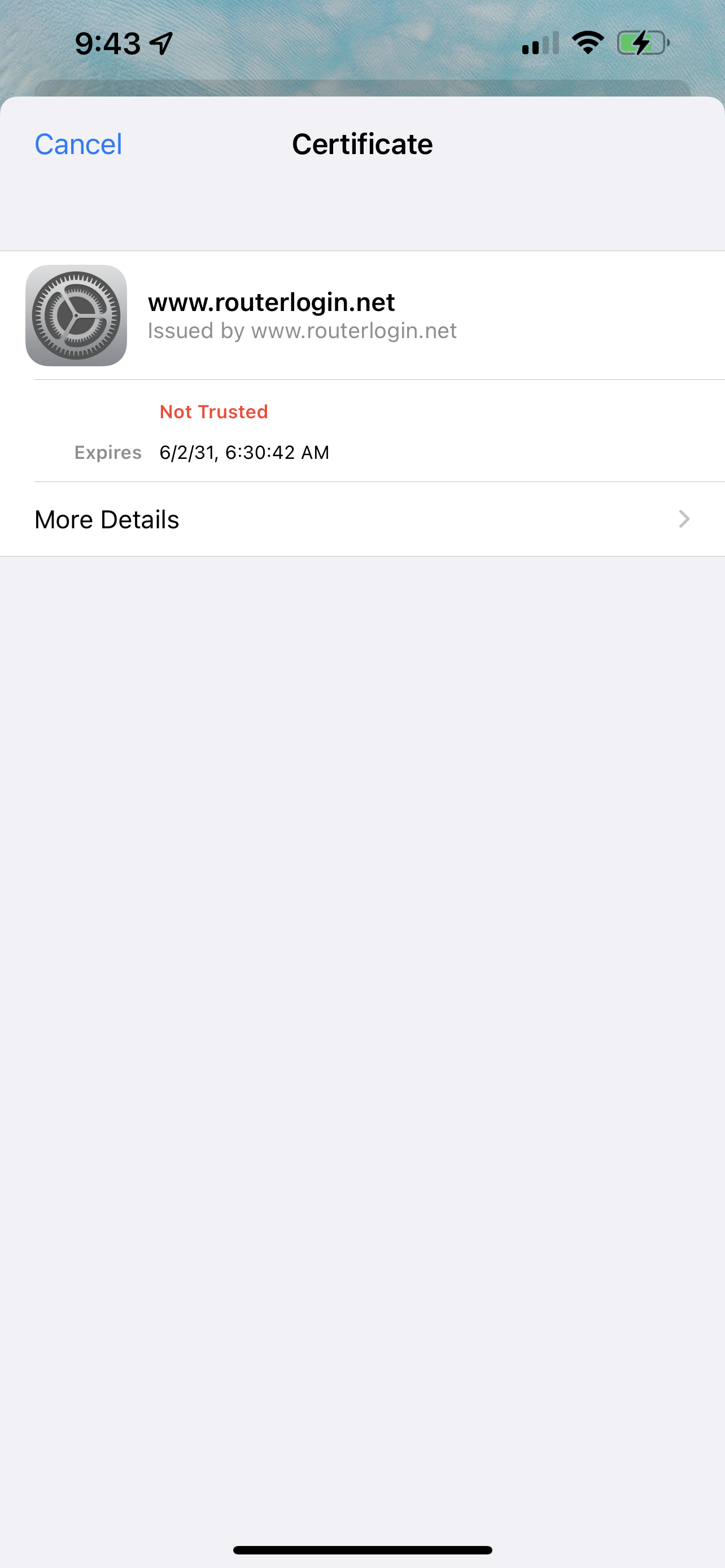
I attach a photo that shows what screen I get on my iPhone when the problem is happening. I first get a pop-up that says “Cannot verify server identity - the identity of outlook.office365.com can not be verified” and then when I click “Details” I get the attached screen. But it’s more than just this pop-up message, when I get it all connections in browser aren’t working either - either I get an unsafe warning or a Blocked warning or a login screen (for websites that I don’t login to). It’s odd.
I’ve tried forgetting and re-adding the network. I’ve tried rebooting the router and satellites. I’ve tried messing with settings on the impacted devices.
Right now - today Feb 2, 2022 - I just turned off access control to see if that helps. But surely disabling features shouldn’t be the only way to fix this issue? Thanks in advance for any help.
Note - all firmware is up to date (2.7.3.22)
I attach a photo that shows what screen I get on my iPhone when the problem is happening. I first get a pop-up that says “Cannot verify server identity - the identity of outlook.office365.com can not be verified” and then when I click “Details” I get the attached screen. But it’s more than just this pop-up message, when I get it all connections in browser aren’t working either - either I get an unsafe warning or a Blocked warning or a login screen (for websites that I don’t login to). It’s odd.
I’ve tried forgetting and re-adding the network. I’ve tried rebooting the router and satellites. I’ve tried messing with settings on the impacted devices.
Right now - today Feb 2, 2022 - I just turned off access control to see if that helps. But surely disabling features shouldn’t be the only way to fix this issue? Thanks in advance for any help.
Note - all firmware is up to date (2.7.3.22)
6 Replies
- FURRYe38Guru - Experienced User
NG deployes self asssigned certs for there routers. Something that may not be fully certified in other apps or devices. It's something that can be ignorned and shouldn't cause problems for email services. I would contact MS support for help and information regarding there product and configuration needed to ensure there products are working right.
https://community.netgear.com/t5/Orbi/Routerlogin-net-certificate-not-trusted/m-p/1988353#M104840
https://community.netgear.com/t5/Orbi/Routerlogin-net-certificate-not-trusted/m-p/1988353#M104840
- wrmannTutorI appreciate the response BUT this is an unsatisfying answer isn’t it?
It’s a little rich to suggest that Microsoft or Apple or Google (I’m running iOS and safari on mobile, windows and chrome on desktop) are the tail and Netgear is the dog - rather than the other way around.
Seems to me Netgear should step up and outline how their product (and device or computer or browser settings) needs to be configured to work on different common platforms - especially given that it seems to work better for me now with Access Control turned off. Please tell me if I’m wrong…- FURRYe38Guru - Experienced User
Have you tried powering OFF the ISP modem AND RBR and devices for 1 minute then back ON with the modem, router then your devices?
- FURRYe38Guru - Experienced User
Something you can contact NG support about of course:
https://my.netgear.com/support/contact.aspx
Looks like for now, don't use Access Controls as others have found this resolves this.