NETGEAR is aware of a growing number of phone and online scams. To learn how to stay safe click here.
Forum Discussion

sigswi
Mar 14, 2017Aspirant
what is the latest firmware version V1.8.0.6 or 1.5.0.12
hi
i just got 2 orbi sets today, i actually plan to install only 1 router and 2 satellites (but satellites were not available for sale on their own in switzerland)
I am confused about the firmware upgrade
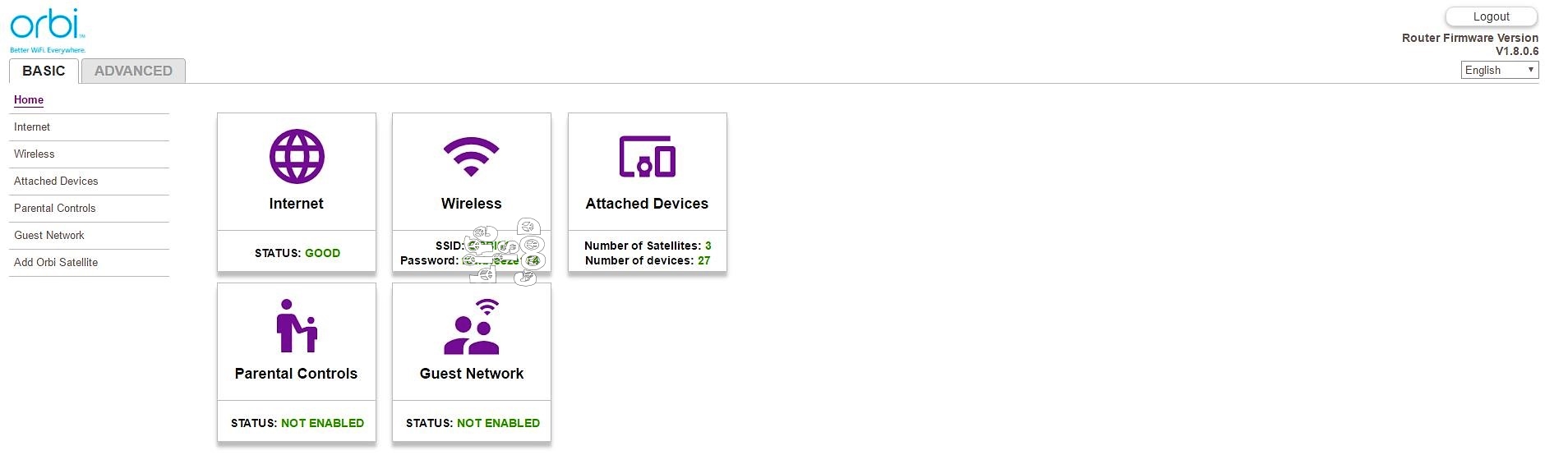
Inside the router admin screen, the system indicated that the latest firmware version of the router is v 1.8.0.6.
As the utility would not automatically detect the information for the satellite, i went manually to the netgear website and searched for the firmware files.
this page indicates that the latest firmware version available for both Router and satellite is 1.5.0.12
i am puzzled. i don't want to install 1.8 for the router only to find that the satellite latest version 1.5.0.12 is not compatible.
https://www.netgear.com/support/product/RBK50?cid=wmt_netgear_organic#download
can you help?
actually found the solution
the trick is to ignore the upload option on the interface, choose update directly and upload through the pop screen that appears afterwards.
seems to work :)
17 Replies
I have updated to V1.8.0.0.6 Router and 3 Satellites and have no problems. (DAY 2)
- Couldn't agree more. I had one, but had major a complete subnet change that I forgot about. Also, I have had my orbi upgrade automatically without me doing it.
Both my router and satellite updated with no issues ot 1.8.0.6 with no issues after hitting update automatically...
 JMU1998Luminary
Was able to update with no problem, check for Firmware said new version available and it downloaded and updated both main and satellite units with no issues. however, yet to be seen what list of issues were fixed if any or just another useless update.
I updated today...I knew I shouldn't considering everything was working fine..
I have updated my Orib system from the very start. I had very few issues, and always was able to update and keep my old configuration.
Not this time. Completely deleted my entire configuration and started from the "Welcome to Orbi" screen with a wired laptop. Reset everything, reconfigured everything (very difficult with all my port forwarding and static IP's).
Still having lots of weird issues on the network. I highly recommend from anyone doing an upgrade with 1.8.0.6 unless you are in Korea.
 wchpLuminary
Before doing a firmware update, best practices is to make a backup of the current config.
Log in to the Orbi router and select the Advanced tab.
Select "Administration" then "Backup Settings"
Click on the backup button.
The backup file downloads almost instantly.
When it comes to firmware updates on any device: I hope for the best, but I plan and prepare for the worst.
 djc6Luminary
Looks like V1.8.0.6 is a brand new firmware - just checked my router and I see it being offered as a firmware update for router & both my satellites.
Current Version: V1.5.0.12 New Version: V1.8.0.6 Release Notes:
[New Features] Supports Korea wireless region.<br>[Bug Fix] Fixes bugs and security issues.- sigswiAspirant
in my case it is offered for the router
the firmware check doesn't work for the satellite. it says "please wait" it has been in this status for 2 hours
I am wondering if i can download it manually for the satelllite and if somebody has a link.
On the netgear website i was not able to find it
- MrSpecialKAspirant
Sigswi,
Update the Host (Router) to the new version. Manually update the satellites to firmware version 1.5.0.12. Then the host will push the new firmware to the satellites. My satellites were delivered with firmware 1.2 something and would not update via the Host (router) until I updated their firmware manually to 1.4.0+. Then, Success.
Hope it helps and regards,