NETGEAR is aware of a growing number of phone and online scams. To learn how to stay safe click here.
Forum Discussion

ThatNicolas
Oct 14, 2021Aspirant
GS752TPS / GS728TPS not showing in stack
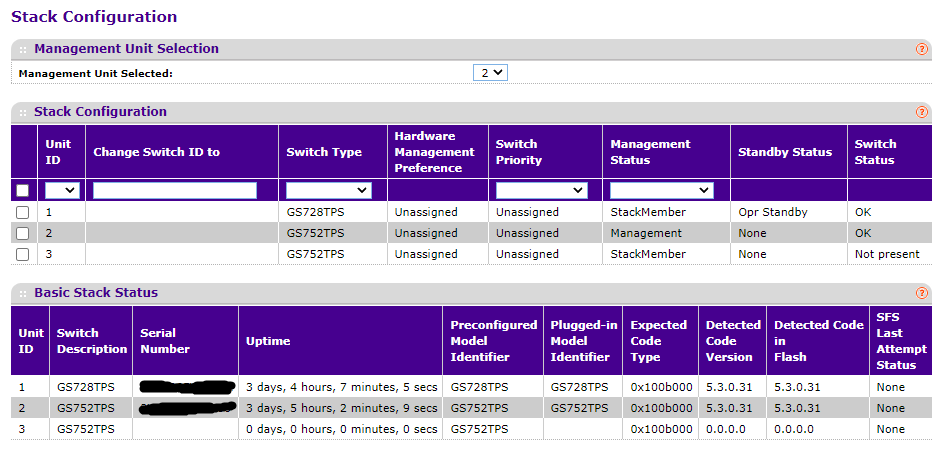
After doing a maintenance, which included opening my switches and blowing compressed air on the components, 2 of my switches don't show anymore in the stack. I know that they are both working, but the web interface only shows my main switch and the other 2 are showing as "not present". the Netgear switch discovery tool doesn't see them and i can't access them through their reserved IP.
one of those was previously reporting that it had dead fans, i contacted support to see if i can RMA or get replacement fans, they requested me to reboot it and see if it stops reporting that, but now that i can't even see it anymore, i can't confirm it... it's located in an enclosure in a place that isn't easily reached and i can't just turn it off and on, i need to do this during an off-day.
what can i do? is there a reason that it would have stopped talking to me?
thanks for your help.
1 Reply
- ThatNicolasAspirant
Related Content
NETGEAR Academy

Boost your skills with the Netgear Academy - Get trained, certified and stay ahead with the latest Netgear technology!
Join Us!