NETGEAR is aware of a growing number of phone and online scams. To learn how to stay safe click here.
Forum Discussion

iceet
Jul 24, 2026Aspirant
XS724EM in which all three fans spin at startup but only one remained active afterwards
For anyone else facing this issue, I wanted to write about my experience. I too had a XS724EM in which all three fans spin at startup but only one remained active afterwards. It turns out only on...
iceet
Jul 24, 2026Aspirant
For anyone else facing this issue, I wanted to write about my experience.
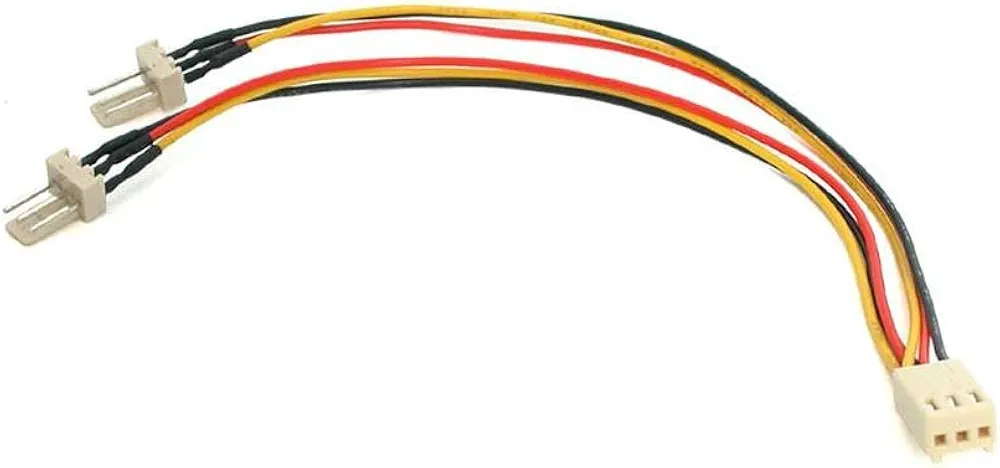
I too had a XS724EM in which all three fans spin at startup but only one remained active afterwards. It turns out only one of the internal fan headers was functional. What I did was open up the switch and connect all the fans to the working fan header with a 3-pin fan splitter cable. Ideally, the cable should be a 3-pin splitter as shown in the attachment, not a 4-pin splitter.
This XS724EM has now been operating without issue for almost 2 years in a commercial environment.

schumaku
Jul 24, 2026Guru - Experienced User
Queried and answered already -> XS724EM: Questions about fans/cooling | NETGEAR Communities
- iceetJul 25, 2026Aspirant
I have responded to your query in that thread.
Related Content
NETGEAR Academy

Boost your skills with the Netgear Academy - Get trained, certified and stay ahead with the latest Netgear technology!
Join Us!