NETGEAR is aware of a growing number of phone and online scams. To learn how to stay safe click here.
Forum Discussion

jetcosys
Jan 17, 2017Tutor
Cannot connect VPN with L2TP
Hi all! I've followed all the instructions I can find to setup L2TP VPN to connect to the FVS318Gv2 VPN from remote Windows 10 clients, but cannot seem to get it to work. I followed the instruction...
- Jan 23, 2017
Thanks! Yes, changing to "Main" did allow VPN to connect. Although I can't see the network resources, so something is messed up with my IP routing somewhere. :(
-Joe

train_wreck
Jan 17, 2017Luminary
Yeah that article is a steaming pile of garbage. The built-in client in Windows 10 (and 7 and 8) are L2TP/IPSEC. That article completely omits the IPsec configuration (as in, the most important part).
Try my article I made here: https://community.netgear.com/t5/VPN-Firewalls/FVS336Gv3-L2TP-IPsec-on-Windows-10/m-p/1065789#M4418
jetcosys
Jan 18, 2017Tutor
Hey, thanks so much for the response! I actually found your article and followed your instructions. However, I'm getting this error:
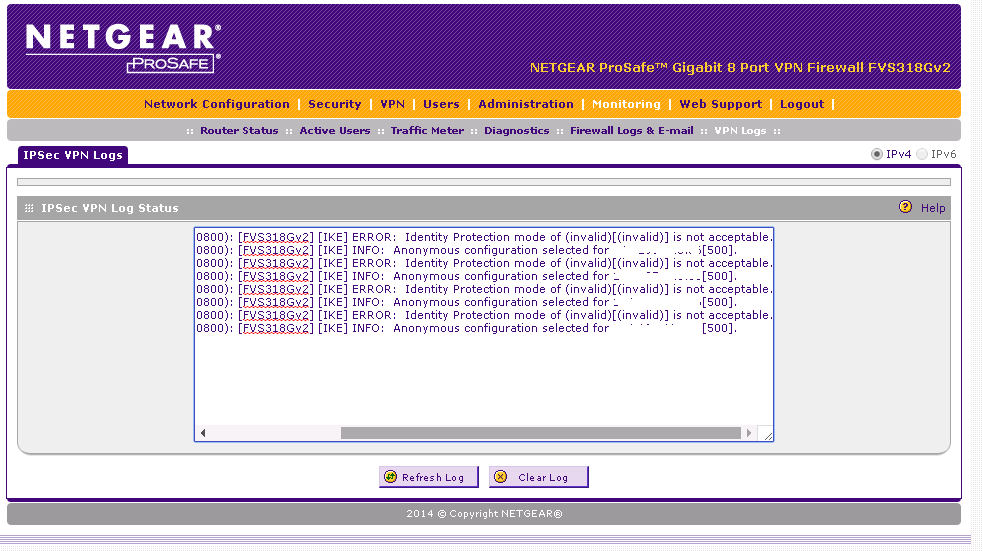
Wed Jan 18 21:09:02 2017 (GMT -0800): [FVS318Gv2] [IKE] ERROR: Identity Protection mode of (invalid)[(invalid)] is not acceptable.
Wed Jan 18 21:09:02 2017 (GMT -0800): [FVS318Gv2] [IKE] INFO: Anonymous configuration selected for x.x.x.x[500].
Any idea on this error or what identity protection mode is?
Thanks!
-Joe
- train_wreckJan 19, 2017Luminary
No idea; post a screenshot of the VPN config pages and the Win10 VPN client config screens, and ill take a look.
- jetcosysJan 20, 2017Tutor
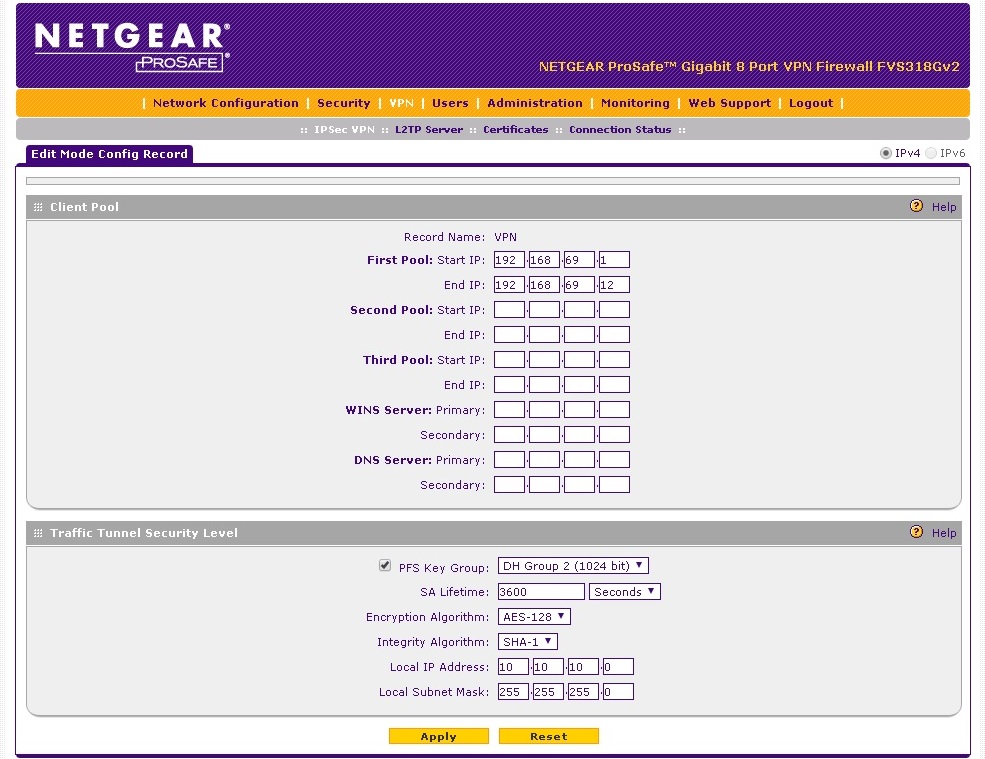
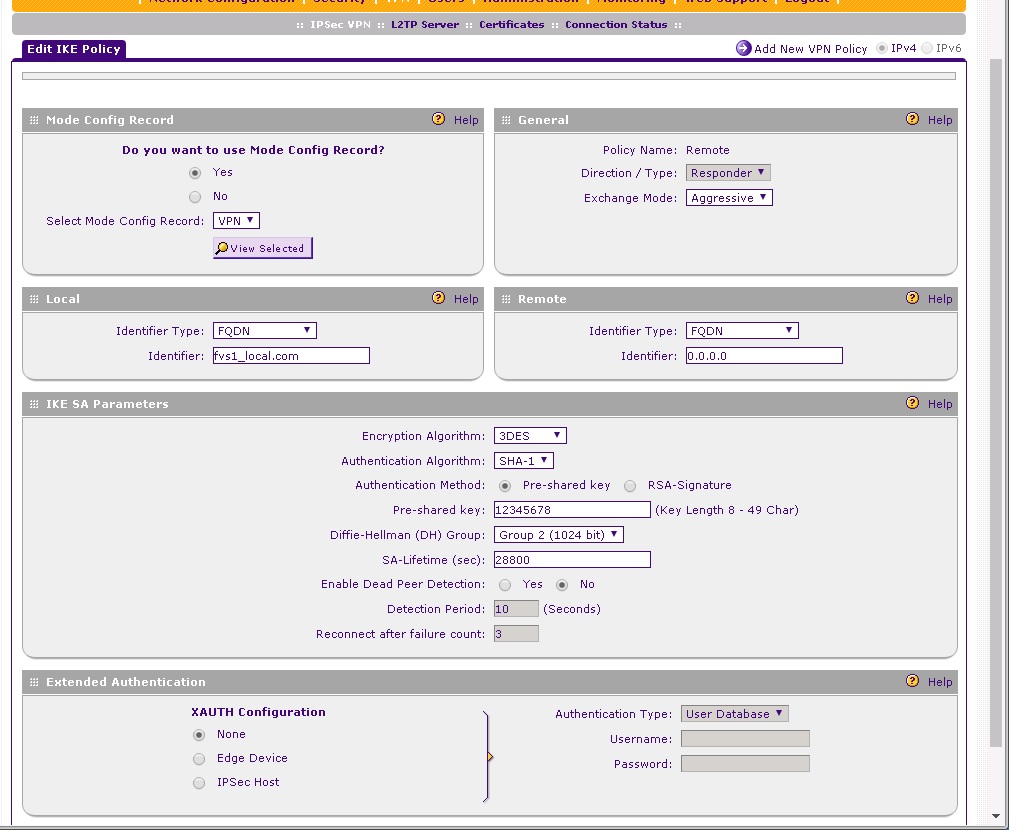
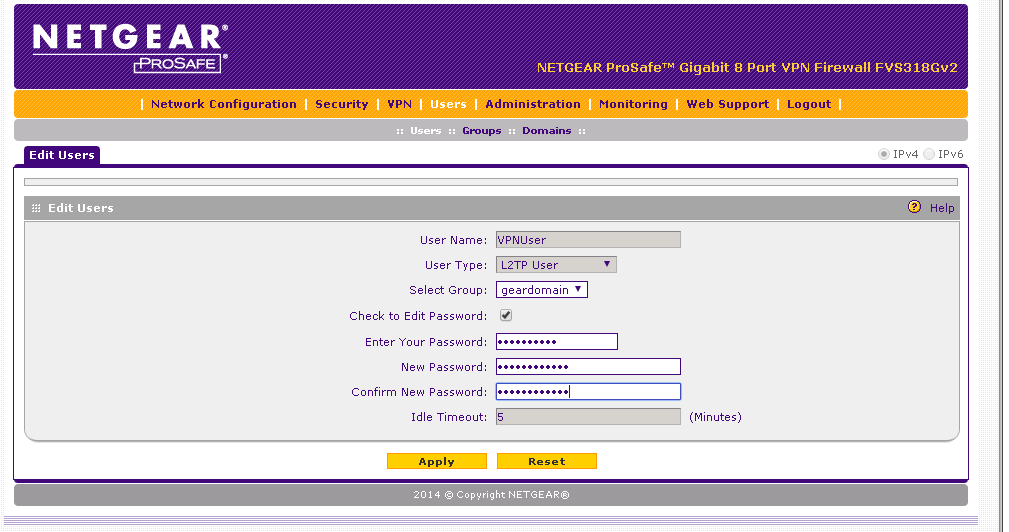
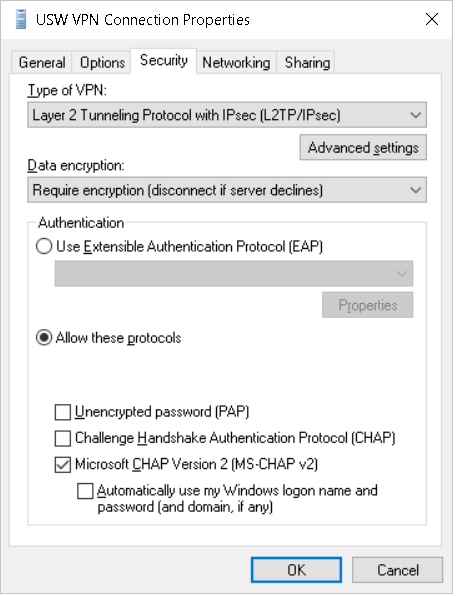
Hey Train_wreck, Thanks again for helping! Here are the screenshots:
Mode Config -
IKE Policy-
L2TP User -
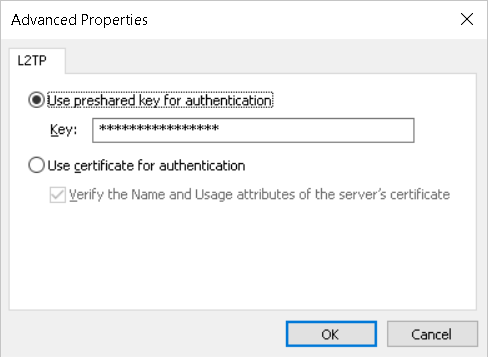
Windows 10 VPN Client-
Here is the error log on the VPN Router -
Hopefully I'm just missing an easy setting somewhere and you'll see it right away.
Thanks!
-Joe
- train_wreckJan 21, 2017Luminary
Set "Exchange Mode" to "Main" in your IKE policy. Also, you didn't post a screenshot of the "L2TP Server" page, I'm guessing it's been properly configured as well?
Related Content
NETGEAR Academy

Boost your skills with the Netgear Academy - Get trained, certified and stay ahead with the latest Netgear technology!
Join Us!
