NETGEAR is aware of a growing number of phone and online scams. To learn how to stay safe click here.
Forum Discussion

ColdFire3000
Jun 06, 2022Aspirant
Orbi Pro SXR30 SXS30 wired backhaul
I have a brand new Orbi setup and having nothing but issues with it. My setup is: Downstairs Virgin router->switch with SXR 30 plugged into it Switch->cat5 cable through ceiling to middle floor ...
- Jun 08, 2022I didn't do anything differently in terms of config, except that I did it all using the web interface rather than the stupid app.
This time everything worked the way it was supposed to.
I've got all the cabling setup exactly the same way. Although in testing the wireless backhaul is actually working quite well, so might leave it wireless for easier locating.
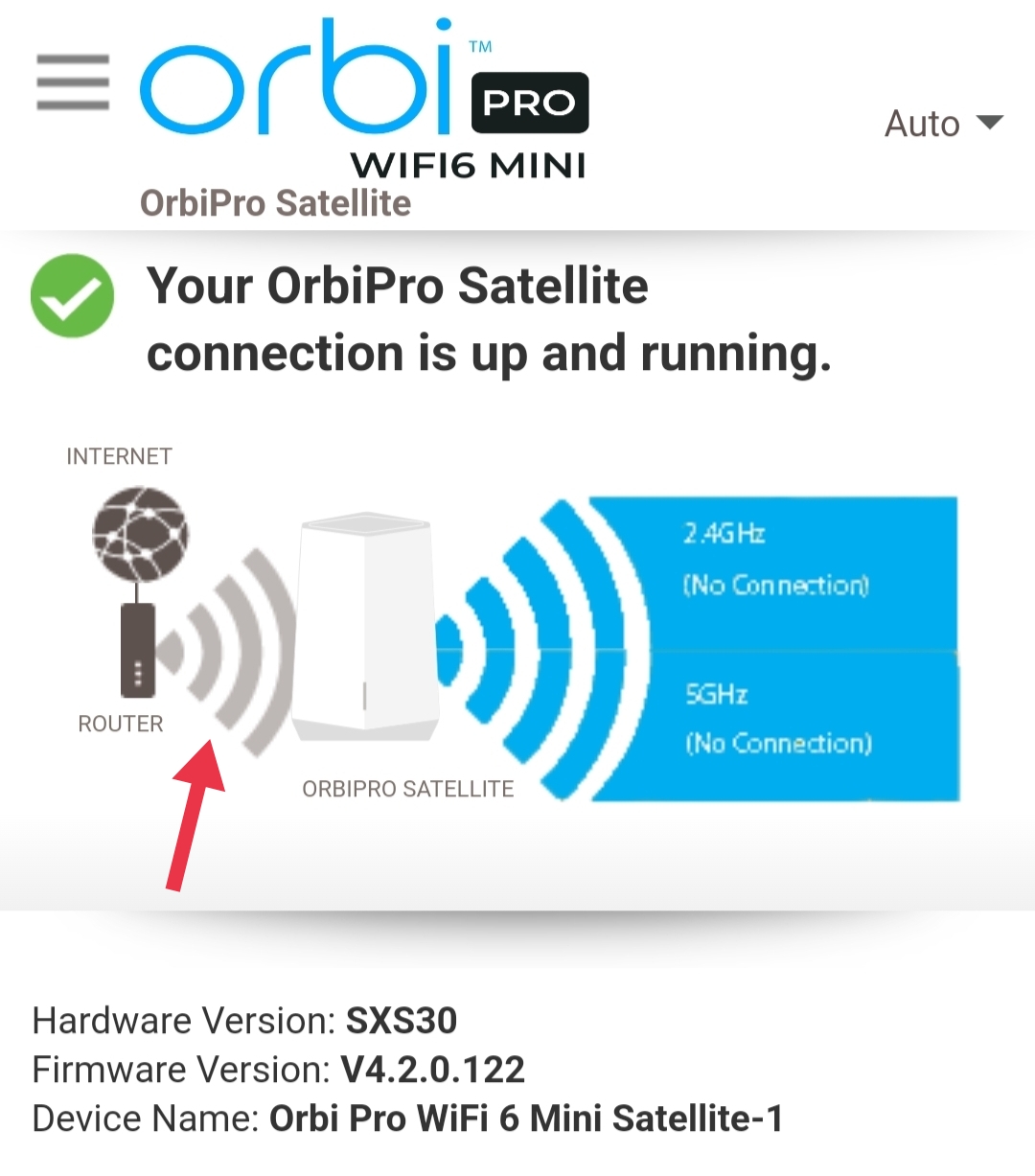
As promised, the attached images show the satellite connected via wireless Vs wired backhaul between the router and the satellite. Note that the wireless part being lit up or not. I've not seen this information clearly shown with screenshots anywhere, only in the Orbi app, so hopefully it's helpful to someone!
ColdFire3000
Jun 07, 2022Aspirant
Thanks for the info, I appreciate you taking the time to reply.
Seems like it's supposed to just work and I have everything setup right.
I will probably give it another go Thursday, if that doesn't work, reset everything to defaults and try again. If still no joy it's going back.
Last question, did you change any of the VLAN port settings, or leave everything default?
Seems like it's supposed to just work and I have everything setup right.
I will probably give it another go Thursday, if that doesn't work, reset everything to defaults and try again. If still no joy it's going back.
Last question, did you change any of the VLAN port settings, or leave everything default?

FURRYe38
Jun 07, 2022Guru - Experienced User
I would try this with the SXS, After the SXR is fully set up bring the SXS to the same room as the SXR and connect it to the back of the SXR. Give it about a good 5 minutes for it to connect and fully synce. I would probably let the SXS sync first wirelessly, then once it running there, connect it via ethernet. Check the status on the SXR as you go. This should work at this point.
Then try at the remote location with the SXS. If the SXS doesn't connect correctly here, then you may have cabling or switch problems. Would not be the first time users have reporting a bad jack, terminating jack wires, cabling or a switch causing problems.
Related Content
NETGEAR Academy

Boost your skills with the Netgear Academy - Get trained, certified and stay ahead with the latest Netgear technology!
Join Us!