NETGEAR is aware of a growing number of phone and online scams. To learn how to stay safe click here.
Forum Discussion

kussfamily
Jul 12, 2021Aspirant
Orbi RBR750 piggy back help
I have an orbi rbr750 with 2 satellites at my house. My idea was that the satellite that is my garage would piggyback off the one at the end of the house, but based on the network map and the consta...
- Jul 14, 2021
Ya, thats one thing you'll need to check on if that happens.
Something to help you with remote power cycles with connected devices:
https://www.synaccess-net.com/np-02b
I have one at each of my RBS locations. Works great if you can install them with a wired network connection to the router.
Please mark your thread as solved so others will know.
Be sure to save off a back up configuration to file for safe keeping. Saves time if a reset is needed.
https://kb.netgear.com/000062080/How-do-I-back-up-the-configuration-settings-on-my-Orbi-WiFi-System
Enjoy.


CrimpOn
Jul 13, 2021Guru - Experienced User
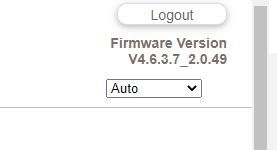
kussfamily wrote:Despite the instructions that say go into the advanced wireless settings and select piggyback mode - there is no option for that - see attached photo. How do i force the 2nd satellite to connect to the first satellite? My internet connection is fast - 932.33 Mbps, so it's not my internet. Firmware version 4.6.3.7 Thanks.
My understanding is that one of the changes Netgear made to the Orbi configuration on the AX product is that "Daisy Chain" is no longer an option. It is always on.
People who own the AX product can confirm that if the question is posted in the communit forum for AS Orbi's:
https://community.netgear.com/t5/Orbi-AX/bd-p/en-home-orbi-ax
The post mentions how far both satellites are from the router. How far is the garage satellite from the satellite you prefer it connect to?
Have you tried deleting the garage satellite from the configuration, then adding it again when placed in the garage?