NETGEAR is aware of a growing number of phone and online scams. To learn how to stay safe click here.
Forum Discussion

neoeksOr
Feb 26, 2019Follower
RAX80 - AX6000 Nighthawk AX8 8-Stream Wi-Fi 6 Router
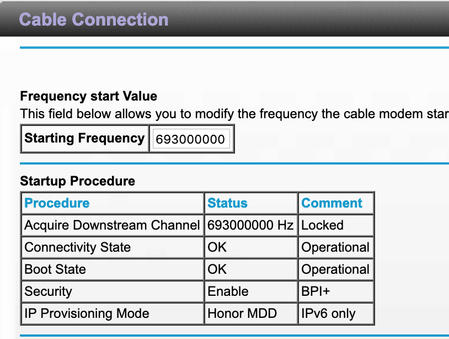
TL;DR: Everything remaining the same. Changed router to RAX80; requires modem restart upon internet drop
I recently changed my router to the RAX80 after my old router burned out. I was already ...
antinode
Feb 27, 2019Guru
> [...] When I try to connect to the modem to "http://192.168.100.1", I
> cannot connect at all and get a time out. This leads me to think whether
> RAX80 is somehow making my modem crash.
Or, if the RAX80 isn't passing any data to/from anything. What
happens if you connect your computer directly to the modem in such a
situation?
> The address "http://192.168.100.1" is outside the DHCP range of the
> router's "http://192.168.1.1" to "http://192.168.1.254" address.
Which is relevant why? You should get access to a DOCSIS cable-TV
modem(+router) (or some documentation for one), and see what
"192.168.100.1" does before getting too excited about any (perceived)
wrong-subnet "problem". (Google's address is ouside that DHCP range,
too, but that doesn't mean that Google is unreachable.)
> My experience is that you can't get at the modem through the router.
> Then again I have a DM200.
Have you tried "192.168.5.1"? Look for "Disable the Modem's Routing
Features and Use the Modem as a DSL Modem Only" in the DM200 User
Manual.
Hint: Think about what a router will do with a message which is
addressed to a foreign ("wrong-subnet") address, and what a clever modem
might be able to do if it could intercept such a message.

myersw
Mar 06, 2019Master
My Netgear cm500v modem is at IP address 192.168.100.1. Have never had an issue accessing when I had a r8000 and r8000p, nor do I have an issue now. As was noted, being out of the DHCP range means nothing.