NETGEAR is aware of a growing number of phone and online scams. To learn how to stay safe click here.
Forum Discussion

Off2Geo
Dec 12, 2025Aspirant
CM1200 suddenly dropping on Comcast
I am suddenly having the same issue. Have to turn the modem off, wait a minute then turn back on. It's good for a bit, then it happens again. Times are totally random that it goes down. All lights sh...
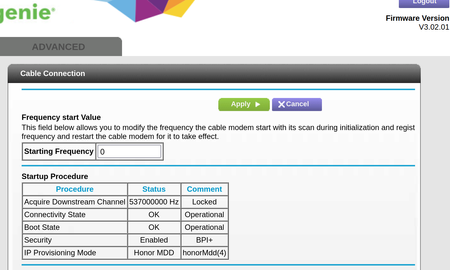

FURRYe38
Dec 12, 2025Guru - Experienced User
Power levels are on the low side but with in specs:
https://kb.netgear.com/24311/Power-level-guidelines-for-a-NETGEAR-cable-modem-router
Lots of correctables and un-correctables that should be mostly zeros.
Any Criticals, Errors or Warnings seen in the event logs needs to be reviewed and resolved by the ISP. Indicates a signal issue on the ISP line up to the modem.
Have the ISP check the signal and line quality UP to the modem. Be sure the ISP provisions the modem correctly.
Be sure there are no coax cable line splitters in the between the modem and ISP service box.
Be sure your using good quality RG6 coax cable up to the modem.
Start with removing any amplifiers, signal attenuators, or splitters from the coax.
From there check the line for kinks, damage, moisture in the line.
Check the connectors for improperly made ends, foil touching the copper coax line, loose connections, bad/old/cheap connectors, or corroded connections. Replace them if you do.
Be sure to power OFF the modem for 1 minute then back ON.
https://www.duckware.com/tech/solving-intermittent-cable-modem-issues.html
https://highspeed.tips/docsis-events/