NETGEAR is aware of a growing number of phone and online scams. To learn how to stay safe click here.
Forum Discussion

joev93
Aug 24, 2017Aspirant
WNDR3400v2 Port Forwarding Not Working
Port-Forwarding used to work on my PC, now it doesn't. I'm using the proper IPv4 address (as it says in ipconfig). I've tried setting UPnP off, on, and rebooting. Note: I also updated my firmware. D...
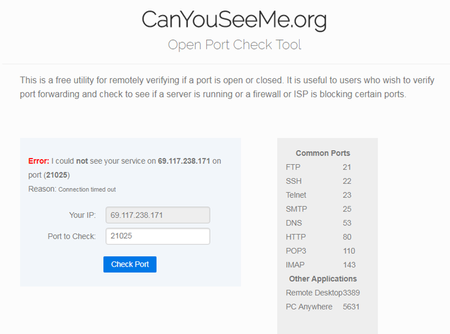
joev93
Aug 24, 2017Aspirant
Enabling DMZ does not solve my issue.
My IPv4 address changed after rebooting my router as well. I've accounted for it.
 TheEtherAug 25, 2017Guru
You didn't say how you are testing things. Apart from setting up port forwarding on the router, there are two other important requirements to fulfill.
- The router's Internet/WAN port must have a public IP address. The following are NOT public IP addresses:
* 192.168.x.x
* 10.x.x.x
* 172.16.x.x through 172.31.x.x
* 100.64.x.x through 100.127.x.x
If your router has one of these addresses, then there is another device performing NAT upstream of you. Your ISP could be using CGNAT, for example. If this is the case, port forwarding will simply not work unless you rent a public IP address from your ISP. - The server that you are forwarding a port to must be listening to the port in question. If it's not, then it won't respond to connection requests from the port tester, which will report a failure.
- The router's Internet/WAN port must have a public IP address. The following are NOT public IP addresses: