NETGEAR is aware of a growing number of phone and online scams. To learn how to stay safe click here.
Forum Discussion

DOC007
Jul 11, 2017Aspirant
PL 1000 connectivity issues
I just purchased the PL 1000 as an ugrade so that I can utilize the wireless capabilities and not just plug-in. So I was able to get it working plugged in as well as WPS on my cell phone. However, wh...
- Jul 13, 2017
There are two different things going on there.
The way to get into http://www.mywifiext.net/ is not the same as the way into the wifi.
As the bit you quote says First you need to be connected to the wifi.
DOC007 wrote:
There is a wifi key on one of the plugs, but what would be the user name if used.The wifi device you are trying to connect to should show and SSID for your network.
The manual says:
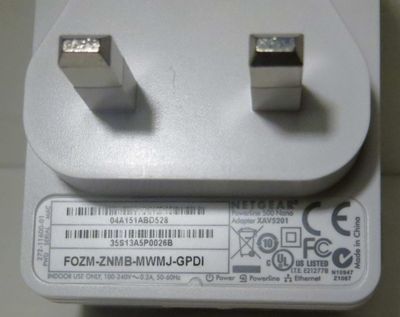
The network name is printed on the product label and is similar to Netgear##_EXT or Netgear##-5G_EXT.
DOC007 wrote:
Not very user friendly when instructions tell you to use admin/password initially.Indeed. Can't argue with that. Not at all user friendly.

michaelkenward
Jul 11, 2017Guru - Experienced User
DOC007 wrote:When opening Link... and putting in the admin/password. This doesn,t work... states that it is not correct.
That is the password for your router/modem. It is not the password for your plug's wifi.
The PL1000 does not have a wifi access point. Perhaps you mean PLW1000. Manual for that here:
>>> PLW1000 | Product | Support | NETGEAR <<<
It isn't clear to me what is going on here, the normal way to connect a laptop is to connect to the SSID you see and then feed in a password. That password is probably on the back of the plug (see below), as is the WPS key that you may be able to use.