NETGEAR is aware of a growing number of phone and online scams. To learn how to stay safe click here.
Forum Discussion

Wallou
Oct 25, 2016Aspirant
A6210 no AC connection , only N
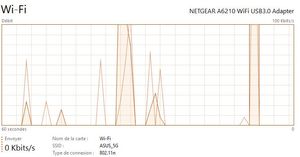
Hi, My A6210 does not connect to my router in AC mode. Only in N. I am on Windows 10 x64. I notice it now because i just got a 1Gb fiber connection and the bandwich is not as it should be. ...

TheEther
Oct 27, 2016Guru
It could be a bug in the Task Manager. Go to Network and Sharing Control Panel and click on the blue link for your Wi-Fi network. IIRC, this will display the connection status and, possibly, the protocol. If you are running Windows 10, then I believe the protocol is also displayed in Settings->Wi-Fi, somewhere.
If you find that the adapter is truly using only N, then go to the driver settings and see if there are any options to use AC.
Wallou
Nov 18, 2016Aspirant
Hi
Sorry for late reply i have been on holidays for 3 weeks and be back in a few days at home.
Wherever in Windows I look it's a N WiFi connection I have.
I don't recall seeing such a parameter in the driver settings.
I have an Asus RT-AC68U router and as stated above friends get AC connection so the router is fine I think.
I am pretty sure I am in N connection because friends have way better bandwidth speed compared to what i have with my Netgear A6210.
I made tests from the same room in my house and good WiFi signal.