NETGEAR is aware of a growing number of phone and online scams. To learn how to stay safe click here.
Forum Discussion

xrb34
Aug 13, 2022Aspirant
My router is dropping internet connection (AC2400)
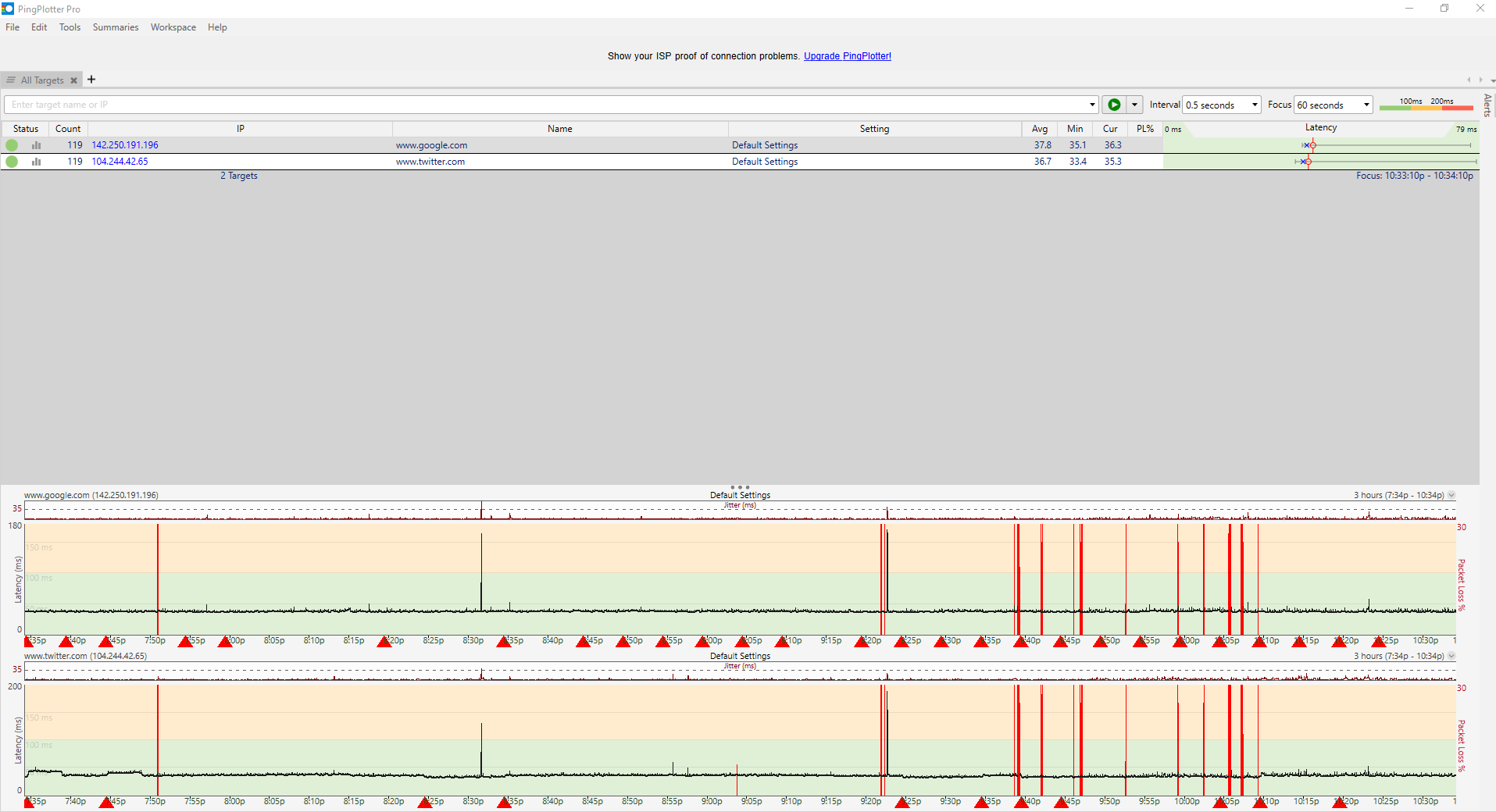
So I have been having issues with my AC2400 router. At random times I lose all internet connection ethernet and wifi for a few seconds every 10 minutes or so. The loss of internet is not constant though so sometimes it can take hours for the issue to arise again. It is no longer than a few seconds that I lose internet. I have factory reset my router, updated to the latest firmware, I have also reverted back to older versions of the firmware and the issue still happens. I have talked to my ISP and they said that there is no issue with my modem. While talking to them my internet did cut out but they said they didn't see any issues with the modem. I've ran pin plotter to see what and when I am loosing my internet. I used ping plotter to see what happens when I lose internet. I have a cat6 ethernet cable but it doesn't seem to the the issue. I don't really know what else I can do other than getting another router. If anyone can give me some advice to what I can do next that would be great.
12 Replies
- michaelkenwardGuru - Experienced User
xrb34 wrote:
So I have been having issues with my AC2400 router.
Which one?
AC2400 is not a reliable guide to model number. Many devices come with an AC tag, but it is essentially a label that Netgear, and other brands, attach to hardware to describe wifi speeds.
Look at the label on the device for the model number.
I have factory reset my router, updated to the latest firmware....Only a number tells us which version you actually have. It is more useful than "the latest". (It may not be by the time people read this.) There can also be newer versions, or "hot fixes", that do not show up if you check for new firmware in the browser interface.
It might also help if you told people what the modem is in front of this router, if there is one. The model number could be useful. Is it, by any chance, also a router, with a set of LAN ports on the back?
The reason for asking is that a lot of people turn up here trying to put a router behind a modem that is also a router. That can complicate troubleshooting.- xrb34Aspirant
The router is the R7350. The firmware I updated to was v1.2.0.92 which was the latest one on the netgear website for my router at this time. My router and modem are separated. The modem that I have is an Arris model:TM822A. Also I had reverted to an older firmware version to see if the issue continued and it did. The version that I reverted to is: V1.2.0.88_1.0.1.
- michaelkenwardGuru - Experienced User