NETGEAR is aware of a growing number of phone and online scams. To learn how to stay safe click here.
Forum Discussion

monolith77
Jul 21, 2016Guide
user account says NAS offline RN102 #27207196
I have upgraded a user to readycould and now when trying to login via the readycloud app on PC(win7) I cant as the app says that the NAS is offline with a handshake symbol.
I can log on fine via re...
monolith77
Jul 22, 2016Guide
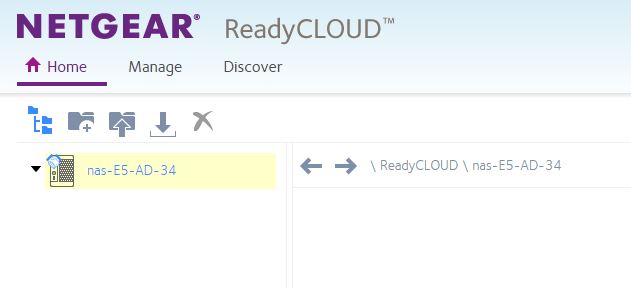
This is all that shows up when in readycloud. The readycloud app also shows the NAS as not connected but it is. I can connect fine with another account.
I need this for business and to take continual backups of files for this user, please help.

JennC
Jul 22, 2016NETGEAR Employee Retired
Hello monolith77,
What account are you using to login to the desktop client and ReadyCloud portal? Is this the same account you used in the admin page to turn on the ReadyCloud feature?
It should be in an email address. Under Cloud > ReadyCloud of admin page, you should see "signed in as" followed by the main myNetgear account (upgraded ReadyCloud account).
Regards,
Related Content
- Apr 16, 2020Retired_Member
NETGEAR Academy

Boost your skills with the Netgear Academy - Get trained, certified and stay ahead with the latest Netgear technology!
Join Us!
