NETGEAR is aware of a growing number of phone and online scams. To learn how to stay safe click here.
Forum Discussion

acraigl
Jan 21, 2018Tutor
Encountered issue with 6.9.2
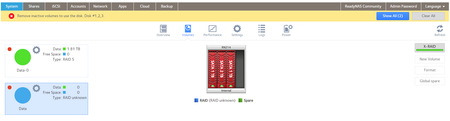
I've only had the RN214 for a few days, but everything has been going pretty well overall and I'm impressed with what I'm seeing over my VERY old windows home server. When I got it up and runnin...
- Jan 22, 2018
You can hot-swap with a replacement disk. The NAS will then format the replacement disk and add it to the array.
If the disk is already formatted you'd need to go into the web admin UI and format the disk there.
acraigl
Jan 21, 2018Tutor
Done!

mdgm-ntgr
Jan 21, 2018NETGEAR Employee Retired
Your logs show that the disk in slot 3 is bad. It's not a good idea to update the firmware with a bad disk installed.
If you look at smart_history.log you'll see that the WD10EADS disk you added has huge current pending sector, uncorrectable error and ATA error counts.
- acraiglJan 21, 2018Tutor
Didn't catch that, so thanks.
But why would it be fine under one firmware and not another (reported, anyway)?
- mdgm-ntgrJan 21, 2018NETGEAR Employee Retired
I think it was the reboot that brought it back, not the downgrade.
In any case it would be advisable to make sure you have an up to date backup.
- acraiglJan 21, 2018TutorI rebooted at least twice when trying troubleshoot, so I don't think so. I'll look into replacing the drive regardless. Thanks.
Related Content
- Mar 10, 2018Retired_Member
NETGEAR Academy

Boost your skills with the Netgear Academy - Get trained, certified and stay ahead with the latest Netgear technology!
Join Us!
