NETGEAR is aware of a growing number of phone and online scams. To learn how to stay safe click here.
Forum Discussion

RD5200
Mar 04, 2021Aspirant
RD5200 FV 1.4 to 1.4.5 Update without netgear signed drive
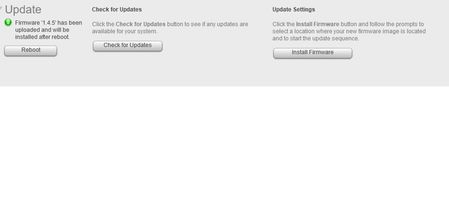
First I would Like tuy say "Hello" to everyone. Here is my problem I have RD 5200 without HDD. I would like to update firmware from 1.4.0 to 1.4.5 , but each time if I download the firmware and...

mdgm
Mar 04, 2021Virtuoso
It's been a while since I've done this, but there are a few ways to do it.
From memory if you put an unsigned drive in and manually create a volume on it using zpool create using SSH that should be enough for a firmware update to work. Then once you've done the firmware update and the system has come up after the reboot on the new firmware you'd do a factory reset.
You could alternatively try USB Boot Recovery. You would download the tool (https://kb.netgear.com/29952/How-do-I-use-the-USB-Recovery-Tool-on-my-ReadyNAS-OS-6-storage-system) and put a ReadyDATA OS flash .raw image (note this is different to a firmware image) in the solaris folder, run the usbrecovery.exe tool as an administrator and create a USB Boot Recovery key. Note that not all USB keys are compatible so you could have to try multiple USB keys before finding one that works.
- RD5200Mar 04, 2021Aspirant
Thank You
Could You write me a comand to create zpool over SSH
- mdgmMar 04, 2021Virtuoso
I don't have a 5200 and don't remember all the steps, but I do remember that it can be done. The disk paths are different for the 5200 to the 516.
Look into commands like
format
zpool create
etc.
It could be something like
zpool create data /dev/rdsk/c4t1d0s0
However the disk paths are longer than that on the 5200. The format command should help you identify the full disk path.
Basically you want to create a volume so that the settings are persistent and the system will let the firmware update take place.
Related Content
NETGEAR Academy

Boost your skills with the Netgear Academy - Get trained, certified and stay ahead with the latest Netgear technology!
Join Us!
