NETGEAR is aware of a growing number of phone and online scams. To learn how to stay safe click here.
Forum Discussion

ukbobrecover01
Sep 03, 2026Aspirant
Ran Into Problems A Using My RNDuoV2
Dear Forum Members First, had to use a new registration and email to actually make this post, for some reason I could not use my old info to gain access to this forum. Anyway, my problem is t...
ukbobrecover01
Sep 19, 2026Aspirant
Hi StephenB
Just have a couple of things to report, more of a "reporting info I found out".
Thing 1) I believe the error messages I am getting, when trying to access my original Plex database via the icon, strongly suggest a security problem rather than a crash. And as mentioned before, the problem started after a windows 11 update. Plus, my other two RNDuoV2's still work perfectly. However, I can still access my original databases via the networked mapped drives in file/windows explorer.
Anyway, as for new data, I only ever add music data to that RNDuoV2, which in the scheme of things, i.e. disk space, cpu usage, etc., is next to nothing.
Thing 2) I found out, more by accident than design, that the RNDuoV2's name is more than just a name, i.e. it permeates the properties of every network drive/folder mapped backed to the original databases on that machine.
I also found out that trying to amend the mapped drives, to matched the recently added new Name, was next to impossible and came with unexpected side-effects.
So, eventually (today) I changed the Name, on my number one RNDuoV2, back to it's original which (I hope) will mitigate (or do away with) the side-effects I acquired with original name-change.
I'm guessing the above info will not be of any use to anyone because the RNDuoV2 was last manufactured around 2011/12, and got a last Plex software update in 2015. So there cannot be that many RNDuoV2 users out there, even though the machine is a very good solid workhorse (and still commands premium prices on ebay UK).
And there endeth this part of my RNDuoV2 adventures.
UK Bob

Sandshark
Sep 19, 2026Sensei
This sounds like it's related to an issue that's plagued accessing a Linux-based NAS from Windows for some time -- Windows stops being able to find the device by name. There are two solutions, both of which require the NAS IP address stay fixed. Those are: just using the IP address instead of the name and adding the name to the Windows Hosts file. As for insuring the NAS IP address stays fixed, the best method is to reserve the address in your router. BTW, if you do use the Hosts file, the name you give it there doesn't really have to match the name you gave it on the NAS. In fact, you can create multiple aliases for the same IP address.
- schumakuSep 20, 2026Guru - Experienced User
Sandshark wrote:
This sounds like it's related to an issue that's plagued accessing a Linux-based NAS from Windows for some time -- Windows stops being able to find the device by name.
No static IP address required - just enable CIFS readily available.
You can enable SMB 1.0/CIFS on Windows 10 or 11 by turning it on through the Windows Features menu or by running an administrator command.
Using Windows Features (GUI)
- Press the Windows Key + R to open the Run dialog box.
- Type optionalfeatures and press Enter to open the Windows Features window.
- Scroll down the list and locate SMB 1.0/CIFS File Sharing Support.
- Check the box next to it (make sure all sub-options like the client and server components are selected).
- Click OK and wait for Windows to install the required files.
- Click Restart now to reboot your computer and apply the changes.
- SandsharkSep 20, 2026Sensei
Just enabling CIFS does not always work. CIFS requires a "master browser", but none of the devices on my network assume that role.
- schumakuSep 20, 2026Guru - Experienced User
Sandshark wrote:
CIFS requires a "master browser", but none of the devices on my network assume that role.
Two healthy CIFS systems (certainly a usual Windows workstation, and a non mis-configured ReadyNAS v4 or v6 smb.conf ) will for sure participate in the required election process.
it's not an assumption - it's a clear defined election process.
Some config examples prohibiting the participation in the election process under the [global] header in /etc/samba/smb.conf:
[global]
local master = no
domain master = no
preferred master = no
os level = 0
- ukbobrecover01Sep 24, 2026Aspirant
Hi to Sandshark & schumaku
Thanks for replying to my post, for which I am grateful. However, I must say this first of all, nowadays I am a firm believer, and practitioner, in the KISS principle, i.e. Keep It Simple Stupid. Therefore, I do not explore my HOST file, mess around with IP addresses, fixed or otherwise, nor do I look into the weeds of windows unless I have to.
Way, way back in the day, when I was a much younger man, I am 70 now, I would have explored those things you guys have mentioned.
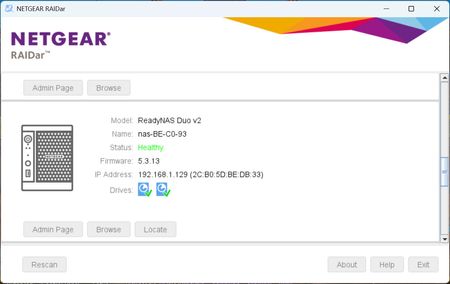
Anyway, saying all that, I stick to the IP addresses my router assigns to my six Netgear NAS devices (3 x RNDuoV2, 2 x RN102 and 1 x RN104). And so far that has worked out fine for me and, in most cases, i.e. five of my six devices, still works out fine until a windows 11 update rendered my first RNDuoV2's Plex icon (the one with the Name that differs from the Mac address) from accessing the Plex database on that device. However, I can still access that NAS's dashboard via it's bookmarked icon, and BTW, both icons (bookmarked and Plex) both contain the same IP address.
Another point, all my RNDuoV2's have all been set up with Plex in exactly same way so, apart from the Name-Mac Address thing, I can't see why my windows 11 PC cannot/will not access my Plex database on that particular device.
OK, moving on, as you can see below:-
My SMB facilities, in PC's "Windows Features" have been turned on, this was done some time ago thanks to advice supplied by this forum.
Likewise, the SMB facilities in all my NAS devices are also turned, which was done as part of my original setup procedures.
So at this point, I believe that a Windows 11 update has triggered some sort of security feature that prevents my Plex icon, on my No. 1 RNDuoV2, from accessing the Plex database on that device, while all my other NAS devices remain unaffected.
Now here's another wrinkle, I can still access my Plex database via File/Windows Explorer, in other words, I can still add data but I can't visually amend/update anything because to exercise that function I need to go in at the front end, which at the moment I can't.
Oh BTW, I did change my No. 1 RNDuoV2's name to the Mac address but that caused more unexpected problems and did not solve my original problem, so I changed it back.
Also, I recently found out that, on my PC at least, there are two types of windows icons, i.e. a simple IP address one, which allows access to my device's dashboard and, with a small amendment, my Plex database. While the other windows icon is for opening PC applications, this is more complex and has more amendable/tweakable features.
The above is important because I came across a possible solution that suggested changing the icon's compatibility settings. However, my troublesome Plex icon is the simple IP address based one, and as such, has no compatibility setting.
Anyway guys, thanks for your suggestions which is appreciated but, unfortunately, my RNDouV2 adventures continue.
Again, if you have any queries or something that I have explained is not clear then please do not hesitate to contact me and also any suggestions will be gratefully received.
UK Bob
 StephenBSep 24, 2026Guru - Experienced User
ukbobrecover01 wrote:
I can still access my Plex database via File/Windows Explorer,
When you say "database", do you mean the music files?
I'm asking because that is actually the media library. Plex also has a database - which is in the plexmediaserver folder on the NAS. That folder is hidden, so you can't normally access it with SMB. (FWIW, I'm not sure exactly where it is on the Duo v2. On newer ReadyNAS it is in a hidden folder in the data volume called .apps ).
ukbobrecover01 wrote:
I believe that a Windows 11 update has triggered some sort of security feature
Sorry, not the case - if that was the situation plex would fail on all three NAS. Which you are saying is not happening.
I stand by my opinion that the most likely cause is that plex server application is not running on the problem NAS.
One way you can test that is to enter nas-ip-address:32400 in your browser address bar (using the real IP address of course).
If plex is running, you will get an immediate response. It won't make much sense to you (it is not meant for humans to read), but at the top it should say:
This XML file does not appear to have any style information associated with it. The document tree is shown below.Underneath that will be a lot of stuff, starting with <MediaContainer
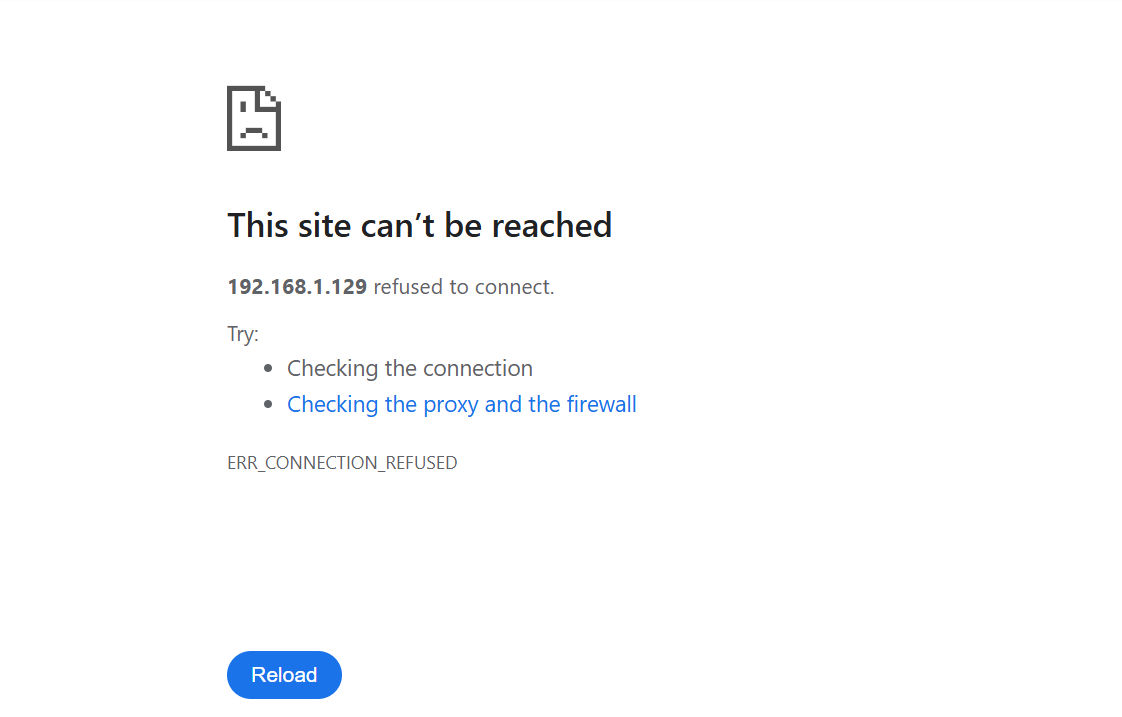
If plex is not running, you will eventually get a response saying "This site can't be reached".
Try this first using the IP address of one of the NAS where plex is running. Then try again with the problem NAS IP.
If you have a smartphone, or tablet you could also install the plexamp app on the mobile device, and see if it can reach the problem NAS. If that fails, then it rules out the Win 11 update hypothesis.
ukbobrecover01 wrote:
I recently found out that, on my PC at least, there are two types of windows icons, i.e. a simple IP address one, which allows access to my device's dashboard and, with a small amendment, my Plex database. While the other windows icon is for opening PC applications, this is more complex and has more amendable/tweakable features
Do you have DLNA enabled on your NAS? The dashboard should show you.
If you do, you will see an network icon that shows "Browse Folders", "Music", Pictures", and "Video" when you click on it. Although those look like NAS folders, they are not. The DLNA server on the NAS puts all the music files in "Music", all the photos in "Pictures", etc - no matter what folder they stored in on your NAS.
As far as other windows icons, you might be seeing one icon that opens your browser to the dashboard, and another that opens up file manager to the NAS shares.

Related Content
NETGEAR Academy

Boost your skills with the Netgear Academy - Get trained, certified and stay ahead with the latest Netgear technology!
Join Us!