NETGEAR is aware of a growing number of phone and online scams. To learn how to stay safe click here.
Forum Discussion

snoofy
Feb 15, 2024Aspirant
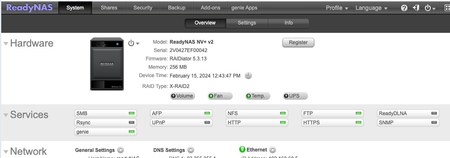
ReadyNAS NV+ v2 - Cant access shares, failed f/w update etc
Haven't been using my NAS for a long time but that said, lots of photos and movies are stored on it. I booted it and it came up, noticed ths SSL issue with the browser but I got Opera and could get...

StephenB
Feb 15, 2024Guru - Experienced User
Have you tried SMB? Or only NFS?
Have you downloaded the full log zip file, and looked in there for errors?
- snoofyFeb 15, 2024Aspirant
I have tried them all smb, ftp, nfs, http (webdav) but nothing let me see the files
Yes I have a download here, looking through it but not really sure what to look for 😉
- snoofyFeb 15, 2024Aspirant
Seems that if I try to connect using smb v1.0 with the wrong passwd I am getting "Permission denied" and if I use the right password I am getting "mount error(6): No such device or address" so that I would assume points to a volu,e issues as I also don't see the volume turn green
In the logs I am seeing indications of no physical volumes were found by pvscan and vgscan also reports that no volume groups found. Plus that /etc/resolv.conf has been deleted, shouldn't that be there ?
How can I check / try to do this manually (pvscan/vgscan) and ev recreste a resolv.con - debug mode ?
- StephenBFeb 15, 2024Guru - Experienced User
snoofy wrote:
In the logs I am seeing indications of no physical volumes were found by pvscan and vgscan also reports that no volume groups found.
Have you looked at the disk health?
You can try logging into tech support mode, though you might want to try an OS reinstall first. That does a partial reinstall of the OS. It will also reset the admin password back to password, and reset the network config to use DHCP with no bonding. It is data-safe.
Related Content
NETGEAR Academy

Boost your skills with the Netgear Academy - Get trained, certified and stay ahead with the latest Netgear technology!
Join Us!
