NETGEAR is aware of a growing number of phone and online scams. To learn how to stay safe click here.
Forum Discussion

ReadyNAS312
Jan 23, 2024Aspirant
ReadyNAS NV+ V2 Disk Error, But Not Showing Which Disk?
I have a ReadyNAS NV+ V2 with 2 x 2TB (bay 1 and 2) and 2x 3TB (bay 3 and 4) running the most recent firmware. It's had a panic attack and 3 disks showed up with a first aid icon, this then boiled...
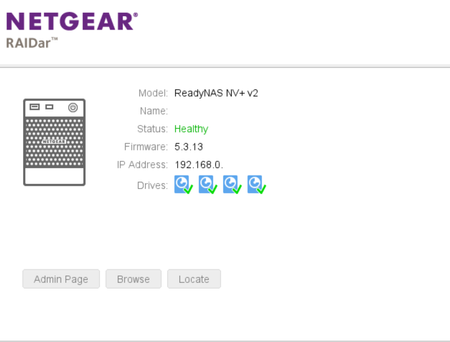
ReadyNAS312
Jan 24, 2024Aspirant
UPDATE: I pulled the bay 4 disk out and restarted - I can see all the files and folders, but the unit is "unprotected". I've ordered a USB SATA cable to run diagnostics on the failing disks, and the replacement disk which flunked. Hopefully I can bring the whole thing back to life and protected again - and then repurpose.
Thankfully, the ReadyNAS had a single USB drive connected which backed up the whole box - I was able to use this to transfer the files to a 4 bay synology. What I'm doing now is simply checking the USB and the ReadyNAS are sync'd and up-to-date.
 StephenBJan 24, 2024Guru - Experienced User
ReadyNAS312 wrote:
UPDATE: I pulled the bay 4 disk out and restarted - I can see all the files and folders, but the unit is "unprotected". I've ordered a USB SATA cable to run diagnostics on the failing disks, and the replacement disk which flunked. Hopefully I can bring the whole thing back to life and protected again - and then repurpose.
Thankfully, the ReadyNAS had a single USB drive connected which backed up the whole box - I was able to use this to transfer the files to a 4 bay synology. What I'm doing now is simply checking the USB and the ReadyNAS are sync'd and up-to-date.Good news. Generally I pre-test my disks before putting them in the NAS. I like to run both a full non-destructive test and a full write test. Unfortunately WDC's Dashboard doesn't include a full write/erase test. I think Seatools might let you do it (even with a WDC disk).
On disk options - best to avoid WD Reds, as they are SMR (shingled magnetic recording). Sustained write speeds can be extremely slow. WD Red Plus (and Pro) are CMR (conventional magnetic recording), as are all Seagate Ironwolf drives. Stick with NAS-purposed drives, as most desktop drives in the 2-6 TB size range are SMR (and many shucked USB drives are also).
Related Content
NETGEAR Academy

Boost your skills with the Netgear Academy - Get trained, certified and stay ahead with the latest Netgear technology!
Join Us!
