NETGEAR is aware of a growing number of phone and online scams. To learn how to stay safe click here.
Forum Discussion

Scottrick101
Sep 12, 2017Aspirant
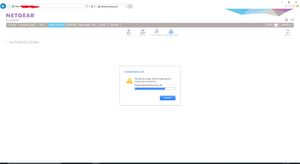
Admin and password not working after chaning Workgroup Name
Hi guys, I currently have a 2 TB external hard drive which is connected to my Netgear WND4500 router. I also have my READYNAS 314 connected to my router as well. Everything was working fine. I coul...

mdgm-ntgr
Sep 12, 2017NETGEAR Employee Retired
The suggestion was to change the workgroup name to WORKGROUP (if this is the name of your workgroup). It needs to be the same workgroup that your PC is in.
Did you change any other settings?

Scottrick101
Sep 15, 2017Aspirant
Hi, I didn't change anything else except the Volume Name.
Then I pressed authorised.
Any ideas??
 StephenBSep 15, 2017Guru - Experienced User
The workgroup/homegroup stuff really doesn't apply to chrome, it's about SMB (windows file explorer) access.
You said you changed the volume name... Did you really mean the workgroup name? There is no volume name on the authentication screen.
I suggest rebooting the NAS, and seeing if that resolves the admin GUI access problem.
- Scottrick101Sep 16, 2017AspirantThanks for your response.
In respect to rebooting I'm hesitant at the moment because all the shortcuts and devices connected to the NAS still work as they are pre-configured to the old admin /password.
If I reboot the NAS and the admin/password doesn't work will that mean all the other devices will be disconnected as well? Makes sense that once they disconnect they will not be able to reconnect as configured under the old admin/password setup.
Thoughts - Scottrick101Sep 16, 2017AspirantThanks for your response.
In respect to rebooting I'm hesitant at the moment because all the shortcuts and devices connected to the NAS still work as they are pre-configured to the old admin /password.
If I reboot the NAS and the admin/password doesn't work will that mean all the other devices will be disconnected as well? Makes sense that once they disconnect they will not be able to reconnect as configured under the old admin/password setup.
Thoughts ?- StephenBSep 16, 2017Guru - Experienced User
Scottrick101 wrote:
In respect to rebooting I'm hesitant at the momentWell, you said earlier that resolving the login/password issue was "ultra important". Anyway, at some point you will have to reboot.
SMB logins possibly could fail. But if you can log into the NAS GUI again, you can change the password back to what it was before.
Related Content
NETGEAR Academy

Boost your skills with the Netgear Academy - Get trained, certified and stay ahead with the latest Netgear technology!
Join Us!
