NETGEAR is aware of a growing number of phone and online scams. To learn how to stay safe click here.
Forum Discussion

bjhills
May 03, 2019Aspirant
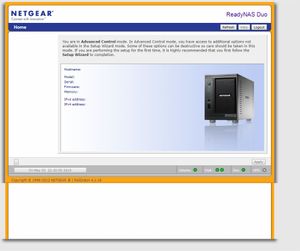
Admin Page not working on FrontView: ReadyNAS Duo Model RND2150
Good Evening, I'm new to the community discussions so...
I have had my Duo for 9 years with only a small number of 'issues' but this one is baffeling me.
When I use RAIDar (4.3.8) to brin up ...

937carrera
May 04, 2019Aspirant
Have you tried using another browser like Firefox? I suspect it is a SSl security issue caused by a recent Chrome update.
You should get prompted to add a security exception because of a self signed certificate
 StephenBMay 04, 2019Guru - Experienced User
FWIW, I am able to access my own Duo with the current version of Chrome.
But I agree that it makes sense to try Firefox and see if the behavior is different. You could also try rebooting the Duo.
- bjhillsMay 04, 2019Aspirant
Thanks, I can access the page through IE so it seems like it could be a setting in Chrome.
- StephenBMay 04, 2019Guru - Experienced User
What firmware are you running in the Duo?
- 937carreraMay 05, 2019Aspirant
Hah !
I prefer to access my legacy netgear stuff through IE, I was going to post about using IE but took it out as I doubted many others would still have it available to them.
This is suggesting even more that it's a SSL certificate related issue to me
In IE are you using http or https ?
Related Content
NETGEAR Academy

Boost your skills with the Netgear Academy - Get trained, certified and stay ahead with the latest Netgear technology!
Join Us!
