NETGEAR is aware of a growing number of phone and online scams. To learn how to stay safe click here.
Forum Discussion

chuber
Apr 27, 2016Aspirant
Backup up ReadyNAS to PC
Hello, Would like to backup FROM my ReadyNAS Duo TO a PC (Win 7 Pro) on the local network. Using FrontView to set up the backup jobs. For the Source, I select one of the Shares on the ReadyNA...
- Apr 28, 2016
Hi chuber,
Change the path to PCTestFolder (only) and run the backup again.
Kind regards,
BrianL
NETGEAR Community Team

chuber
Apr 28, 2016Aspirant
Brian,
I don't have any log files to send yet as I have not successfully run a backup job from NAS to PC or vice versa.
Am I supposed to use Remote: Windows/NAS (Timestamp)? It is the only option I have to connect to the PC.
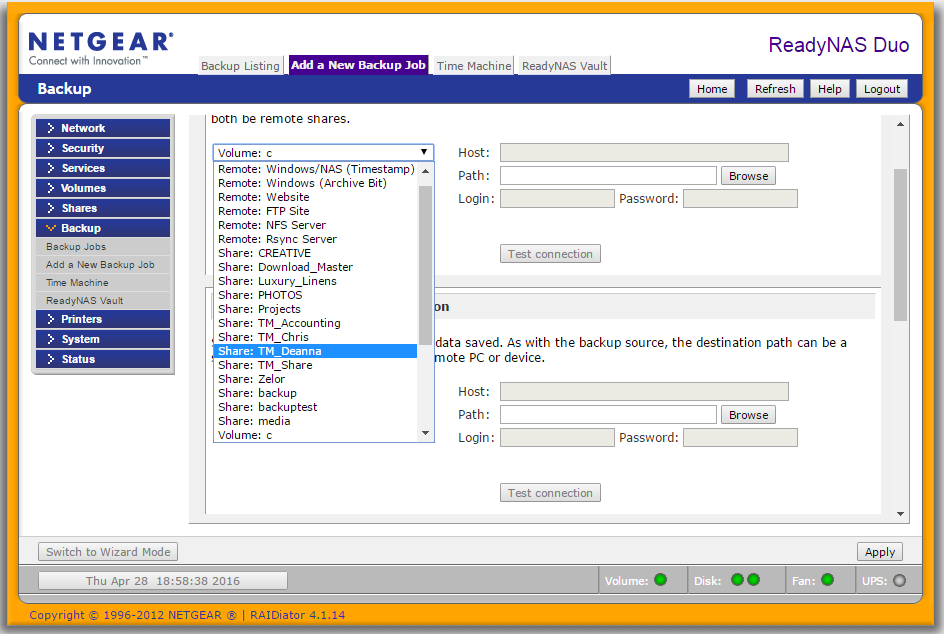
I tried the ip addr and the computer name (vostro) for the host. Neither works and gives the error shown below this photo
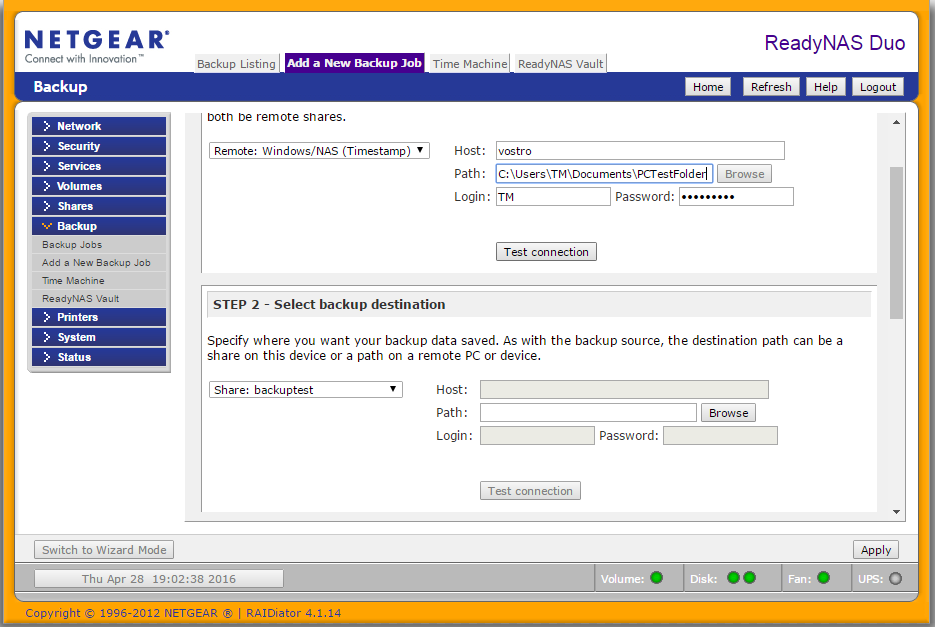
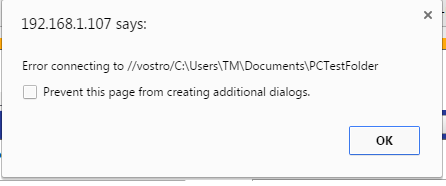
Of course, I was unable to run the Test Connection successfully, but saved the backup and ran it anyway so I could show you the log file below:
--------------------------------------------------------------------------------
FULL Backup started. Thu Apr 28 19:13:04 PDT 2016
Job: 001
Protocol: cifs
Source: //192.168.1.124/C:\Users\TM\Documents\PCTestFolder
Destination: [backuptest]/
Backup failed. Thu Apr 28 19:13:06 PDT 2016.
Reason for failure:
Unable to access remote path //192.168.1.124/C:\Users\TM\Documents\PCTestFolder.

BrianL2
Apr 28, 2016NETGEAR Employee Retired
Hi chuber,
Change the path to PCTestFolder (only) and run the backup again.
Kind regards,
BrianL
NETGEAR Community Team
- chuberApr 29, 2016Aspirant
Brian (and others),
Cannot thank you enough....it works!
FIrst I changed the path as you instructed. But it still did not work. So I went back to check on the permissions. I had already followed the steps to share folders as suggested in one of the previous posts. This time however, I went to the specific folder on the destination PC and selected Advanced Sharing on the Sharing tab. I enabled Advanced Sharing (went individually to each folder). Then, everything worked.
So why do I have to do the Advanced Sharing if I already had the folders shared?
Again, huge thanks for the great help!
 Retired_MemberApr 29, 2016
Because Windows ;)
Related Content
NETGEAR Academy

Boost your skills with the Netgear Academy - Get trained, certified and stay ahead with the latest Netgear technology!
Join Us!
