NETGEAR is aware of a growing number of phone and online scams. To learn how to stay safe click here.
Forum Discussion

f2f
Oct 04, 2026Aspirant
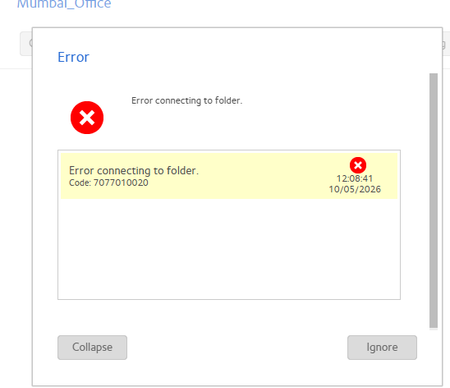
Erro connecting to folder
I am using connected my remote office with site to site vpn and truing to add folder in NAs but getting error. in my local PC i am able to open this salred ip folder but in nas getting error

Sandshark
Oct 09, 2026Sensei
What you are showing has nothing to do with creating a folder. You seem to be trying to create a backup job of a folder on another device to your NAS. But you have selected 10.10.20.11/test as a remote folder from which to backup where your other screen grab seems to say that your NAS, not some other system, is at 10.10.20.11.
On what type of system is the test folder located? If you are not trying to back up a folder on another system to the NAS, then what are you trying to do?
f2f
Oct 11, 2026Aspirant
I have one usr which IP 10.10.20.11 i wan to add this PC folder Test1 to the NAS for auto backup .NOW this user folder test1 i am adding to the NAs in backp option with remote option where i am putting all the details but this folder ia m not able adding .and getting error as mentioned above
 StephenBOct 12, 2026Guru - Experienced User
f2f wrote:
I have one usr which IP 10.10.20.11 i wan to add this PC folder Test1 to the NAS for auto backup .NOW this user folder test1 i am adding to the NAs in backp option with remote option where i am putting all the details but this folder ia m not able adding .and getting error as mentioned above
The error is that the NAS is unable to access Test1 on that PC.
The most likely causes are that
- you are using the wrong network credentials for the PC in the backup settings
- that either the file permissions or the network permissions on the PC aren't allowing access to the folder
Can you access the Test1 (and the files in it) on your own PC using those credentials?
Related Content
NETGEAR Academy

Boost your skills with the Netgear Academy - Get trained, certified and stay ahead with the latest Netgear technology!
Join Us!
