NETGEAR is aware of a growing number of phone and online scams. To learn how to stay safe click here.
Forum Discussion

studdsit
Jul 24, 2024Aspirant
Error showing Remove inactive volume to use the disk # 4,5,6,8,
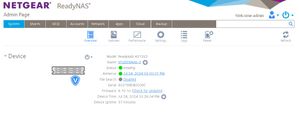
We are facing error (Remove inactive volume to use the disk) in NAS device, please find the attached error snapshot for your reference and help us to resolve the issue.

StephenB
Jul 24, 2024Guru - Experienced User
Do you have a backup of the data?
Download the log zip file from the logs page - there are usually clues in there on what went wrong.
If you need help understanding what you are seeing, then I am willing to take a look. You'd need to upload the full zip to cloud storage (dropbox, etc), and send me a PM (private message) with a link. Make sure the permissions are set so anyone with the link can download. You send a PM using the envelope link in the upper right hand of the forum page.
Don't post the zip publicly, as there is some information leakage when you do that.
Related Content
NETGEAR Academy

Boost your skills with the Netgear Academy - Get trained, certified and stay ahead with the latest Netgear technology!
Join Us!
