NETGEAR is aware of a growing number of phone and online scams. To learn how to stay safe click here.
Forum Discussion

erimol
Jan 19, 2016Tutor
I can't map network drive in Windows 10 home
I have a readyNAS duo that I can't map in windows 10, limits the functionality of drag and drop file storage. I can FTP into the NAS from the computer. The Windows File Explorer sees the drive in the...
- Jan 20, 2016
Hi erimol,
Do you have another computer to test if the CIFS protocol or service is working fine? Also, check if disabling and re-enabling CIFS protocol in the admin page would help.
Looking forward to your response.
Kind regards,
BrianL
NETGEAR Community Team


StephenB
Jan 19, 2016Guru - Experienced User
What happens if you open CMD and enter
net use * /delete
net use t: \\192.168.1.13\C /user:admin adminpassword
where adminpassword is the NAS admin password.
The expected behavior would be to mount the NAS C volume as drive letter t.
erimol
Jan 19, 2016Tutor
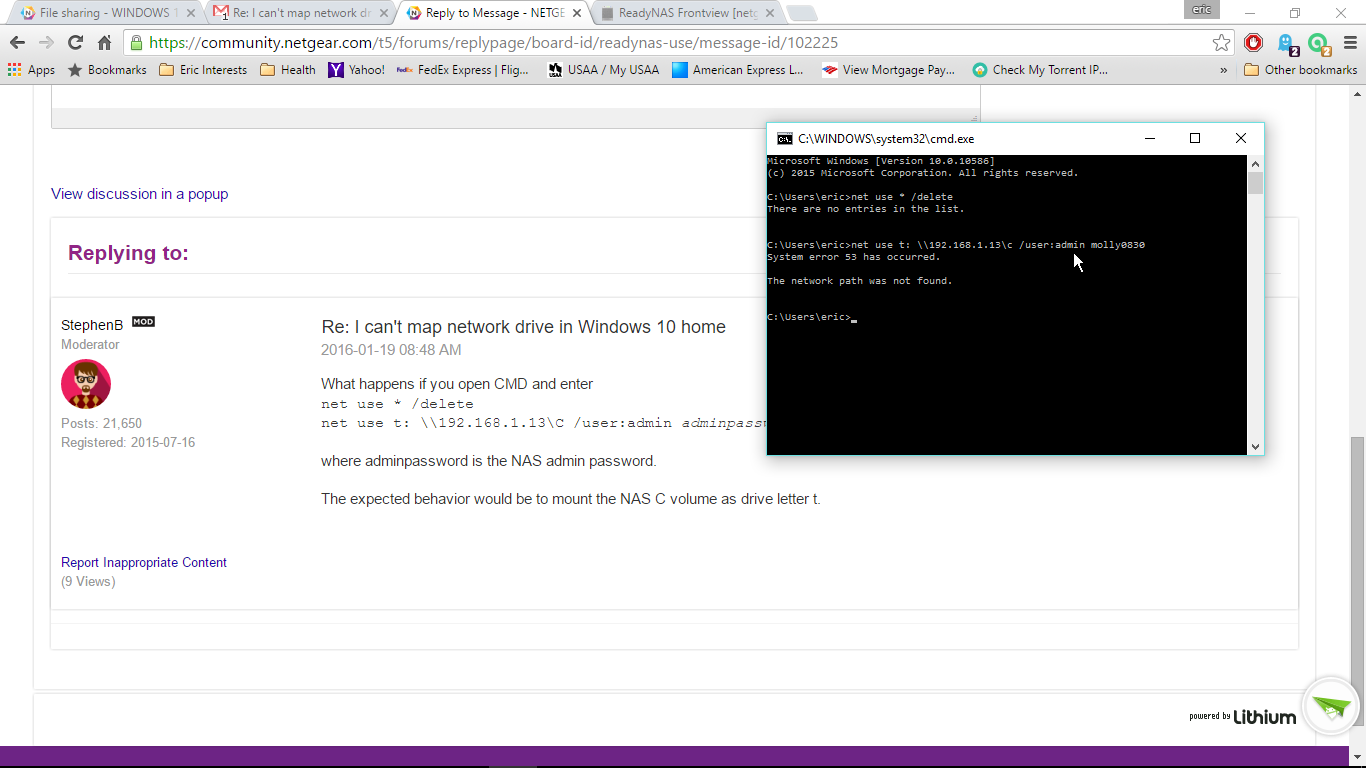
- StephenBJan 19, 2016Guru - Experienced User
Try going into the windows control panel, and select "programs and features" followed by "turn windows features on or off".
You should see a checkbox for "SMB 1.0/CIFS File Sharing Support". If it isn't checked, then check it. I think you will need admin privileges for this btw.
- erimolJan 20, 2016Tutor
That box is already checked.
Thanks for all the help by the way. I really appreciate it.
- BrianL2Jan 20, 2016NETGEAR Employee Retired
Hi erimol,
Do you have another computer to test if the CIFS protocol or service is working fine? Also, check if disabling and re-enabling CIFS protocol in the admin page would help.
Looking forward to your response.
Kind regards,
BrianL
NETGEAR Community Team - erimolJan 20, 2016Tutor
YAHTZEE! I disabled CIFS reboot. Enable CIFS reboot. and the NetgearNAS showed in the network area of File explorer. I also successfully mapped the shares as individual network drives.
Thanks! winner, winner, chicken dinner.
- BrianL2Jan 20, 2016NETGEAR Employee Retired
Hi erimol,
Congrats! I am glad that I've helped you resolve your problem :)
Kind regards,
BrianL
NETGEAR Community Team
Related Content
NETGEAR Academy

Boost your skills with the Netgear Academy - Get trained, certified and stay ahead with the latest Netgear technology!
Join Us!
