NETGEAR is aware of a growing number of phone and online scams. To learn how to stay safe click here.
Forum Discussion

kkofsky
Oct 23, 2016Aspirant
On my Ready Nas 1100, I received a cannot find volume error
Windows Small Business Environment The errir i have gotten is as follows The paths for the shares listed below could not be found. Typically, this occurs when the NAS is unable to access the da...

JennC
Oct 24, 2016NETGEAR Employee Retired
Hello kkofsky,
Do you have backup of the data? It does not look good. There is a big possibility that 2 disks have gone bad and that means if this was configured as XRAID (RAID5) it broke the volume as the it only allows to 1 faulty disk to keep the volume and data intact.
Can you download the logs please then look for disk_smart log that has no date?
Regards,
kkofsky
Oct 25, 2016Aspirant
I do not have a back up of some of this data.
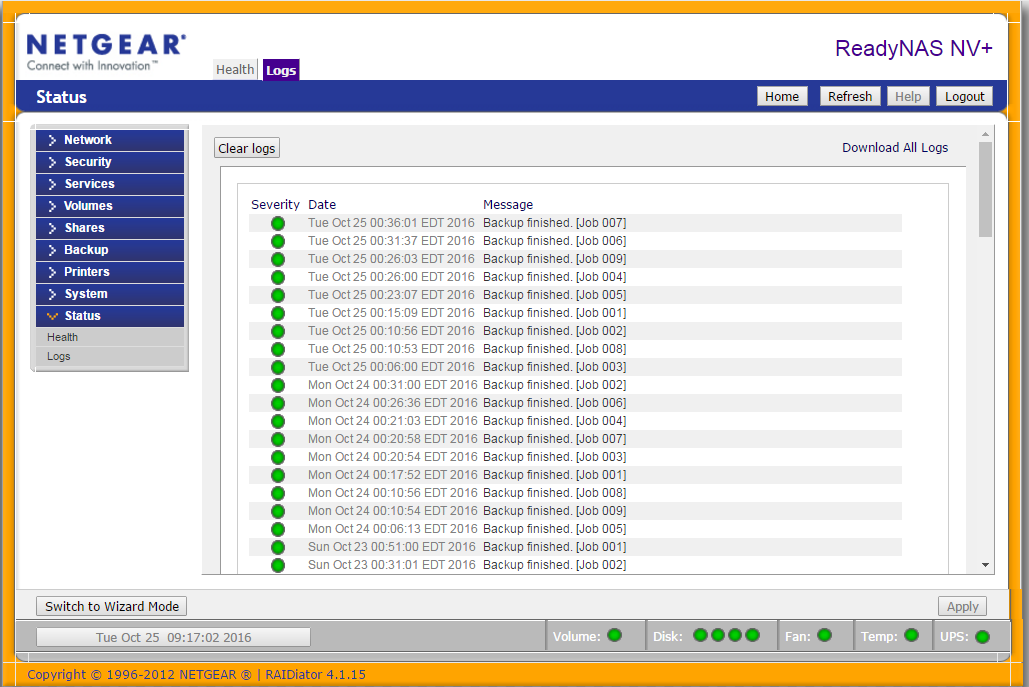
How do you download the logs?
 StephenBOct 25, 2016Guru - Experienced User
FWIW, your firmware is ancient (~2008, perhaps even older) and you might also run into browser compatibility issues.
With current firmware, you download the logs by clicking "status" on the right pane, then "logs". Then there's a "download all logs" link on the upper right.
- mdgm-ntgrOct 25, 2016NETGEAR Employee Retired
4.01c1-p1 was released back in early March 2008. That's over 8 and a half years ago now. You shouldn't update the firmware with the NAS in this state.

Related Content
NETGEAR Academy

Boost your skills with the Netgear Academy - Get trained, certified and stay ahead with the latest Netgear technology!
Join Us!
