NETGEAR is aware of a growing number of phone and online scams. To learn how to stay safe click here.
Forum Discussion

IcyK
Aug 25, 2015Tutor
Pro6 hangs at 'Booting; New disk added' without disk added
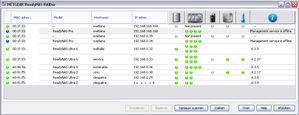
Recently I bought a (used) Pro6 and 4 x 6 TB WD RED (new) to reorganize my storage. I have an Ultra6 running 4.2.26 with 18 TB space (3 TB empty) in Raid5 (X-raid) and an Ultra6 running 4.2.26 with ...

IcyK
Aug 25, 2015Tutor
Update:
I noticed the Pro uses RS232 instead of TTL, hence my USB 2 TTL adapter produced garbage in putty ;)
I ordered a RS232 adapter, along with a VGA breakout. Hope they'll arrive the day after tomorrow.
PS: it seems editing a post is not possible, hence this new message. Or am I looking in the wrong place for an 'Edit' option?

StephenB
Aug 25, 2015Guru - Experienced User
There should be a ... in the upper right of the post.
What options to you see when you click on that?
- IcyKAug 25, 2015Tutor
Ah, apparently only the first post can't be edited.
The list at the first post starts with "Mark as New", the second post with "Edit Reply".
- mdgm-ntgrAug 26, 2015NETGEAR Employee Retired
So the Pro is running OS6?
If you install RAIDar 6.0 can you download the logs using that?- IcyKAug 26, 2015Tutor
Unfortunately, things have turned for (probably) worse.
The Pro was running OS4, but the disk-switching to the Ultra6 seems to have 'contaminated' the 4GB root partition. Or more likely, I selected the wrong boot option on the Ultra (as I already seemed to experience a black out ;) )
I managed to fabricate a RS232 cable from and old DB9 connector and some old CDrom internal audio cable, so I could check boot messages and noticed a welcome line 'Welcome to Readynas 6.3.5' (or something alike).
So I decided to reinstall the OS (being 4.2.27 on the Pro), but now the RAID volume isn't found.
I think tomorrow I will do a factory default with a spare disk (500 GB) and use Flexraid, maybe the Xraid volume can be recovered using mdadm tools. I have been going through a similar process in this thread: https://community.netgear.com/t5/Using-your-ReadyNAS/Q-change-raid0-volume-name/m-p/896865#M50337
First I'll read up on RAID restore issues... From the bootlog, it seems SSH is started, so maybe I even can recover from 'within'.
This is the bootlog:
kernel.............................................................
Loading initrd.gz.............................Ready.
sky2 0000:01:00.0: Fall back to sk98lin instead.
sky2 0000:02:00.0: Fall back to sk98lin instead.

Starting the boot process...
Loading kernel modules...sd 6:0:0:0: [sde] Assuming drive cache: write through
sd 6:0:0:0: [sde] Assuming drive cache: write through
sd 6:0:0:0: [sde] Assuming drive cache: write through
done
Bringing up RAID arrays...done
Bringing up network...eth0.done
Switching root to RAID device.


INIT:
INIT: Entering runlevel: 2

Starting web server: apache2install: cannot create directory `/var/lock': File exists
apache2: Syntax error on line 244 of /etc/apache2/apache2.conf: Include directory 'mods-enabled' not found
 failed!
Running ReadyNAS Universal Startup Script...
cpio: //./etc/alternatives/vi not created: newer or same age version exists
Starting the hotplug events dispatcher: udevdudevd[910]: add_to_rules: unknown key 'TAG' in /lib/udev/rules.d/70-uaccess.rules:13


udevd[910]: add_to_rules: unknown key 'TAG' in /lib/udev/rules.d/70-uaccess.rules:16


udevd[910]: add_to_rules: unknown key 'TAG' in /lib/udev/rules.d/70-uaccess.rules:19

[ and some 30 more /lib/udev errors ]


udevd[910]: add_to_rules: unknown key 'TAG' in /lib/udev/rules.d/99-systemd.rules:59

.
Synthesizing the initial hotplug events...udevd-event[1172]: import_file_into_env: can't open 'input_id': No such file or directory


udevd-event[1412]: import_file_into_env: can't open 'input_id': No such file or directory


done.
Waiting for /dev to be fully populated...done.
quitting on signal 15...
Setting disk write cache policy: sda sdb sdc sdd.
Starting Secure Shell server: sshd.
Setting up LVM Volume Groups...done.
Checking all file systems...done
Setting kernel variables.
Mounting local filesystems...
mount: special device /dev/c/c does not exist
Turning on quotas.
Initializing random number generator... done.
Starting frontview boot scripts: frontview_rc.
Starting portmap...done.
Starting system log daemon: syslogd.
Starting deferred execution scheduler: atd.
Starting kernel log daemon: klogd.
Starting periodic command scheduler: cron.
Starting Samba daemons: smbd.
Starting quota service: rpc.rquotad.
Exporting directories for NFS kernel daemon...done.
Starting NFS kernel daemon: statd nfsd mountd.
Starting periodic command scheduler: cron failed!
system message bus already started; not starting..
Starting MD monitoring service: mdadm --monitor.
nut-server disabled, please adjust the configuration to your needs.
Then set MODE to a suitable value in /etc/nut/nut.conf to enable it.
Starting rsync daemon: rsync.
Starting Avahi mDNS/DNS-SD Daemon: avahi-daemon.
Starting Connection Manager:/usr/sbin/connmand: error while loading shared libraries: libxtables.so.7: cannot open shared object file: No such file or directory
 failed!
/etc/rc2.d/S04forked-daapd: line 91: init_is_upstart: command not found
/usr/sbin/forked-daapd: error while loading shared libraries: /lib/x86_64-linux-gnu/librt.so.1: ELF file OS ABI invalid
Starting NFS common utilities: statd idmapdrpc.idmapd: Could not find user "nobody"
 failed!
Exporting directories for NFS kernel daemon...exportfs: /etc/exports [1]: Neither 'subtree_check' or 'no_subtree_check' specified for export "*:/backup".
  Assuming default behaviour ('no_subtree_check').
  NOTE: this default has changed since nfs-utils version 1.0.x

exportfs: /etc/exports [2]: Neither 'subtree_check' or 'no_subtree_check' specified for export "*:/data".
  Assuming default behaviour ('no_subtree_check').
  NOTE: this default has changed since nfs-utils version 1.0.x

exportfs: /etc/exports [3]: Neither 'subtree_check' or 'no_subtree_check' specified for export "*:/media".
  Assuming default behaviour ('no_subtree_check').
  NOTE: this default has changed since nfs-utils version 1.0.x

exportfs: Warning: /backup does not exist
exportfs: Warning: /media does not exist
exportfs: Warning: /data does not exist
.
Starting NFS kernel daemon: nfsd mountd.

RAIDiator 4.2.27 [192.168.0.34]

svetlana login:

Related Content
NETGEAR Academy

Boost your skills with the Netgear Academy - Get trained, certified and stay ahead with the latest Netgear technology!
Join Us!
