NETGEAR is aware of a growing number of phone and online scams. To learn how to stay safe click here.
Forum Discussion

joeyfine
Jan 04, 2017Aspirant
ReadyNas 104 500 error
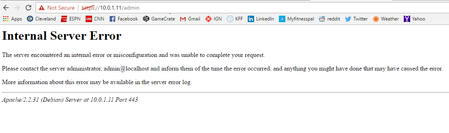
Hey Folks! So i forgot my password to get into the readynas (password did not work). I did a os reinstall to reset the password back to default. now when I log in and it asks for the password it ...
- Jan 05, 2017
I manually reset the password and triggered a normal firmware update to 6.6.1.
Glad the problem is now resolved.

fayazkhan
May 28, 2024Aspirant
Hi ,
I came across similar issue i am unbale to connect using putty or web GUI getting below error , i cannot browse share as well
error message
error in the logs before this happen , when i enabled ssh access page refreshed then started this issue couple of times reboot still same issue
please help as we have 3 TB data we don't want to loose no backup at the monent.
Thanks
 StephenBMay 28, 2024Guru - Experienced User
Your problem is that you have a full OS partition - that is clear from one of your screen shots.
How familiar are you with the linux command line?
Have you ever used tech support mode?
- fayazkhanMay 29, 2024Aspirant
Hi Stephen,
Thank you for the reply i am not expert on linux but familiar with environment but i am unbale to Putty into Readynas where i am going to use linux commands, this is the first time i am working with ReadyNas issue not sure how to get technician mode and connect to CLI.
Thanks
- StephenBMay 29, 2024Guru - Experienced User
fayazkhan wrote:
but i am unbale to Putty into Readynas where i am going to use linux commands, this is the first time i am working with ReadyNas issue not sure how to get technician mode and connect to CLI.
You boot up in tech support mode - instructions for that are on pages 28-29 here:
You need to tell Putty to use telnet, not ssh. When you connect to the NAS, log in as root. The password is infr8ntdebug.
Once logged in, enter this commands. (Don’t enter the # part, that is just the prompt the NAS will give you).
# rnutil chrootThat will start RAID, mount the OS partition, and then chroot. While it is possible to also mount the data volume, I suggest not doing this yet.
After that enter
cd //
du -d1 -h .
You should see something like this (taken from my own RN102)
4.0K    ./apps
523M    ./var
56K     ./media
11M     ./sbin
12K     ./dev
9.4M    ./etc
4.0K    ./proc
31M     ./frontview
4.0K    ./data
16K     ./lost+found
4.0K    ./boot
4.0K    ./home
4.0K    ./mnt
4.0K    ./srv
36K     ./root
4.0K    ./sys
270M    ./usr
24K     ./tmp
16M     ./opt
4.0K    ./run
30M     ./lib
6.0M    ./bin
892M    .
One (or more) of your folders will be a lot fuller than mine. That is where the problem lies. You can descend into those folder(s) with cd, and repeat the du command - that will eventually get you into the folder where the problem lies. Once you find it, you'll either need to delete files that shouldn't be there, or (in some cases) truncate them.
If you need more help (or run into errors), post back - it is quite possible to do more damage if you make a mistake.
Do you have any apps installed? If so, which ones?
Related Content
NETGEAR Academy

Boost your skills with the Netgear Academy - Get trained, certified and stay ahead with the latest Netgear technology!
Join Us!
