NETGEAR is aware of a growing number of phone and online scams. To learn how to stay safe click here.
Forum Discussion

Fandango2022
Nov 03, 2022Apprentice
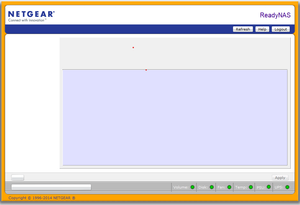
ReadyNAS 2100 FrontView blank page - Firmware 4.2.31
Hi, Not sure If I am in the right place but here goes as I need some help. I have three readyNAS 2100's. I have had no issue installing OS6 on the first two. This third one did not like it an...
Fandango2022
Nov 27, 2022Apprentice
Ok, thanks StephenB Sandshark - making some progress...
lsblk did not work for me but I tried ls dev, which gave me a list of device ID's I think. I tried the one at the end that looked like ti was in isolation i.e. sdf1 and command mount sdf1 usb worked. I could then list the contents of the usb and see my text file. Copy operation of cp /mnt/vpd /usb worked fine and I now have a copy of the file.
Next step to put it on the broken 2100 and see If it gets FrontView working again. Thanks for both your help so far.

StephenB
Nov 27, 2022Guru - Experienced User
Fandango2022 wrote:
lsblk did not work for me but I tried
Ok. Some of the tools require you to mount the OS partition and chroot when in tech support mode.
Fandango2022 wrote:
Once started-up, it displays 'Corrupt Root' in RAIDar
That is a different problem. Try doing an OS reinstall from the boot menu. Note that will reset the admin password to netgear1.
- SandsharkNov 27, 2022Sensei
The VPD isn't changed between OS4.2.x and OS6. In fact, native OS6 units don't use it at all. But writing to the flash and then getting the "corrupt root" message could be an indication that the flash is actually faulty, since it wasn't before. But do try an OS re-install as StephenB suggested before you reach that conclusion.

Related Content
NETGEAR Academy

Boost your skills with the Netgear Academy - Get trained, certified and stay ahead with the latest Netgear technology!
Join Us!
