NETGEAR is aware of a growing number of phone and online scams. To learn how to stay safe click here.
Forum Discussion

pgjscottieuk
Sep 13, 2021Guide
Readynas 526x Anivirus scanner definition update failed
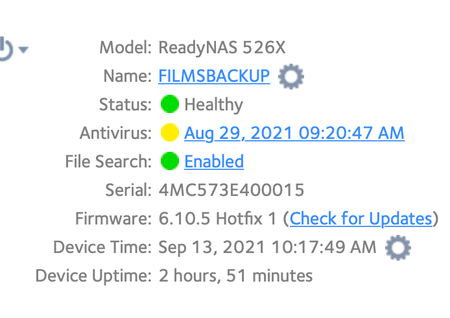
On Sep 10th the antivirus scanner definition file failed due to download failure check your internet connection Firstly i received an email Readynas Alert message system error Have turned off anti...

StephenB
Sep 13, 2021Guru - Experienced User
One option is ssh into the NAS (as root), and then try running freshclam manually (with no parameters).
pgjscottieuk
Sep 13, 2021Guide
Hi thank you for picking this up how do i do what have suggested i am not that it literate will need instruction help
- StephenBSep 13, 2021Guru - Experienced User
pgjscottieuk wrote:
Hi thank you for picking this up how do i do what have suggested i am not that it literate will need instruction help
You can start by
- enabling ssh on system->settings->services in the NAS web ui. Make sure password authentication is enabled.
- enter ssh root@nas-ip-address in the windows search bar (or in terminal on a mac). You'll get a one-time prompt to accept the fingerprint.
- use the NAS admin password when prompted
Then enter freshclam on the command line (with no parameters) and tell us what happens.
- pgjscottieukSep 13, 2021Guide
Hi tried your solution this was the result also received a readynas alert system errorupdate file failed to download
- StephenBSep 13, 2021Guru - Experienced User
It looks like ipv6 is enabled in the NAS (but perhaps not by your ISP). Do you get the same results if you disable ipv6 in the NAS and try again?
Related Content
NETGEAR Academy

Boost your skills with the Netgear Academy - Get trained, certified and stay ahead with the latest Netgear technology!
Join Us!
