NETGEAR is aware of a growing number of phone and online scams. To learn how to stay safe click here.
Forum Discussion

Nakiboy
Apr 27, 2018Aspirant
ReadyNAS Drive Failing?
I have just noticed the status on my readyNAS is showing yellow (degraded), from what I can see it looks like one of my drives is failing (purchased 2 x 4TB drives Sept 2015, so approx 2.5 yrs old). ...
Nakiboy
May 04, 2018Aspirant
Hi StephenB,
Thanks for you quick reply, much appreciated.
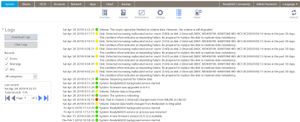
I left the NAS unplugged overnight and restarted it the morning, attached is the mdstat.log file.
I also dug out the receipt from the NAS & drive purchase, it said they were under a 3yr warranty, so hopefully it’s claimable, have emailed the supplier so will see.

StephenB
May 04, 2018Guru - Experienced User
mdstat.log shows one active/working device at the moment (degraded volume, no failed devices and no spares). That's consistent with removing the failed drive and restarting.
It'd be good to make a backup.
Nakiboy wrote:
it said they were under a 3yr warranty, so hopefully it’s claimable, have emailed the supplier so will see.
Western Digital (really all manufacturers) will replace it with a recertified disk. It should be ok, but in my experience they aren't as reliable as a new drive. One option is to get a new one, and either repurpose the recertified drive (put it in a desktop) or the set it aside as a spare.
Also you might look into the advanced replacement option. That's faster, and the shipping cost for me was about what I'd pay anyway for ground shipping.
- NakiboyMay 10, 2018Aspirant
Thank you again for the reply.
I have received an RMA to return the drive to a supplier agent.
I assume they would check the drive on receipt, would they be able to read any data on it? Is there an easy way to attempt to format the drive within the NAS, i.e remove the good drive and reset the failing one, as opposed to connecting it to a PC and formatting? I would rather there was no readable data on it.
- StephenBMay 10, 2018Guru - Experienced User
Nakiboy wrote:
Is there an easy way to attempt to format the drive within the NAS,
Unfortunately no. Connecting the failed one to a PC and zeroing it is simpler, and is what I've done when returning failed drives.
- NakiboyMay 11, 2018Aspirant
So do I connect it to the PC via a sata cable as an additional drive and format it as FAT32
Related Content
NETGEAR Academy

Boost your skills with the Netgear Academy - Get trained, certified and stay ahead with the latest Netgear technology!
Join Us!
