NETGEAR is aware of a growing number of phone and online scams. To learn how to stay safe click here.
Forum Discussion

stuinternat
Jan 23, 2022Aspirant
ReadyNas NV+ RND4000 Kernel Panic
Hi, I was wondering if you oculd help with my ReadyNAS NV+ RND4000 Basically, it's the kernel panic issue, however, when I remove one specific drive, it does boot up, and I can access the web ad...

StephenB
Jan 24, 2022Guru - Experienced User
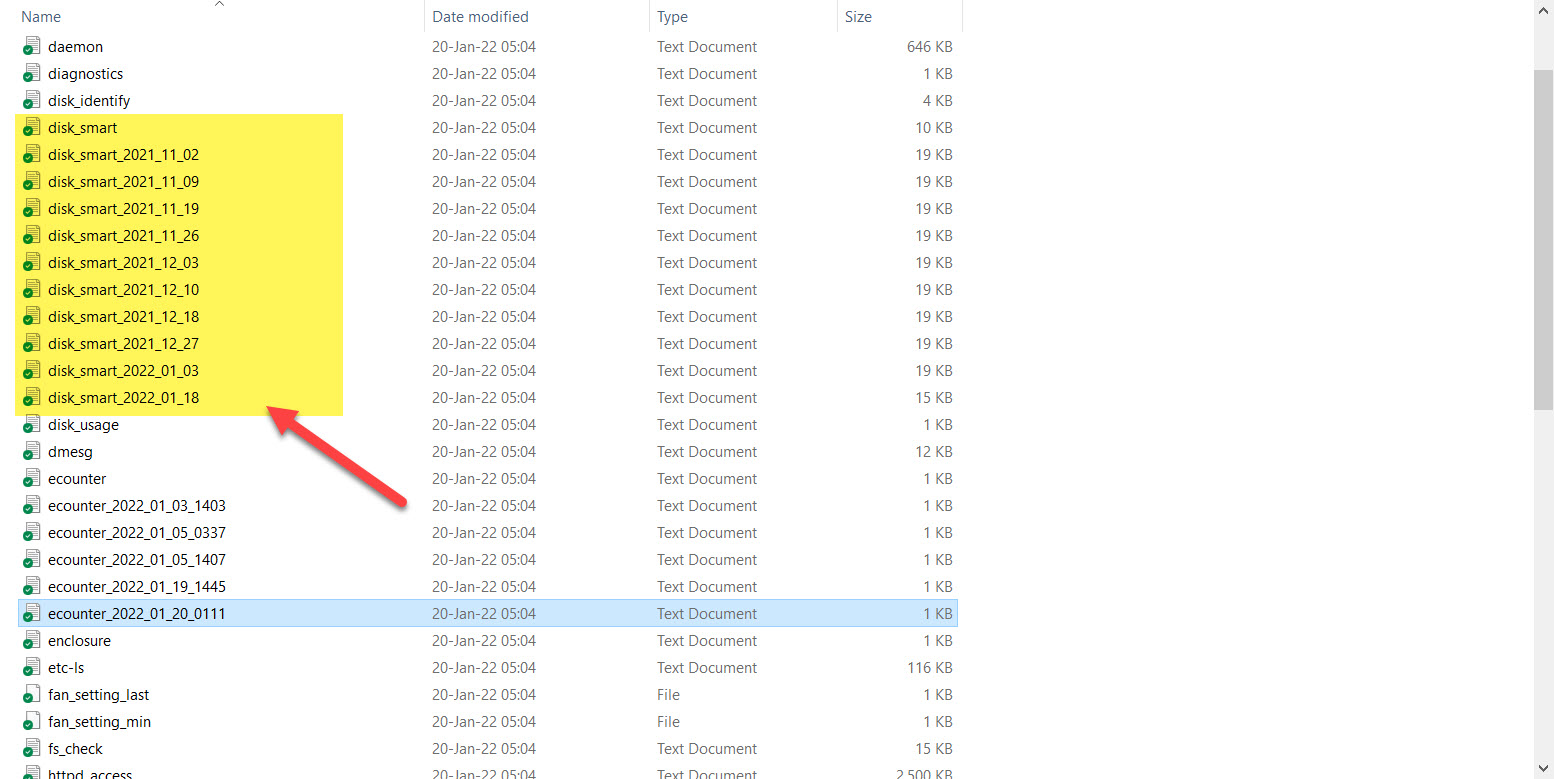
stuinternat wrote:See attached screenshot, there is no file in the list of log exports called "mdstat.log"
My bad, the NV+ uses lvm, not mdadm for RAID.
Look in volume.log
Also, disk_smart.log will have information on what disks the NAS is seeing, and of course some health info (reallocated sectors, pending sectors, etc).
stuinternat wrote:
The error message I get in the web is :
The paths for the shares listed below could not be found. Typically, this occurs when the ReadyNAS is unable to access the data volume.
And you also don't see any shares with Windows File Explorer? Unfortunately not good news.
stuinternat
Jan 24, 2022Aspirant
No shares in windows file explorer. I see the share exists in the web admin interface.
Here is volume.log - not sure really what this is telling me: I have a drive in 1, 3 and 4 at present:
===== pvscan =====
Couldn't find device with uuid 'FLPQ3K-sxWT-QMok-Cs7L-4869-Qi3a-LOifUt'.
Couldn't find device with uuid 'FLPQ3K-sxWT-QMok-Cs7L-4869-Qi3a-LOifUt'.
Couldn't find device with uuid 'FLPQ3K-sxWT-QMok-Cs7L-4869-Qi3a-LOifUt'.
Couldn't find device with uuid 'FLPQ3K-sxWT-QMok-Cs7L-4869-Qi3a-LOifUt'.
PV /dev/hdi5 VG c lvm2 [1.82 TB / 0 free]
PV /dev/hdc5 VG c lvm2 [1.82 TB / 0 free]
PV unknown device VG c lvm2 [1.82 TB / 5.00 GB free]
Total: 3 [5.45 TB] / in use: 3 [5.45 TB] / in no VG: 0 [0 ]
===== vgscan =====
Couldn't find device with uuid 'FLPQ3K-sxWT-QMok-Cs7L-4869-Qi3a-LOifUt'.
Couldn't find all physical volumes for volume group c.
Couldn't find device with uuid 'FLPQ3K-sxWT-QMok-Cs7L-4869-Qi3a-LOifUt'.
Couldn't find all physical volumes for volume group c.
Couldn't find device with uuid 'FLPQ3K-sxWT-QMok-Cs7L-4869-Qi3a-LOifUt'.
Couldn't find all physical volumes for volume group c.
Couldn't find device with uuid 'FLPQ3K-sxWT-QMok-Cs7L-4869-Qi3a-LOifUt'.
Couldn't find all physical volumes for volume group c.
Volume group "c" not found
Reading all physical volumes. This may take a while...
===== lvscan =====
Couldn't find device with uuid 'FLPQ3K-sxWT-QMok-Cs7L-4869-Qi3a-LOifUt'.
Couldn't find all physical volumes for volume group c.
Couldn't find device with uuid 'FLPQ3K-sxWT-QMok-Cs7L-4869-Qi3a-LOifUt'.
Couldn't find all physical volumes for volume group c.
Couldn't find device with uuid 'FLPQ3K-sxWT-QMok-Cs7L-4869-Qi3a-LOifUt'.
Couldn't find all physical volumes for volume group c.
Couldn't find device with uuid 'FLPQ3K-sxWT-QMok-Cs7L-4869-Qi3a-LOifUt'.
Couldn't find all physical volumes for volume group c.
Volume group "c" not found
===== vgdisplay =====
Couldn't find device with uuid 'FLPQ3K-sxWT-QMok-Cs7L-4869-Qi3a-LOifUt'.
Couldn't find all physical volumes for volume group c.
Couldn't find device with uuid 'FLPQ3K-sxWT-QMok-Cs7L-4869-Qi3a-LOifUt'.
Couldn't find all physical volumes for volume group c.
Couldn't find device with uuid 'FLPQ3K-sxWT-QMok-Cs7L-4869-Qi3a-LOifUt'.
Couldn't find all physical volumes for volume group c.
Couldn't find device with uuid 'FLPQ3K-sxWT-QMok-Cs7L-4869-Qi3a-LOifUt'.
Couldn't find all physical volumes for volume group c.
Volume group "c" not found
===== fstab =====
#-----------------------------------------------------------------------------
# <device> <mount> <type> <options> <freq> <pass>
#-----------------------------------------------------------------------------
/dev/hdi1 / ext2 defaults,noatime 0 0
proc /proc proc defaults 0 0
/dev/hdi2 swap swap defaults 0 0
/dev/hde2 swap swap defaults 0 0
/dev/hdg2 swap swap defaults 0 0
/dev/hdg1 / ext3 defaults,noatime 0 1
/dev/hdc2 none swap sw 0 0
/dev/hdc1 / ext3 defaults,noatime 0 1
- stuinternatJan 24, 2022Aspirant
here is disk_smart.log
However, there appears to be a few of these:
***** smartctl output for hdc *****
smartctl 5.42 2011-10-20 r3458 [padre-linux-2.6.17.14ReadyNAS] (local build)
Copyright (C) 2002-11 by Bruce Allen, http://smartmontools.sourceforge.net=== START OF INFORMATION SECTION ===
Model Family: Western Digital Caviar Green (Adv. Format)
Device Model: WDC WD20EARX-00PASB0
Serial Number: WD-WCAZA6665747
LU WWN Device Id: 5 0014ee 25b1e5894
Firmware Version: 51.0AB51
User Capacity: 2,000,398,934,016 bytes [2.00 TB]
Sector Sizes: 512 bytes logical, 4096 bytes physical
Device is: In smartctl database [for details use: -P show]
ATA Version is: 8
ATA Standard is: Exact ATA specification draft version not indicated
Local Time is: Thu Jan 20 05:04:37 2022 EST
SMART support is: Available - device has SMART capability.
SMART support is: Enabled=== START OF READ SMART DATA SECTION ===
SMART overall-health self-assessment test result: PASSEDGeneral SMART Values:
Offline data collection status: (0x82) Offline data collection activity
was completed without error.
Auto Offline Data Collection: Enabled.
Self-test execution status: ( 0) The previous self-test routine completed
without error or no self-test has ever
been run.
Total time to complete Offline
data collection: (36960) seconds.
Offline data collection
capabilities: (0x7b) SMART execute Offline immediate.
Auto Offline data collection on/off support.
Suspend Offline collection upon new
command.
Offline surface scan supported.
Self-test supported.
Conveyance Self-test supported.
Selective Self-test supported.
SMART capabilities: (0x0003) Saves SMART data before entering
power-saving mode.
Supports SMART auto save timer.
Error logging capability: (0x01) Error logging supported.
General Purpose Logging supported.
Short self-test routine
recommended polling time: ( 2) minutes.
Extended self-test routine
recommended polling time: ( 255) minutes.
Conveyance self-test routine
recommended polling time: ( 5) minutes.
SCT capabilities: (0x3035) SCT Status supported.
SCT Feature Control supported.
SCT Data Table supported.SMART Attributes Data Structure revision number: 16
Vendor Specific SMART Attributes with Thresholds:
ID# ATTRIBUTE_NAME FLAG VALUE WORST THRESH TYPE UPDATED WHEN_FAILED RAW_VALUE
1 Raw_Read_Error_Rate 0x002f 200 200 051 Pre-fail Always - 1375
3 Spin_Up_Time 0x0027 176 165 021 Pre-fail Always - 6200
4 Start_Stop_Count 0x0032 100 100 000 Old_age Always - 564
5 Reallocated_Sector_Ct 0x0033 200 200 140 Pre-fail Always - 8
7 Seek_Error_Rate 0x002e 100 253 000 Old_age Always - 0
9 Power_On_Hours 0x0032 073 073 000 Old_age Always - 19925
10 Spin_Retry_Count 0x0032 100 100 000 Old_age Always - 0
11 Calibration_Retry_Count 0x0032 100 100 000 Old_age Always - 0
12 Power_Cycle_Count 0x0032 100 100 000 Old_age Always - 563
192 Power-Off_Retract_Count 0x0032 200 200 000 Old_age Always - 562
193 Load_Cycle_Count 0x0032 001 001 000 Old_age Always - 748960
194 Temperature_Celsius 0x0022 115 101 000 Old_age Always - 35
196 Reallocated_Event_Count 0x0032 193 193 000 Old_age Always - 7
197 Current_Pending_Sector 0x0032 199 001 000 Old_age Always - 486
198 Offline_Uncorrectable 0x0030 200 199 000 Old_age Offline - 0
199 UDMA_CRC_Error_Count 0x0032 200 200 000 Old_age Always - 0
200 Multi_Zone_Error_Rate 0x0008 200 134 000 Old_age Offline - 213SMART Error Log Version: 1
No Errors LoggedSMART Self-test log structure revision number 1
No self-tests have been logged. [To run self-tests, use: smartctl -t]
SMART Selective self-test log data structure revision number 1
SPAN MIN_LBA MAX_LBA CURRENT_TEST_STATUS
1 0 0 Not_testing
2 0 0 Not_testing
3 0 0 Not_testing
4 0 0 Not_testing
5 0 0 Not_testing
Selective self-test flags (0x0):
After scanning selected spans, do NOT read-scan remainder of disk.
If Selective self-test is pending on power-up, resume after 0 minute delay.***** smartctl output for hde *****
smartctl 5.42 2011-10-20 r3458 [padre-linux-2.6.17.14ReadyNAS] (local build)
Copyright (C) 2002-11 by Bruce Allen, http://smartmontools.sourceforge.netSmartctl open device: /dev/hde failed: No such device or address
***** smartctl output for hdg *****smartctl 5.42 2011-10-20 r3458 [padre-linux-2.6.17.14ReadyNAS] (local build)
Copyright (C) 2002-11 by Bruce Allen, http://smartmontools.sourceforge.netSmartctl: Device Read Identity Failed: empty IDENTIFY data
A mandatory SMART command failed: exiting. To continue, add one or more '-T permissive' options.
***** smartctl output for hdi *****smartctl 5.42 2011-10-20 r3458 [padre-linux-2.6.17.14ReadyNAS] (local build)
Copyright (C) 2002-11 by Bruce Allen, http://smartmontools.sourceforge.net=== START OF INFORMATION SECTION ===
Model Family: Western Digital Caviar Green (Adv. Format)
Device Model: WDC WD20EARX-00PASB0
Serial Number: WD-WCAZA6662505
LU WWN Device Id: 5 0014ee 25b1e4fb3
Firmware Version: 51.0AB51
User Capacity: 2,000,398,934,016 bytes [2.00 TB]
Sector Sizes: 512 bytes logical, 4096 bytes physical
Device is: In smartctl database [for details use: -P show]
ATA Version is: 8
ATA Standard is: Exact ATA specification draft version not indicated
Local Time is: Thu Jan 20 05:04:37 2022 EST
SMART support is: Available - device has SMART capability.
SMART support is: Enabled=== START OF READ SMART DATA SECTION ===
SMART overall-health self-assessment test result: PASSEDGeneral SMART Values:
Offline data collection status: (0x82) Offline data collection activity
was completed without error.
Auto Offline Data Collection: Enabled.
Self-test execution status: ( 0) The previous self-test routine completed
without error or no self-test has ever
been run.
Total time to complete Offline
data collection: (36960) seconds.
Offline data collection
capabilities: (0x7b) SMART execute Offline immediate.
Auto Offline data collection on/off support.
Suspend Offline collection upon new
command.
Offline surface scan supported.
Self-test supported.
Conveyance Self-test supported.
Selective Self-test supported.
SMART capabilities: (0x0003) Saves SMART data before entering
power-saving mode.
Supports SMART auto save timer.
Error logging capability: (0x01) Error logging supported.
General Purpose Logging supported.
Short self-test routine
recommended polling time: ( 2) minutes.
Extended self-test routine
recommended polling time: ( 255) minutes.
Conveyance self-test routine
recommended polling time: ( 5) minutes.
SCT capabilities: (0x3035) SCT Status supported.
SCT Feature Control supported.
SCT Data Table supported.SMART Attributes Data Structure revision number: 16
Vendor Specific SMART Attributes with Thresholds:
ID# ATTRIBUTE_NAME FLAG VALUE WORST THRESH TYPE UPDATED WHEN_FAILED RAW_VALUE
1 Raw_Read_Error_Rate 0x002f 200 200 051 Pre-fail Always - 0
3 Spin_Up_Time 0x0027 175 168 021 Pre-fail Always - 6216
4 Start_Stop_Count 0x0032 100 100 000 Old_age Always - 565
5 Reallocated_Sector_Ct 0x0033 200 200 140 Pre-fail Always - 0
7 Seek_Error_Rate 0x002e 100 253 000 Old_age Always - 0
9 Power_On_Hours 0x0032 073 073 000 Old_age Always - 19903
10 Spin_Retry_Count 0x0032 100 100 000 Old_age Always - 0
11 Calibration_Retry_Count 0x0032 100 100 000 Old_age Always - 0
12 Power_Cycle_Count 0x0032 100 100 000 Old_age Always - 564
192 Power-Off_Retract_Count 0x0032 200 200 000 Old_age Always - 563
193 Load_Cycle_Count 0x0032 001 001 000 Old_age Always - 775232
194 Temperature_Celsius 0x0022 116 101 000 Old_age Always - 34
196 Reallocated_Event_Count 0x0032 200 200 000 Old_age Always - 0
197 Current_Pending_Sector 0x0032 200 200 000 Old_age Always - 0
198 Offline_Uncorrectable 0x0030 200 200 000 Old_age Offline - 0
199 UDMA_CRC_Error_Count 0x0032 200 200 000 Old_age Always - 0
200 Multi_Zone_Error_Rate 0x0008 200 200 000 Old_age Offline - 0SMART Error Log Version: 1
No Errors LoggedSMART Self-test log structure revision number 1
No self-tests have been logged. [To run self-tests, use: smartctl -t]
SMART Selective self-test log data structure revision number 1
SPAN MIN_LBA MAX_LBA CURRENT_TEST_STATUS
1 0 0 Not_testing
2 0 0 Not_testing
3 0 0 Not_testing
4 0 0 Not_testing
5 0 0 Not_testing
Selective self-test flags (0x0):
After scanning selected spans, do NOT read-scan remainder of disk.
If Selective self-test is pending on power-up, resume after 0 minute delay. - StephenBJan 24, 2022Guru - Experienced User
stuinternat wrote:
No shares in windows file explorer. I see the share exists in the web admin interface.
Here is volume.log - not sure really what this is telling me: I have a drive in 1, 3 and 4 at present:
It's clear it cannot mount the volume
stuinternat wrote:
Device Model: WDC WD20EARX-00PASB0
Serial Number: WD-WCAZA6665747...
5 Reallocated_Sector_Ct 0x0033 200 200 140 Pre-fail Always - 8
...
196 Reallocated_Event_Count 0x0032 193 193 000 Old_age Always - 7
197 Current_Pending_Sector 0x0032 199 001 000 Old_age Always - 486...
Device Model: WDC WD20EARX-00PASB0
Serial Number: WD-WCAZA6662505...
5 Reallocated_Sector_Ct 0x0033 200 200 140 Pre-fail Always - 0...
196 Reallocated_Event_Count 0x0032 200 200 000 Old_age Always - 0
197 Current_Pending_Sector 0x0032 200 200 000 Old_age Always - 0Note it is only seeing SMART information on two drives - not sure what slots they are in, you'd need to power down and check the serial numbers to see.
Also, WD-WCAZA6665747 isn't healthy - some reallocated sectors, but the current pending count is almost 500.
The missing drive says this:
***** smartctl output for hdg *****
smartctl 5.42 2011-10-20 r3458 [padre-linux-2.6.17.14ReadyNAS] (local build)
Copyright (C) 2002-11 by Bruce Allen, http://smartmontools.sourceforge.netSmartctl: Device Read Identity Failed: empty IDENTIFY data
A mandatory SMART command failed: exiting. To continue, add one or more '-T permissive' options.
Do you know if this is also a WD20EARX?
- stuinternatJan 24, 2022Aspirant
All the drives are the exact same make and model.
I have them in slots 1, 3 and 4
If I swap 1 and 3 around I get kernal panic.
If I take drive 2 and put it in slot 4 it boots, any other combination it seems I get kernal panic.
I put all 4 in, I get kernal panic.
Here's some screenshots of the web admin and raidar....
- StephenBJan 24, 2022Guru - Experienced User
stuinternat wrote:
All the drives are the exact same make and model.
Ok. So we have
- one disk which is apparently ok
- one disk which is on the edge of failure (~500 bad sectors)
- one disk which won't respond to smart requests
- one disk with unknown status (system won't boot with it inserted)
You need 3 working disks to retrieve all data - it's not clear to me whether you have that or not.
I do suggest testing the two last disks in my list with WDC's dashboard software. My guess is that the one that isn't responding to SMART will fail, but it would be useful to confirm. Odds of recovering data would be much higher is the one you removed turns out to be ok.
Related Content
NETGEAR Academy

Boost your skills with the Netgear Academy - Get trained, certified and stay ahead with the latest Netgear technology!
Join Us!