NETGEAR is aware of a growing number of phone and online scams. To learn how to stay safe click here.
Forum Discussion

AvoCarbon
Nov 29, 2019Aspirant
Red led blinks at HDD port
Hello,
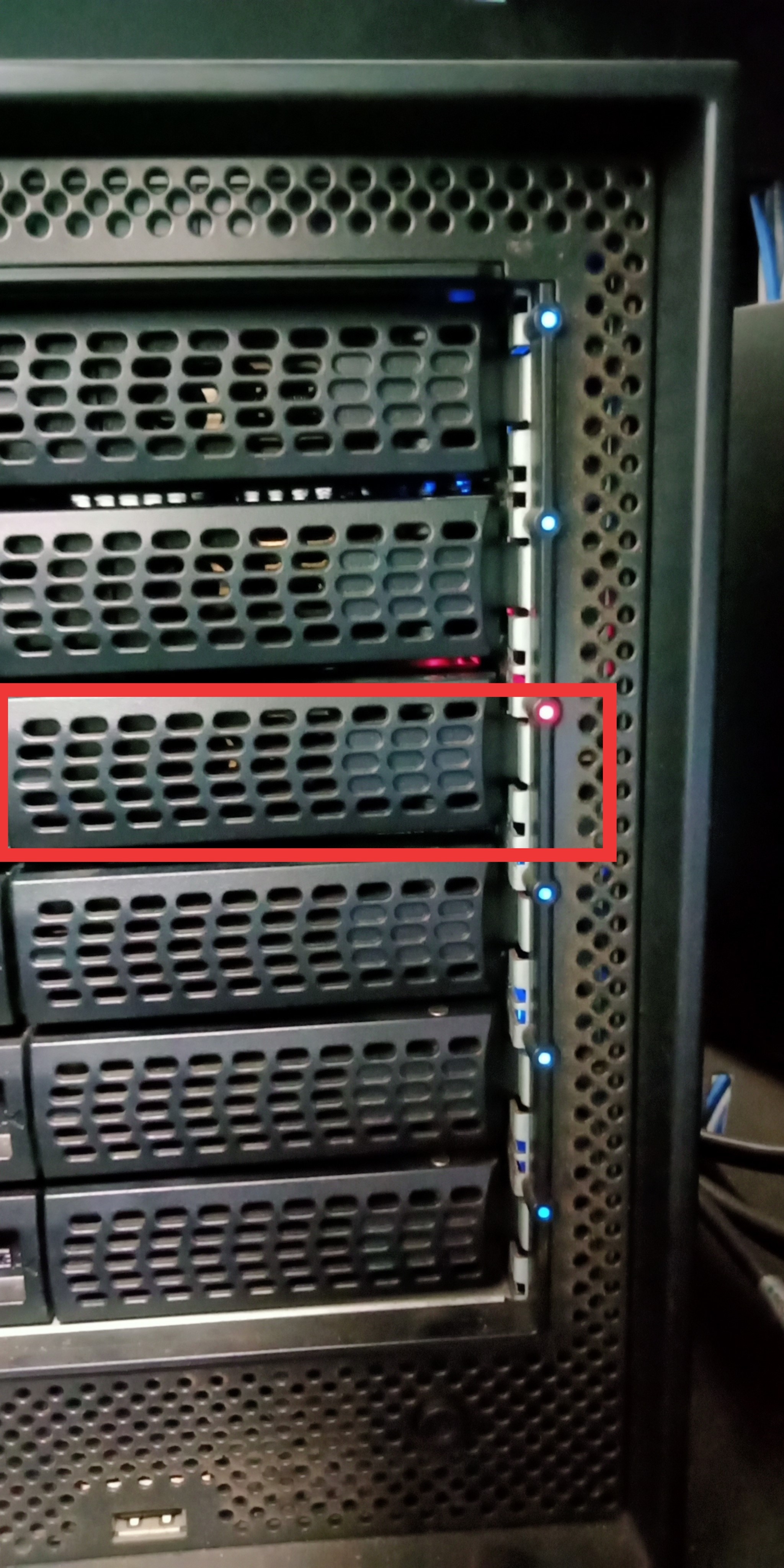
One of my NAS HDD port glowing red led instead of blue. What does that means and what should i do.
1 Reply
Replies have been turned off for this discussion
 StephenBGuru - Experienced User
AvoCarbon wrote:
One of my NAS HDD port glowing red led instead of blue. What does that means and what should i do.
See page 80 of the hardware manual:
http://www.downloads.netgear.com/files/GDC/READYNAS-100/ReadyNAS_%20OS6_Desktop_HM_EN.pdf wrote:
A disk LED next to each drive bay indicates the status of the disk inside. The disk
LEDs indicate these states:- Solid blue. Power is on and the disk is operating normally.
- Blinking blue. The disk is active.
- Solid red.The disk was removed, failed, or is resynchronizing. See the display
screen for details. - Off. No disk is present.
If the disk is resynchronizing, then it would be useful to sort out why. So download the full log zip file from the admin ui, and take a look in system.log and kernel.log for disk errors, btrfs errors, and mdadm status. Also look in disk_info.log at the smart stats.
If the drive has actually failed, then you'll need to replace it (removing it, and inserting the new one with the NAS running). But the array isn't protected by RAID when it is degraded - so you should make sure you update your backup before you manipulate any disks. Disks can and do fail when the array is rebuilt - and if that happens you will lose all the data.
Related Content
NETGEAR Academy

Boost your skills with the Netgear Academy - Get trained, certified and stay ahead with the latest Netgear technology!
Join Us!