NETGEAR is aware of a growing number of phone and online scams. To learn how to stay safe click here.
Forum Discussion

sanjeewakuku
Dec 13, 2017Aspirant
RN10200 not visible
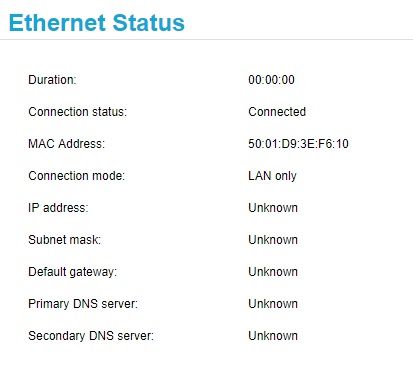
hi, power LED on. strat up blink few second only. network port green color LED blinking. but no ip or discover to RAIDar how to pix that
- Dec 26, 2017
i have using usbrecovery.v2.0.T14.support. USB flash and problem solved
sanjeewakuku
Dec 15, 2017Aspirant
I think it will not pick up IP address unless there is at least one disk inserted.
i think OS not boot. i have plug the power after power LED blink few second and LED stable on. can i get advice how to install OS using USB flash drive
msq
Dec 15, 2017Apprentice
Please try the following:
- power off the device
- inster one clean drive
- boot it again
- check on your router or RAIDar what is the IP of this router
- sanjeewakukuDec 15, 2017Aspirant
msq wrote:Please try the following:
- power off the device
- inster one clean drive
- boot it again
- check on your router or RAIDar what is the IP of this router
dne. same issue. not change. RAIDar could not find any NETGEAR storage on your network. on RAIDar
- msqDec 15, 2017Apprentice
If that is the device you're trying to set up for the first time - you can try to reset it.
Additionally - is your router running dhcp? Or device is booted with its default IP address but your own IP settings are not allowing to see your ReadyNAS?
- sanjeewakukuDec 15, 2017Aspirant
msq wrote:If that is the device you're trying to set up for the first time - you can try to reset it.
Additionally - is your router running dhcp? Or device is booted with its default IP address but your own IP settings are not allowing to see your ReadyNAS?
no. alredy running correctly. one time upgrade and will never geting up. maybe 1 yrar later that happend. i think somthing wrong with OS. Yes. my router running DHCP. i have
1.Power off your storage system.
2.Using a straightened paper clip, press and hold the Reset button.
3.Press the Power button.
The system powers on.
4.Continue to press the Reset button until the Power button LED, USB and backup status LED, disk 1 LED, and disk 2 LED light.
5.Press the Backup button to scroll through boot mode options.Factory default.
same result. divice not visible for me. :(
Related Content
NETGEAR Academy

Boost your skills with the Netgear Academy - Get trained, certified and stay ahead with the latest Netgear technology!
Join Us!
