NETGEAR is aware of a growing number of phone and online scams. To learn how to stay safe click here.
Forum Discussion

Neccros
Dec 09, 2015Aspirant
RN104 Slow UI after 6.4 update
I have a RN102 and two RN104s. When I updated them to 6.4.0, two of them work perfect and the UI through the web browser is snappy and responsive. My other 104 seems really sluggish and when you cli...

gallenri
Feb 05, 2016Aspirant
I have also experienced the same problems as described here after the upgrade to firmware 6.4.1 on all our 4 RN104, without Anti-Virus, no "apps" installed. Shared files/folders were very slow over local network.
Cold restart, stop + start, has not solved.
Instead the manual reinstall has solved the problem, and all 4 RN104 are back fast as before.
Thanks for the solution.

Neccros
Feb 05, 2016Aspirant
How do you do the manual upgrade??? Got a link?
 StephenBFeb 06, 2016Guru - Experienced User
Neccros wrote:
How do you do the manual upgrade??? Got a link?
Are you wanting to do a manual firmware install? Or something else?
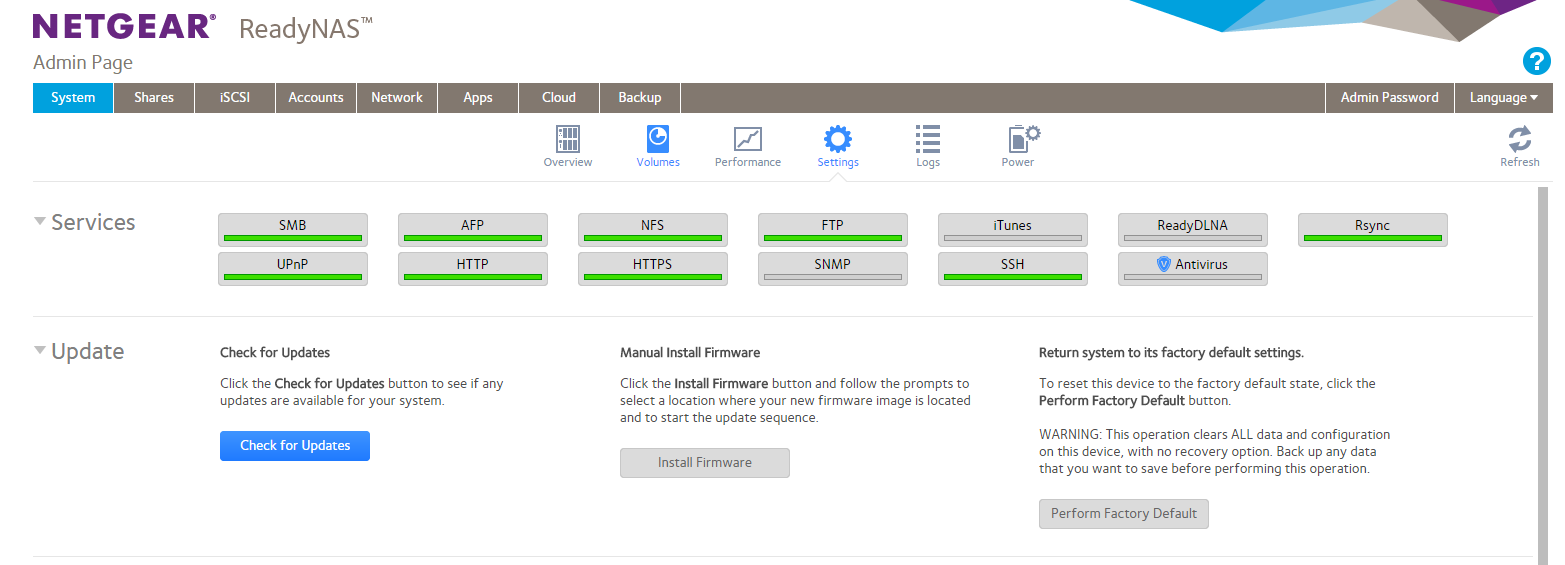
To do manual firmware install, you download the firmware zip file http://downloadcenter.netgear.com/en/product/ReadyNAS-OS6#searchResults and then extract the img file from the zip. Then click on firmware install on the web ui (below) and choose the img. If you are running pre-6.4.0 then you should read the faq; http://kb.netgear.com/app/answers/detail/a_id/30107/~/readynas-os-6.4.0%3A-faqs-on-upgrading-firmware
- NeccrosFeb 06, 2016Aspirant
I've done that method throuigh the web GUI... Doesnt change anything.... I need to wipe out what evers on the box and start clean... Its NOT stored on the HDs like someone told me because I created another storage pool with other drives and I have the same version of the OS and same issue. So is there a way to SSH or something into the box, wipe it clean and begin again?
- StephenBFeb 06, 2016Guru - Experienced User
The way to wipe it clean is to use the "perform factory reset" control on system->settings.
The OS is certainly saved on the disks, but of course if the issue is in the 6.4.x firmware itself, reinstalling the firmware won't help.
Related Content
NETGEAR Academy

Boost your skills with the Netgear Academy - Get trained, certified and stay ahead with the latest Netgear technology!
Join Us!
