NETGEAR is aware of a growing number of phone and online scams. To learn how to stay safe click here.
Forum Discussion

AndreasLi
Jul 15, 2020Aspirant
'Volume creation failed' for the second hard drive in ReadyNAS 102, please help
I just bought the 2nd HDD, a WD red pro 6TB, to expand space for my RN102.
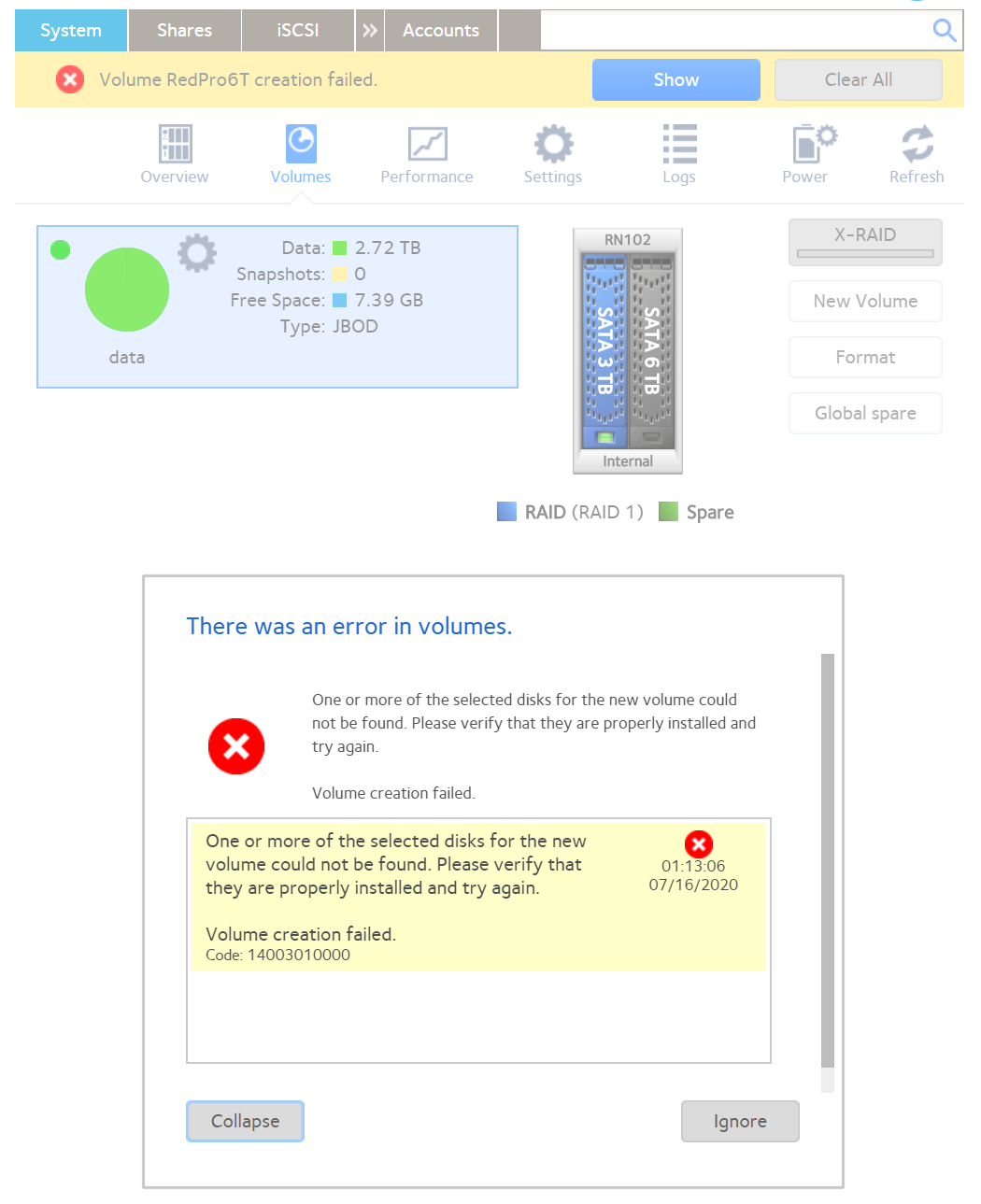
I tried to format it and make it into a new volume, but it always says: 'Volume creation failed'. The error info are attach in the picture below.
I found out the 1st disk, a 3TB WD red HDD, was configured as RAID1, and guess this might be the problem.
Should I backup all 3TB data of HDD1, and format it to RAID0, then move all data back to it, then set the 2nd HDD to a new volume?
Because I only have these 2 big volume hard disks. Could you suggest me a way to do it?
Many thank!!
Model: ReadyNAS 102
Firmware: 6.10.3
1st Hard disk: WD30EFRX, 3TB
2nd Hard disk: WD6003FFBX, 6TB
4 Replies
Replies have been turned off for this discussion
 StephenBGuru - Experienced User
AndreasLi wrote:
I found out the 1st disk, a 3TB WD red HDD, was configured as RAID1, and guess this might be the problem.
No. That's confusing, but actually normal.
Can you test the new disk with WD's Lifeguard software in a Windows PC? You can connect it with a USB adapter/dock if you can't use SATA.
- AndreasLiAspirant
I put it in a HDD Enclosure and start the diagnostics. It just beeping constantly... I remember when I put it in the NAS, it also beeped for a few seconds.
Then it seems an issue on the HDD itself. I'm now checking how can I return it to WD now :(
- StephenBGuru - Experienced User
AndreasLi wrote:
I put it in a HDD Enclosure and start the diagnostics. It just beeping constantly...
Definitely the drive then.
Exchange it with the seller if you can, they should give you a new drivewith a full warranty in return. WD will give you a recertified one (with only a one year warranty).

Related Content
NETGEAR Academy

Boost your skills with the Netgear Academy - Get trained, certified and stay ahead with the latest Netgear technology!
Join Us!