NETGEAR is aware of a growing number of phone and online scams. To learn how to stay safe click here.
Forum Discussion

LordIsafril
May 16, 2017Aspirant
Nighthawk AC1900 C7000 ongoing router issues
I purchased this particular router around May 1st of 2016. At the start of my internet service, I had great reception and the line signal was wonderful. Fast forward a few months and the connection would drop when two devices tried to talk at the same time. Comcast came out and deduced that there was congestion in the connection point. A couple months of quality internet service pass with the regular 9 p.m outage every few days. Then the signal starts degrading again. I look up the issue with firmware but until now was unaware that comcast can update that for this particular device. In the mean time, we had Comcast out here for maintenance and they said that the line itself was bad. A few tests ran showed high congestion through the lines. Said lines were replaced. Quality internet returned for about a week. Now the internet drops and dips frequently through the day. At the start of my service there were 5 devices on the 5G and 3 on the 2G. Now there are 2 devices on the whole service and it still won't stay on. While writing this the internet has stuttered twice. Is there anything that can be done further on my end before I consign to thinking that perhaps the hardware is malfunctioning?
4 Replies
 DarrenMSr. NETGEAR Moderator
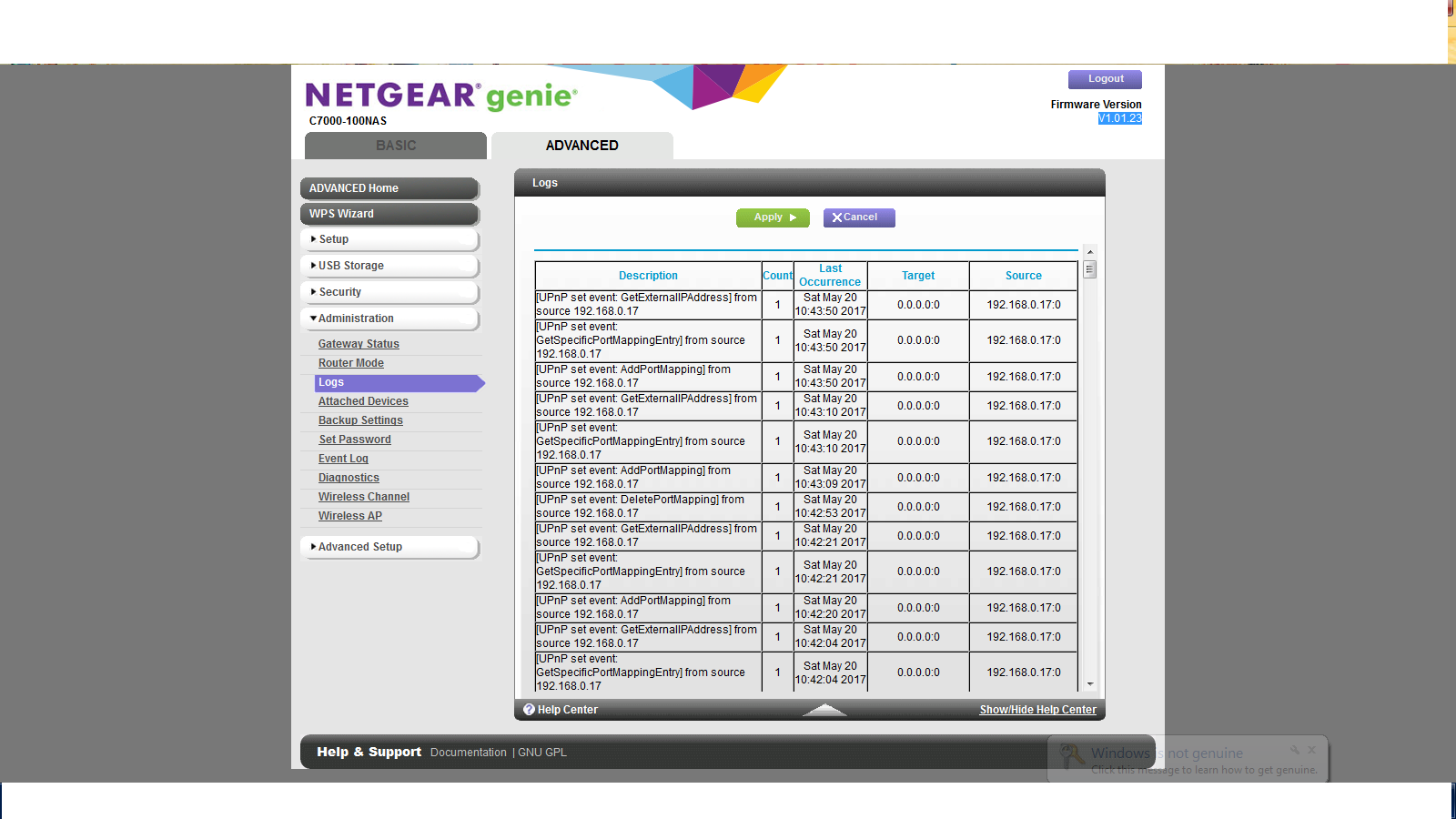
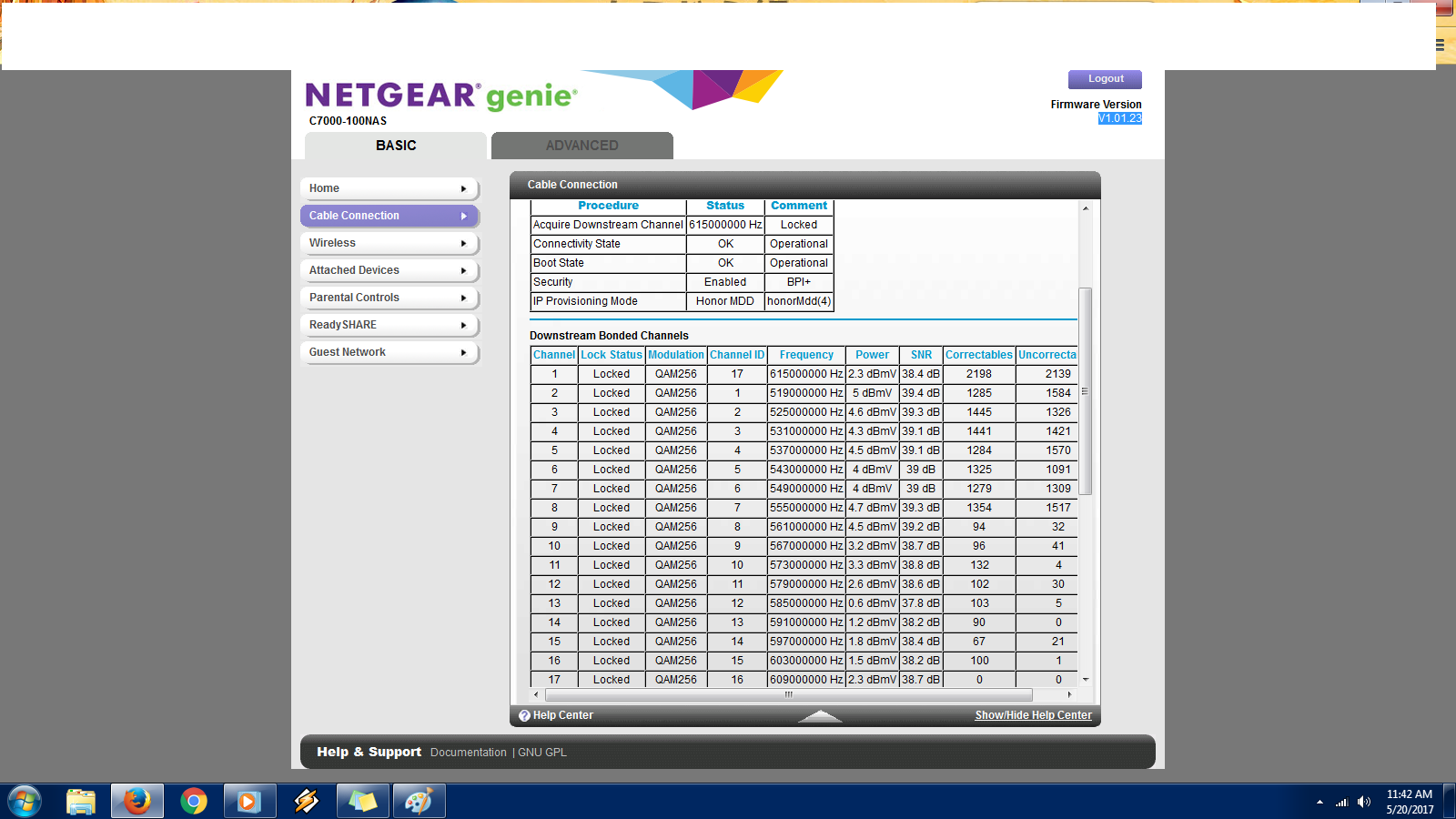
Can you post your logs and the power levels of the modem may give a better idea of what is going on with the connection.
DarrenM
- LordIsafrilAspirant
- DarrenMSr. NETGEAR Moderator
Hello Lordlsafril
I see a lot of un correctables on your channels this may be a line issue or even the cable splitter is bad try removing the cable splitter if one is connected to the modem and go directly to the wall or try a different cable outlet if you are able. If this does not help you may want to have a cable tech come out and check the lines.
DarrenM