NETGEAR is aware of a growing number of phone and online scams. To learn how to stay safe click here.
Forum Discussion

luko0014
Oct 07, 2022Aspirant
CAX80 - Suddenly Won't Connect
Yesterday at 3AM we randomly lost wifi to all devices. I have tried multiple hard resets. When you reset, you gain wifi for about a minute, and then it quits again. It's not even long enough to login to routerlogin.com to poke around at the settings. Xfinity claims that it's not on their side, which I kind of believe as our Xfinity Cable TV is still working. Is my 6 month old router fried? Anyone dealt with this before?
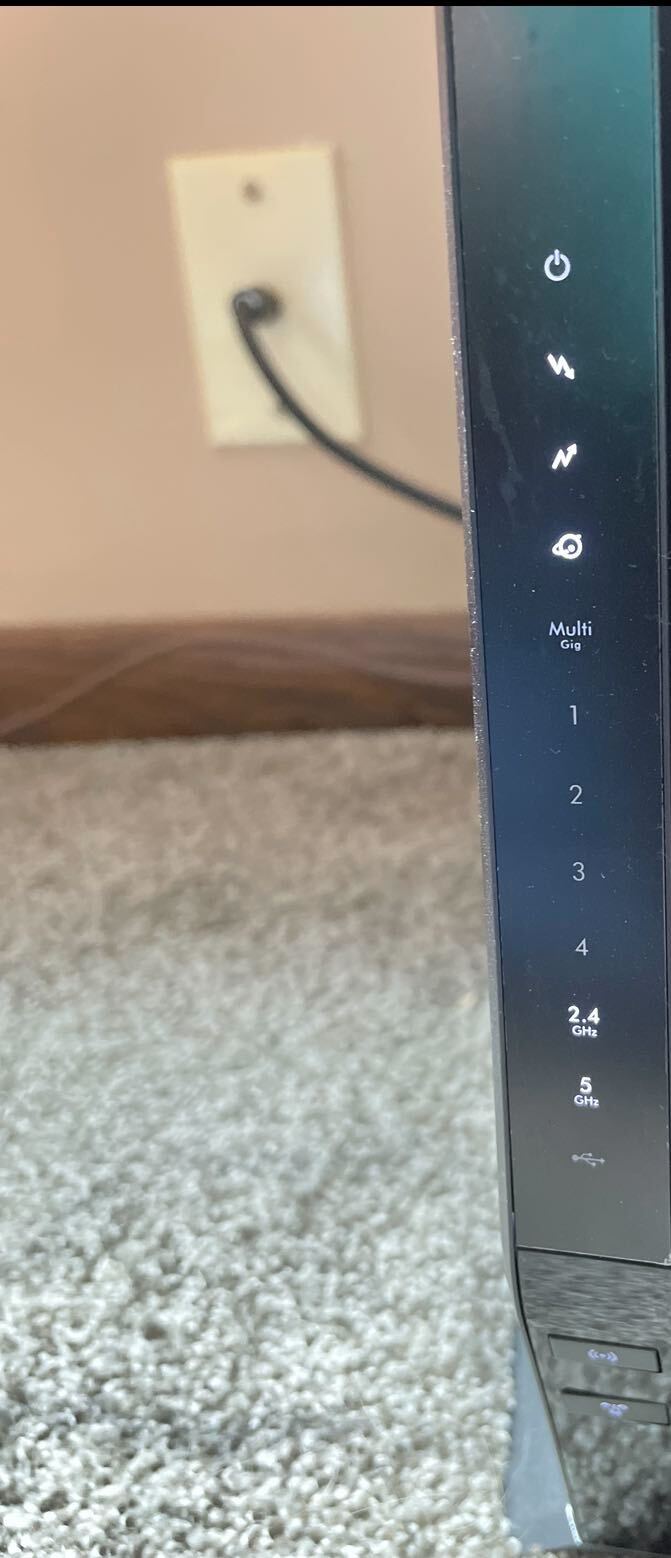
Attached is what the router is showing.
Any help would be greatly appreciated.
14 Replies
- FURRYe38Guru - Experienced User
Can you access the modems web page? If so,
What FW version are you using?
Please post a copy and paste of the modems connection status and event log page.
https://kb.netgear.com/30007/How-do-I-obtain-the-cable-connection-information-from-a-NETGEAR-cable-modem-modem-router
https://kb.netgear.com/30008/How-do-I-view-or-clear-the-event-logs-on-my-NETGEAR-cable-modem-or-modem-routerHave the ISP check the signal and line quality UP to the modem. Be sure the ISP provisions the modem correctly.
Be sure there are no coax cable line splitters in the between the modem and ISP service box.
Be sure your using good quality RG6 coax cable up to the modem.
Start with removing any amplifiers, signal attenuators, or splitters from the coax.
From there check the line for kinks, damage, moisture in the line.
Check the connectors for improperly made ends, foil touching the copper coax line, loose connections, bad/old/cheap connectors, or corroded connections. Replace them if you do.
Be sure to power OFF the modem for 1 minute then back ON.
https://community.netgear.com/t5/Cable-Modems-Routers/General-info-and-Troubleshooting-for-Cable-Modems/m-p/1530376#M12853
https://kb.netgear.com/24311/Power-level-guidelines-for-a-NETGEAR-cable-modem-router?article=24311
https://www.duckware.com/tech/solving-intermittent-cable-modem-issues.html- luko0014Aspirant
I just kept restarting and it finally works again. When I would reboot, the 2.4 and 5 lights stay lit (don’t blink) which is when I know my reset attempt didn’t work. So something is blocking the WiFi signal from going out which makes me not able to connect to routerlogin. Now I’m back up and running (for no logical reason) and I was able to pull the event logs so I’ll post those as well. Also, firmware has been up to date since the problem began. Any thoughts?
- FURRYe38Guru - Experienced User
Cna you post a capture of the cable connections page?
When the wifi is down for unknown reason, try connecting to the modem using a wired PC.