NETGEAR is aware of a growing number of phone and online scams. To learn how to stay safe click here.
Forum Discussion

Dfurn21
Aug 09, 2023Aspirant
ReadyNAS NV+v2 - Windows 11 issues
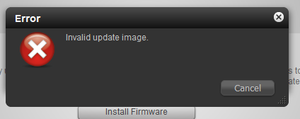
Hi Guys, I'm having some issue with my readyNAS NV+ v2. I have managed to get it accessible via its webmin by setting the SMB and using firefox ReadyNAS model no: RND-4B Serial: RND4000-20...

Dfurn21
Aug 10, 2023Aspirant
Thank you,
Its now accessible via chrome.
This is what i got from CMD as per your entries:
C:\Windows\System32>net use * /del /y
There are no entries in the list.
C:\Windows\System32>net use t: \\10.1.2.80\c /u:admin nas-admin-(my password)
System error 86 has occurred.
The specified network password is not correct.
C:\Windows\System32>net use t: \\10.1.2.80\c /u:admin (my password)
System error 67 has occurred.
The network name cannot be found.
The comment from Sandshark reg "Do you have anonymous access enabled on the NAS" has rectified the files not being accessible via file explorer, however its looks to be wiped as i cant see any of my files etc?
It also worth noting that when I try to copy and paste a file into one of the folders it does noting and when I try to drag and drop a file into one of the NAS folders and red cross circle is shown and tile isn't dragged in.
Password hasnt been updated in approx several years.

StephenB
Aug 10, 2023Guru - Experienced User
Please make sure the size is set to large when you post your screen shots. The 400x286 you are posting now makes them completely useless.
Have you downloaded the log zip file, and looked in there for errors?
Dfurn21 wrote:
C:\Windows\System32>net use t: \\10.1.2.80\c /u:admin (my password)
System error 67 has occurred.The network name cannot be found.
Is the NAS admin password set to the factory default (which is password)?
What do you see when you enter this command?
net view \\10.1.2.80
- Dfurn21Aug 11, 2023Aspirant
Thanks Stephen,
Here is the output from cmd:
C:\Windows\System32>net view \\10.1.2.80
Shared resources at \\10.1.2.80nas-BE-6F-4D-02
Share name Type Used as Comment
-------------------------------------------------------------------------------
admin Disk Home directory of admin
backup Disk Backup Share
home Disk Private user folders
media Disk Media Server Share
Music Disk Itunes Music
The command completed successfully.
C:\Windows\System32>I have also set the screen shot to max size as well as attaching via image: image to max size:
- Dfurn21Aug 11, 2023Aspirant
And apologies no my password on the unit is a custom password that’s been the same for several years now.
- StephenBAug 11, 2023Guru - Experienced User
Thanks, the larger screen size helps.
I am thinking there is something wrong with the volume, as you really shouldn't see a blank volume status. Have you downloaded the full log zip file? I don't have an NV+ v2, but I would be willing to look at the logs - send a download link via private message (PM), don't post it publicly. You send a PM using the envelope icon in the upper right of the forum page.
You can also modify the net use command
net use * /del /y net use t: \\10.1.2.80\Music /u:admin (my password)- Dfurn21Aug 11, 2023Aspirant
Thanks Stephen,
Ive sent you a pm, also modified the NAS password to password for easier testing.
with regards to the command prompt instructions you sent, here is the output:
Microsoft Windows [Version 10.0.22621.2134]
(c) Microsoft Corporation. All rights reserved.C:\Users\dave2>net use * /del /y
There are no entries in the list.
C:\Users\dave2>net use t: \\10.1.2.80\Music /u:admin password
System error 67 has occurred.The network name cannot be found.
C:\Users\dave2>
Related Content
NETGEAR Academy

Boost your skills with the Netgear Academy - Get trained, certified and stay ahead with the latest Netgear technology!
Join Us!
