NETGEAR is aware of a growing number of phone and online scams. To learn how to stay safe click here.
Forum Discussion

Dustin_V
Dec 17, 2018NETGEAR Employee Retired
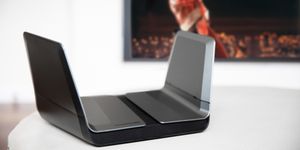
Nighthawk AX8 8-Stream WiFi Router - Buyer's Guide
With the influx of smart home devices on the market making their way into our homes, one thing we tend to overlook is the infrastructure that supports it. From smart speakers, security cameras...
- Nov 09, 2022
Admin marked as SOLVED

Polar1823
Feb 12, 2019Initiate
Hi all
I have had the same problem with one of my laptop not able to see the WIFI SSID. you might want to update the WIFI driver of your laptop to the latest version. At least it works for me. However, I do have one desktop computer with problem connecting to the router. It show the network adaptor is not connected even tho it is. I am pretty sure the desktop/LAN cable is ok. so it's has to be some compatibilty issue. Also, the VPN configuration file download in the adanced page is obviously broken. I hope netgear address these issue in the coming firmware asap.
Ken

joelbb
Feb 14, 2019Guide
Like the person who replied above (although I have an AX12), the solution was to simply go to device manager, click on the wifi adapter (this was on an HP desktop) and then click update. Once the drive was updated, the computer saw the router without any problem. All other devices in my house connected without any problem.