NETGEAR is aware of a growing number of phone and online scams. To learn how to stay safe click here.
Forum Discussion

ivanmorato
Dec 08, 2020Aspirant
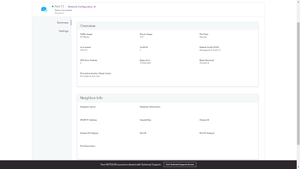
Neighbor Info are not available - ip and mac
How can I see the IP and MAC of the devices connected to my port? Neighbor Info are not available
grissomtech
Jan 29, 2021Tutor
Just chimming in here. I am having the same issue on all my GC7xxxx switches. No Neighbor info will populate. To me this is a flaw on Netgear's side. We should not have to go to every computer or run a script in our networks to check or enable LLDP or DBC installation.
Netgear is hindering our jpbs as network admins if we can not see this info. We purchsase these switches to be able to gain insight and help trouble shoot network issues. How can wew do this if we do not know what is connected.
PS. All Neighbor info shows up on Netgear Insight Wi-Fi devices. Show the switches have a firmware issue. Fix it Netgear.

schumaku
Jan 29, 2021Guru - Experienced User
grissomtech wrote:I am having the same issue on all my GC7xxxx switches. No Neighbor info will populate. To me this is a flaw on Netgear's side.
As mentioned above, this requires LLDP on the connected devices to show exact information.
grissomtech wrote:We should not have to go to every computer or run a script in our networks to check or enable LLDP or DBC installation.
That's a snap in a managed environment. DCB (Data Center Bridge) is required on Windows 10 for LLDP support.
grissomtech wrote:All Neighbor info shows up on Netgear Insight Wi-Fi devices. Show the switches have a firmware issue.
...and a lot of the information ref. the attached devices is simply wrong, and compared to LLDP highly incomplete. The tin hat driven Apple and Android privacy random MAC isn't really helpful either. Not aware any switch cores having a compareable capability.
- grissomtechJan 30, 2021Tutor
As the other person mentioned in this post, LLDP is enable on all my machines. Still nothing shows up.
Perhaps Netgear can give exact instructions on how to fix this.
PS. I have a few customers with Meraki switches and all neighbor info shows. No extra steps needed.
- schumakuJan 30, 2021Guru - Experienced User
grissomtech wrote:As the other person mentioned in this post, LLDP is enable on all my machines. Still nothing shows up. Perhaps Netgear can give exact instructions on how to fix this.
Well, I'm neither Netgear nor Microsoft support. So very brief from wally brain an excursion into Windows management:
===
Enabling LDAP Agent on Windows 10
Requirements: Windows 10 Professional or Enterprise.
In the Control Panel, on the Ethernet network adapter(s) you intend to cover, the "Microsoft LLDP Packet Driver" must be installed and enabled.
On an Powershell with raised privileges (Administrator mode), run for example this to check and enable DCB and then enable the LLDP agent:
If (!(Get-WindowsOptionalFeature -Online -FeatureName 'DataCenterBridging').State -eq 'Enabled') {
    Enable-WindowsOptionalFeature -Online -FeatureName 'DataCenterBridging'
}

Get-NetAdapter | Where-Object { $_.Name -like "*Ethernet*" -and $_.Status -eq 'Up' } | ForEach { Enable-NetLldpAgent -NetAdapterName $_.Name -Verbose }
In case the Cmdlets are not found, you need to install RSAT (Remote Server Administration Tools), consult the installation details here on the official Microsoft (former RSAT download) page -> Remote Server Administration Tools for Windows 10
===
Afraid, I can't tell you exactly which Optional Features with RSAT function(s) you need to select on the newer Windows 10 to make the feature and PS available.
grissomtech wrote:PS. I have a few customers with Meraki switches and all neighbor info shows. No extra steps needed.
Would be interesting to see what "all" information is shown there.
- grissomtechJan 30, 2021Tutor
Thanks for the info. I will test. But I should not hav to do nay of this. Here is a snippet from the Meraki. See Attached.
- grissomtechJan 30, 2021Tutor
Nothing worked. Verified LLDP and ran script. Script failed.
- schumakuJan 30, 2021Guru - Experienced User
Boah - IP addresses, wow I'm impressed 8-/. Curious what will be shown if there is a switch (including a non-routing) connected.
Of course Netgear could consider to read the VLAN ARP Cache and the IPv6 Neighbor Table and feed this to Insight to complement the LLDP-MD sourced data.
Trouble is this won't be limited to the direct attached peer only - and two new APIs would require to be added to all cloud managed switches (where these two details are available - probably not on the L2 and L2+ models).
YeZ We've discussed this with the Netgear Insight team several times already. What do you think about this proposal?
- schumakuJan 30, 2021Guru - Experienced User
grissomtech wrote:Nothing worked. Verified LLDP and ran script. Script failed.
Reading the hole post, and then plus copy-paste from PS is your friend. I have never said this is a click-and-play-PS solution - and that's why I'm not Microsoft support.
Related Content
NETGEAR Academy

Boost your skills with the Netgear Academy - Get trained, certified and stay ahead with the latest Netgear technology!
Join Us!

