NETGEAR is aware of a growing number of phone and online scams. To learn how to stay safe click here.
Forum Discussion

DonD
Mar 18, 2016Guide
FVS318N discrepancy in LAN Groups database listing
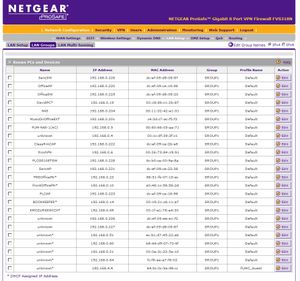
Looking at the LAN Groups database listing screenshot below you will notice "SancSW" is listed for IP 192.168.0.226, MAC dc:ef:09:d8:08:87; and also listed as "unknown" for the same IP but for MAC d...
- Mar 21, 2016
JohnRo,
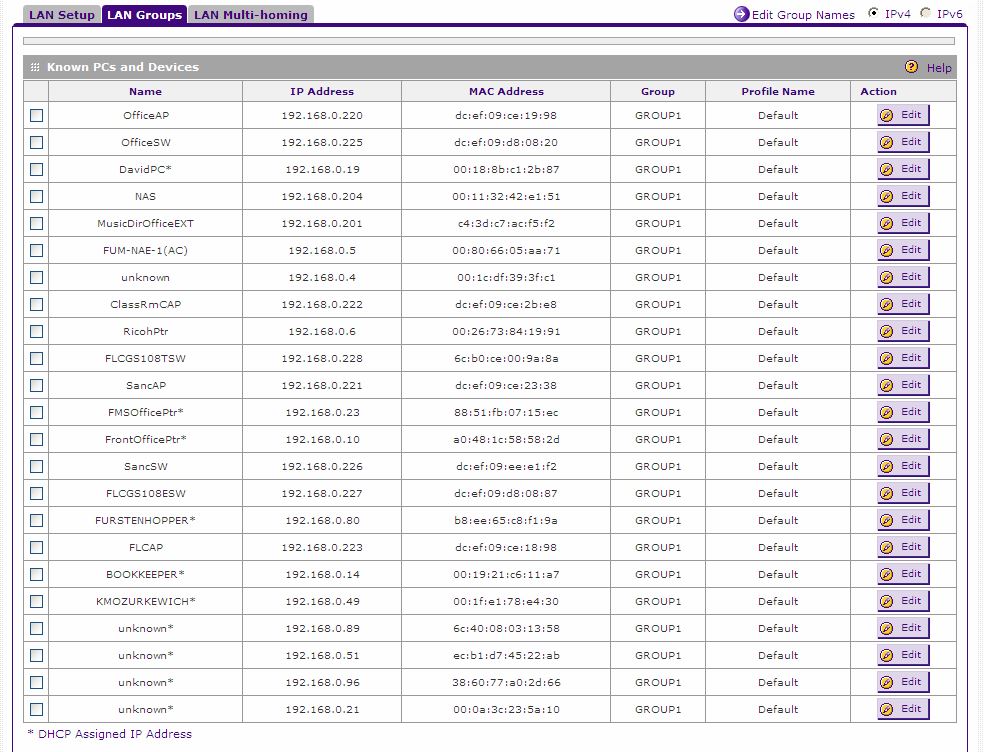
Regarding the two 192.168.0.226 entries, using the GS108E management utility, I checked the MAC of the SancSW and it is dc:ef:09:ce:19:98 and not dc:ef:09:d8:08:87. So, I deleted the old SancSW entry in the database and then established a name SancSW on the correct database entry. The table looks good now, however I do not trust the FVS318N "LAN Groups" database listing. Besides the problem I just fixed, I noticed there are times when the router's wireless connections don't show up in the database, and times when they do. Another,anomoly, When I create a specific name for an entry and get a new listing the table doesn't show the "*" for that entry when it is allocated an IP via the router's DHCP server. I have to manually add the asterick to the name of that device.
At least it no longer shows a duplicate entry for the same IP address. I was concerned with that problem.
Here is the new database listing:
Thanks for you help JohnRo!
Regards,
DonD

JohnRo
Mar 21, 2016NETGEAR Employee Retired
Hi DonD,
What firmware version are you running on the firewall btw? The ones with asterisk (*) are automatically assigned by the DHCP server, manual entries does not have asterisk (*) and not necessary to have them on the name. I'm glad you found the cause of the duplicate entry.
Let us know if you have more questions. :)
Thanks,
DonD
Mar 22, 2016Guide
JohnRo,
The firmware version is 4.3.3-6.
I am aware that the router is supposed to add * to the end of each entry name that is using DHCP IP allocation. However, the router is not consistent in this regard for manually entered device names. I have to add * to the end of a manually entered name that is using DHCP IP allocation because the router will not add it. It seems like managing this database list shouldn't be a big problem, as the router has all the information internally to do it correctly. So, I have less then complete trust in it, especially after also see it list a duplicate device with the same IP address.
Thanks again for your help, JohnRo!
Regards,
DonD
- DonDMar 22, 2016Guide
Sorry for the two previous similar replys. Had a problem posting on my end.
DonD
- JohnRoMar 22, 2016NETGEAR Employee Retired
Hi DonD,
You are welcome! It is a normal behavior for the router not to add and asterisk (*) for manually added devices on the list even if they are getting an IP on DHCP.
Let us know if you have more questions otherwise please mark the post as solved. Thank you very much :)
Regards,
Related Content
NETGEAR Academy

Boost your skills with the Netgear Academy - Get trained, certified and stay ahead with the latest Netgear technology!
Join Us!
