NETGEAR is aware of a growing number of phone and online scams. To learn how to stay safe click here.
Forum Discussion

Jeff_Howard_sps
Aug 17, 2021Tutor
Readynas Backups
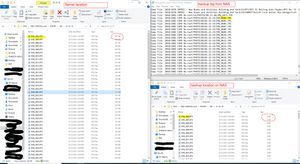
I am having issues with files being backed up from my windows 2019 server to a ReadyNAS 316. Nothing shows up in the log and only some files seam to be the issue. In the example below I am showing ...
Jeff_Howard_sps
Sep 02, 2021Tutor
The SMB Plus app is no longer an option on the device. I have 2 other Readynas units with the same firmware and I have the option to install it on them.

StephenB
Sep 02, 2021Guru - Experienced User
Jeff_Howard_sps wrote:
The SMB Plus app is no longer an option on the device. I have 2 other Readynas units with the same firmware and I have the option to install it on them.
You can still install it manually. Download the app's deb file from https://apps.readynas.com/pages/?page_id=9 and then upload it on the apps page. The upload control is easy to miss, it's in the upper right of the page.
- Jeff_Howard_spsSep 02, 2021Tutor
Well, at least it installed. I need to reboot tonight to see if the NAS is Happy or not.
- StephenBSep 03, 2021Guru - Experienced User
Jeff_Howard_sps wrote:
Well, at least it installed. I need to reboot tonight to see if the NAS is Happy or not.
SMB Plus just gives you access to some configuration settings for SMB. You shouldn't need to reboot the NAS in order to run it.
FWIW, I don't think the settings it exposes are likely to resolve your problem.
- Jeff_Howard_spsSep 03, 2021Tutor
Well I think there are bigger issues going on. after the SMP Plus app was installed this is what I get when I open the app. My Other readynas devices appear to be normal.
- StephenBSep 04, 2021Guru - Experienced User
Jeff_Howard_sps wrote:
Well I think there are bigger issues going on.
I'm thinking that also. A factory default (and setting up the NAS from scratch) might be the only good path forward. Of course you'd need to restore all the data from backup.
One thing you could try first - there is a repair script that might help here: https://gitlab.codycook.us/readynas-scripts/share_lun_ui_fix.sh
This does require ssh access (in case you haven't done that before, you need to use root for the username, and the NAS admin password).
- Jeff_Howard_spsSep 07, 2021Tutor
I think cutting my losses and starting over is the best idea. I have a new 8 bay NAS arriveing today. so I will make a fresh copy of everything that needs to be saved and do a factory wipe when I'm ready. Its time for a heardware refresh anywhat I think. this device is 6 years old.
Related Content
NETGEAR Academy

Boost your skills with the Netgear Academy - Get trained, certified and stay ahead with the latest Netgear technology!
Join Us!
