NETGEAR is aware of a growing number of phone and online scams. To learn how to stay safe click here.
Forum Discussion

robfantini
Jul 12, 2017Aspirant
IP address is incorrect in logs.
we have a M4100-50G-POE+ lagged to a GSM7352Sv2. logs for the M4100 on screen and at rsyslog server show the address for the GSM7352Sv2. Note there is also a GSM7224V2 lagged to the GSM735...
 Retired_MemberJul 18, 2017
re: "1. Upload config-file from Switch" so just save a 'Text Configuration' . Correct?
no, you need to copy configuration file to laptop.
An example for CLI command:
First, setup one TFTP server on laptop(example IP is 1.1.1.1)
Second, execute command as 'save'
Third, execute command as 'copy nvram:startup-config tftp://1.1.1.1/m4100-config'
re: "Then erase the configure in the switch" . from cli what is the command for that?
execute command as 'clear config'
Then download the configuraiton file via CLI command as below:
copy tftp://1.1.1.1/m4100-config nvram:startup-config

robfantini
Jul 12, 2017Aspirant
Retired_Member
Jul 12, 2017Hi robfantini
Welcome to the community!
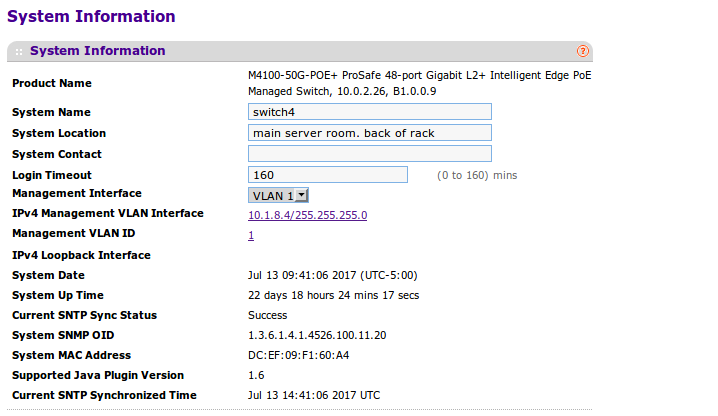
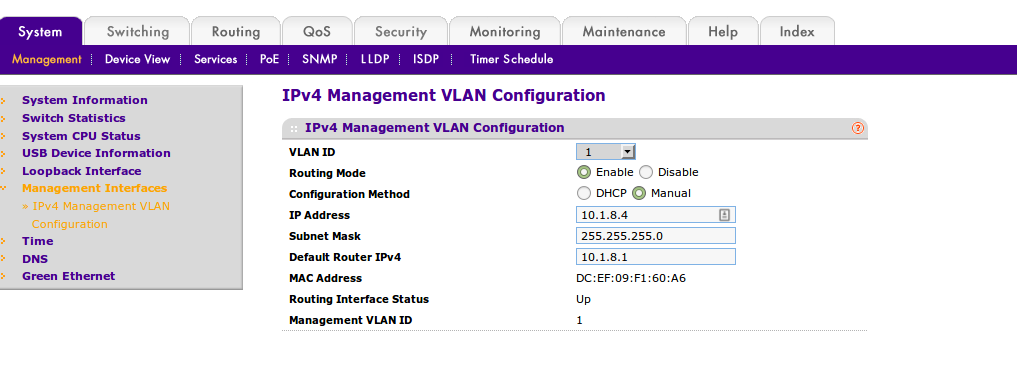
Please check the Management Interface configuration, is it same as your management VLAN IP?
Web GUI go to 'System-->Management-->System Information', check the 'Management Interface' config.
Hope it helps!
Regards,
EricZ
NETGEAR employee
- robfantiniJul 13, 2017Aspirant
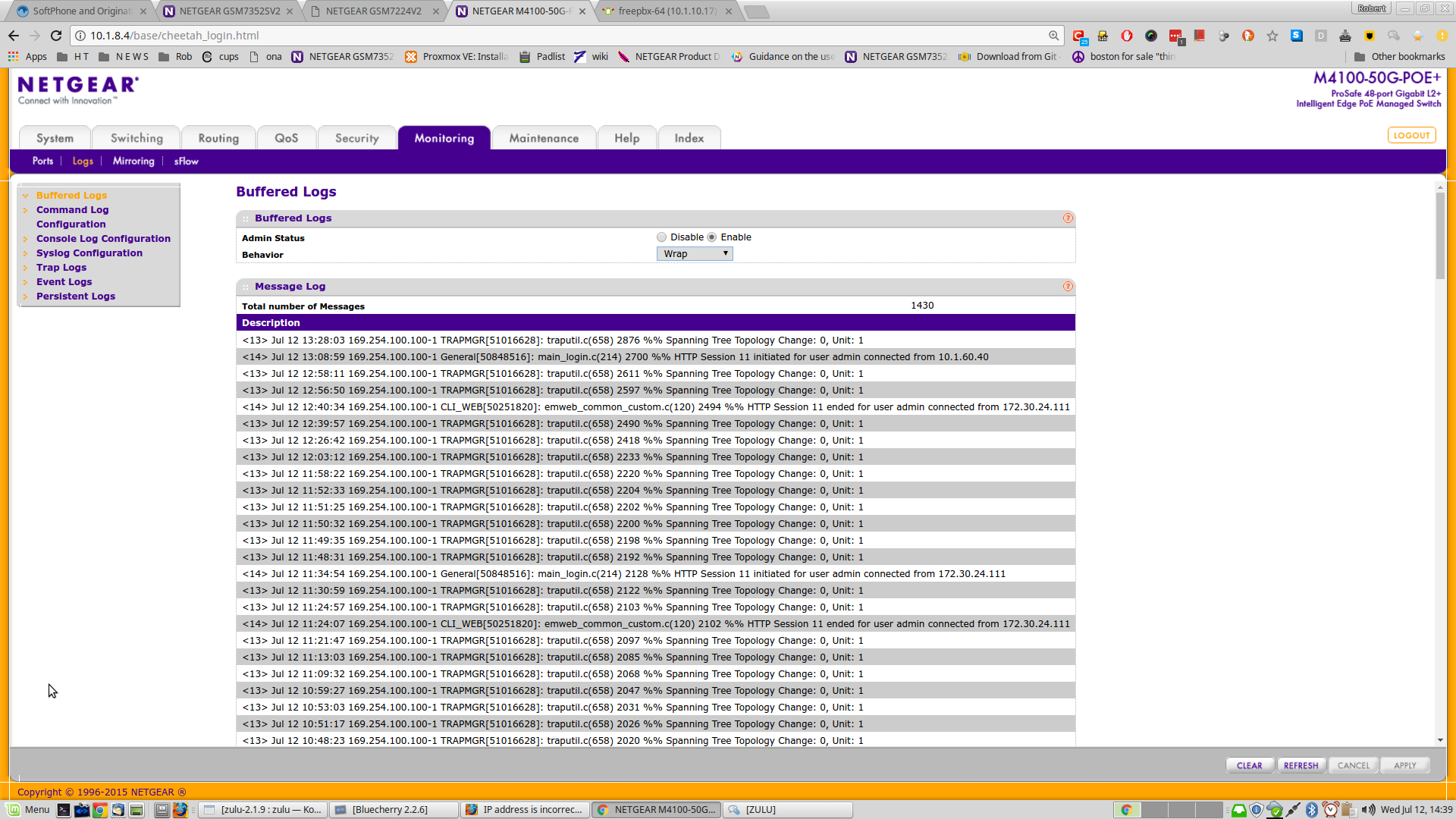
yes it looks to me to be the same. attached are screen shots
- robfantiniJul 13, 2017Aspirant
more info:
the M4100-50G-POE+ ProSafe is the only one of our main switches to have a 'Management Interface' Vlan on the screen.
vlan is set to 1 .
and this could cause the issue:
the switch has an IP address that belongs to a different vlan .
When I'm on site - To test that I'll add the vlan to the switch and assign it the vlan id for the Management Interface
- Retired_MemberJul 13, 2017
Please screenshot two configuration as below:
1. Web GUI go to 'Monitoring-->Syslog Configuration', double check the Source Interface is also VLAN1
2. Web GUI go to 'Routing-->VLAN-->VLAN Routing', show all of L3 Routing VLAN IP
Related Content
- Oct 24, 2016Retired_Member
NETGEAR Academy

Boost your skills with the Netgear Academy - Get trained, certified and stay ahead with the latest Netgear technology!
Join Us!
