NETGEAR is aware of a growing number of phone and online scams. To learn how to stay safe click here.
Forum Discussion

othni
Nov 02, 2016Aspirant
GS105e can not login or factory reset
I have a couple GS105E switches at work. I am using the latest ProSafe Utility version 2.3.20 to access them. The switches show up in the utility, but do not accept any password (or blank) to c...
- Nov 10, 2016
Hi othni,
We get the information: FW v3.01.28 is an official release for TOTALPLAY, which is customized product.
The default setting difference was requested from TOTALPLAY, so TOTALPLAY should know the default password is not “password”.
Please contact Totalplay directly because of only Totalplay know the password. :smileyhappy:
Thanks for JohnRo’s help, too.
Regards,
NETGEAR Employee
othni
Nov 04, 2016Aspirant
The laptop discovers the switch everytime at IP address 192.168.0.239.
Isn't that the default IP address?

JohnRo
Nov 08, 2016NETGEAR Employee Retired
Hi othni,
I'd like to know if you were able to login to the switches? Did any of the suggestions work?
Thanks,
- othniNov 08, 2016Aspirant
No, I have not been able to login.
There has been a couple of private messages from ElaineP but mainly to provide additional information and screenshots.
There has not been a suggestion that I already tried or that was possible to do.
My original post is where I stand with this.
- othniNov 08, 2016Aspirant
I think is better I add my private reply to ElaineP here: (it include the screeshots)
Hello Elaine, thank you for your help
I am using Prosafe Plus Configuration Utility version 2.3.20. I think it is right now the latest as per the support downloads page.
First, I connect my laptop directly to the switch and disable my wireless adapter. I configure a static IP address for my laptop using 192.168.0.5 without gateway.
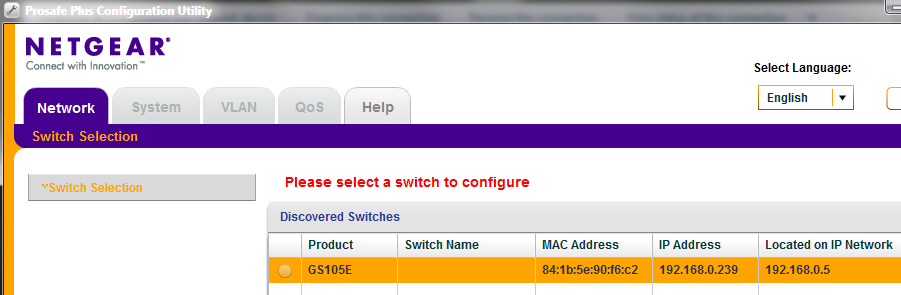
The utility always finds the switch without a problem, as shown in this illustration:
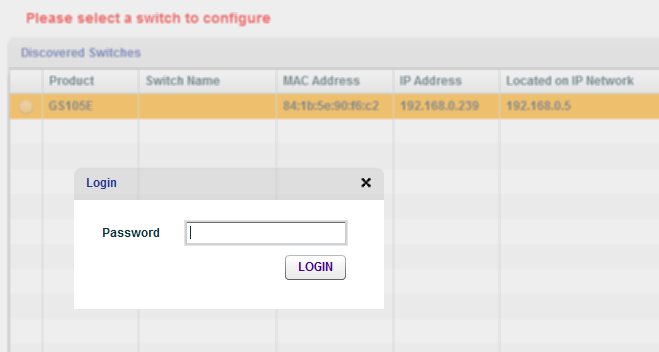
When I select the swith and hit Apply I get the following password login:
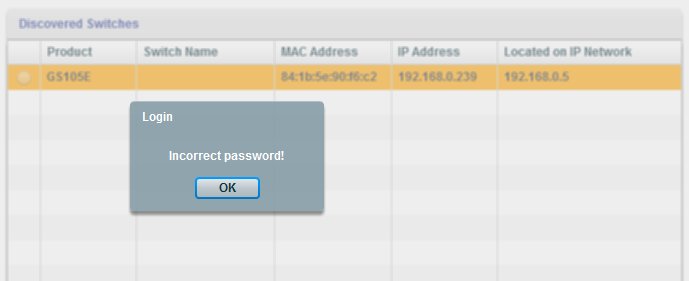
When I enter "password" and hit Login, I get this:
If I try with a blank password, I get an error that says "Password cannot be empty"
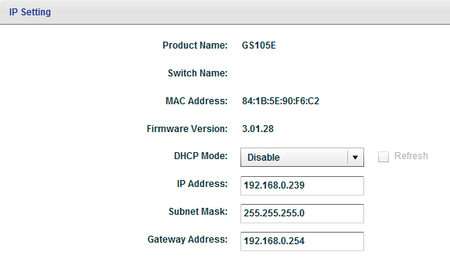
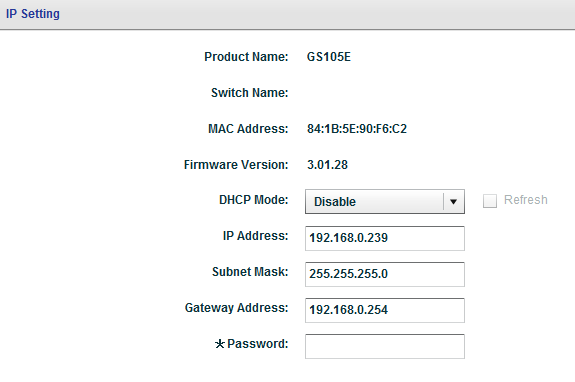
If I hit IP setting, I get this:
Let me know if you need more information.
Thank you again for all your help.
- othniNov 08, 2016Aspirant
I also was suggested to do a downgrade of the firmware.
But for that, you need to login with the password first.
And that is the main thing I can not do.
- JohnRoNov 09, 2016NETGEAR Employee Retired
Hi othni,
Were you able to login to these switches before? If so, was the password ever changed?
Thanks,
- othniNov 10, 2016Aspirant
These switches have only been accesible to me for less than two weeks. I asked around but nobody can tell me if the password was changed. I only got the response to use the default password. So I don't think these switches were modified. Anyway, after the 99 times I have pressed the reset button, it should not matter anyway.
ElaineP is trying to help me. She sent me some private messages.
- JohnRoNov 10, 2016NETGEAR Employee Retired
Hi othni,
Okay, got it. I was just making sure that you were able to access them before using "password" as the password. Kindly update the thread just in case.
Thanks,
- ElainePNov 10, 2016NETGEAR Expert
Hi othni,
We get the information: FW v3.01.28 is an official release for TOTALPLAY, which is customized product.
The default setting difference was requested from TOTALPLAY, so TOTALPLAY should know the default password is not “password”.
Please contact Totalplay directly because of only Totalplay know the password. :smileyhappy:
Thanks for JohnRo’s help, too.
Regards,
NETGEAR Employee
- othniNov 11, 2016Aspirant
This makes sense now!
I am not familiar with TotalPlay...do you have a website or information about them?
Thank you!
- othniNov 14, 2016Aspirant
Thank you for all your help!
Related Content
NETGEAR Academy

Boost your skills with the Netgear Academy - Get trained, certified and stay ahead with the latest Netgear technology!
Join Us!
