NETGEAR is aware of a growing number of phone and online scams. To learn how to stay safe click here.
Forum Discussion

ehirsch
Feb 12, 2019Aspirant
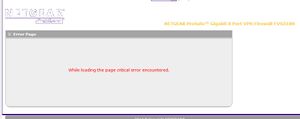
FVS318N Wireless network error While loading the page critical error encountered.
This is a screenshot of the error I receive on the Radio Configuration screen on my FVS318N Router. When this error occurs, I am unable to connect new devices to the wireless network. All...
- Feb 19, 2019
Thanks. I just gave up on it and set up an Aruba device so we could get the wireless network accessible again. Right now this will work for what we need.
ehirsch
Feb 14, 2019Aspirant
I noticed the problem when I had trouble connecting devices to the wireless network. The network was visible but it kept rejecting the network password. I first saw the error when I went to the web client to investigate. As I wrote, rebooting the router temporarily resolved the problem and then the error reoccurred. I will try to reset the firewall back the factory settings and respond with the result.
ehirsch
Feb 14, 2019Aspirant
We use this router for the wireless networking function only. It doesn't use DHCP to generate IP Addresses. I did set the router back to factory settings and reconfigured the wireless networks. after about 15 minutes, the error came back. Then I just reloaded the backed up settings that I saved before I started. as of now 11:38 AM EST have no error but I will look at it in a few minutes. As off 11:49 AM still no error.An Hour later at 12:48 PM Still no error.
- ehirschFeb 14, 2019Aspirant
Error reoccurred later this afternoon. It was there when I checked about 2 hours after my last check. I'm leaning toward replacing the router.
- JohnC_VFeb 19, 2019NETGEAR Employee Retired
Well, the wireless functionality of this device is just an add-on and not typically the main purpose of having wireless connectivity. It might be better if you will just use an access point to provide WLAN.
Regards,
- ehirschFeb 19, 2019Aspirant
Thanks. I just gave up on it and set up an Aruba device so we could get the wireless network accessible again. Right now this will work for what we need.
 SamirDFeb 25, 2019Prodigy
This definitely sounds like some sort of bug in the firmware you're using as the use-case is not too common (FVS318N as access point only).
I'd try various different firmwares starting with the earliest one that will work on your version hardware. The earliest (shipping) firmwares should be the most stable for your particular use-case, and if not, just keep going through them until you find one that is trouble free.
The other option is to use a dedicated access point device as 802.11N is much slower than the newer 802.11AC unless there are features on the FVS318N that you need for your setup.

Related Content
- Jul 21, 2021Retired_Member
NETGEAR Academy

Boost your skills with the Netgear Academy - Get trained, certified and stay ahead with the latest Netgear technology!
Join Us!
