NETGEAR is aware of a growing number of phone and online scams. To learn how to stay safe click here.
Forum Discussion

DRBYEBYE
Mar 23, 2017Aspirant
FVS336Gv2 connecting to Sky Fibre
Hi Guru's
I have just got hold of a fvs336gv2 from work which was surplus to requiremnets and thought id try and get it running at home with my Sky Fibre set up.
Im sure im almost there with the set up but i'll be blowed if i can get the internet conection up and running.
I have the standard Openreach FTTC modem connected to WAN1 and below are whats in the 2 relevant WAN configuration screens:
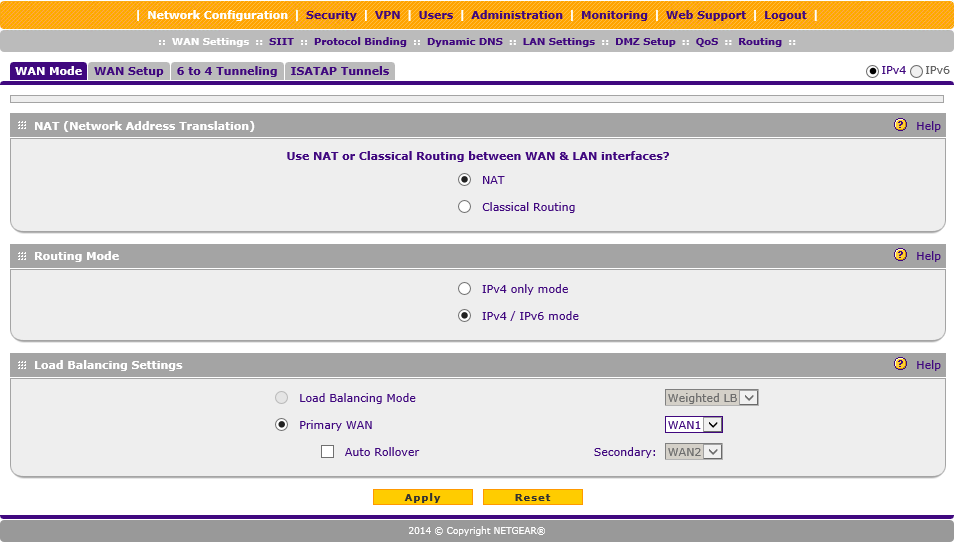
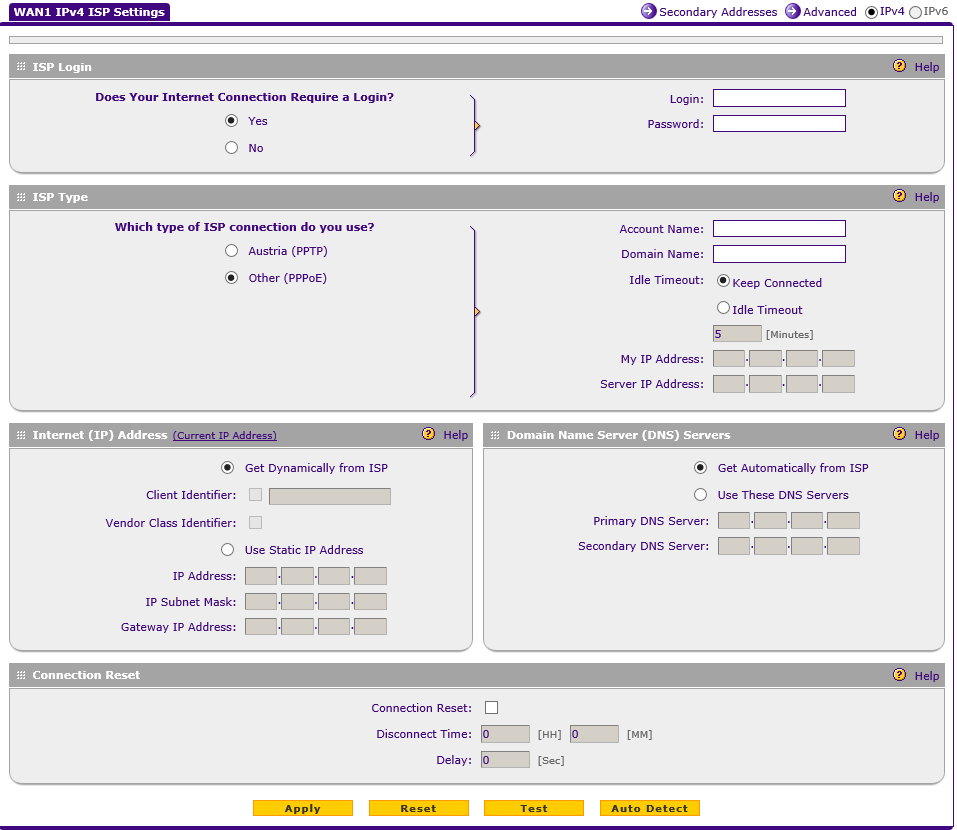
If i click the "Auto Detect " button it tells me that there is a PPPoE connection.
I have tried all sorts of variations in the fileds and have my extracted UN & PW from my old Sagem router. I have also read loads of stuff regarding Option 61, MER and DHCP authenticaion from sky but am now in overlaod mode !!
Has anybody got the same / similar set up working.??
Cheers !
3 Replies
 SamirDProdigy
What did your network look like before you added in the fvs336?
(My hunch is that you have to select no login and just dhcp, but I want to make sure.)
- DRBYEBYEAspirantHi. Thanks for the reply.
Just a straight forward openreach modem and a rubbish sky sagem router.- SamirDProdigy
Was the setup on the existing router PPPoE? Or did it just get a dhcp ip address?
Related Content
NETGEAR Academy

Boost your skills with the Netgear Academy - Get trained, certified and stay ahead with the latest Netgear technology!
Join Us!
