NETGEAR is aware of a growing number of phone and online scams. To learn how to stay safe click here.
Forum Discussion

JmarcSyd
Dec 07, 2022Guide
Orbi Pro SXR30 filling up RSYSLOG log files
Hi all,
I've configured rsyslog on Debian 11 to receive logs from my brand new SXR30. The destination file is /etc/log/router.log
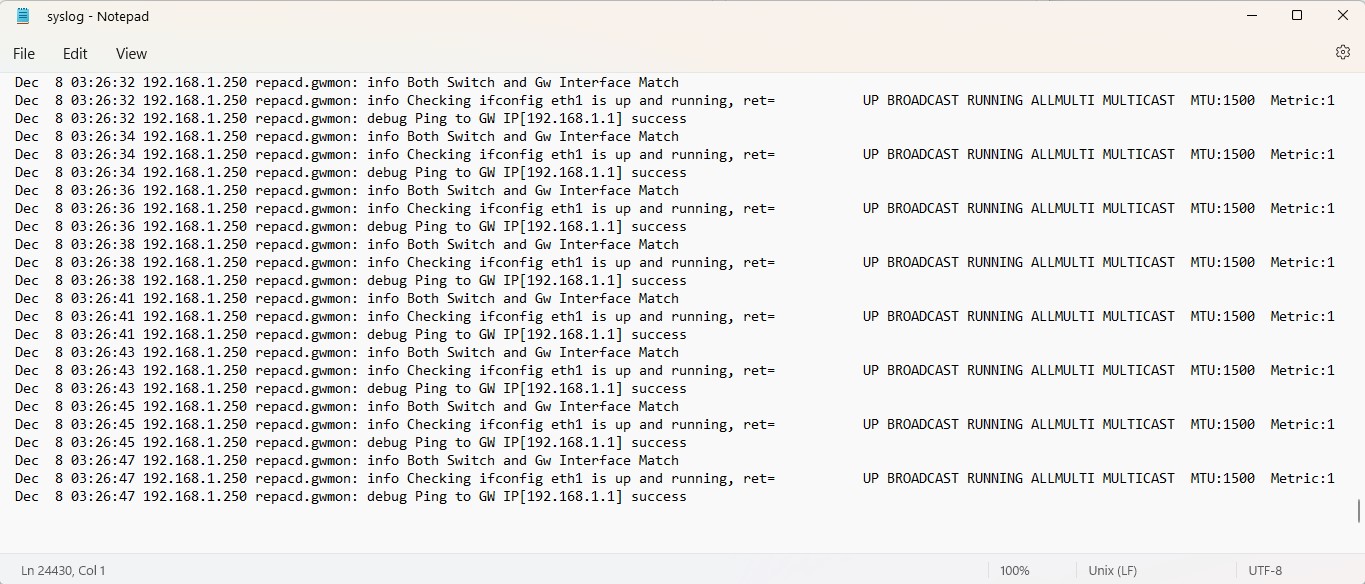
It works well however since I enabled syslog it also fills up /etc/syslog, /etc/user.log and /etc/messages on my Debian server with the entries below EVERY TWO SECONDS.
Note: 192.168.1.250 is the satellite and 192.168.1.1 is the router.
Any idea about how to stop this behavior?
Thanks!
Dec 7 23:24:23 192.168.1.250 repacd.gwmon: info Both Switch and Gw Interface Match
Dec 7 23:24:23 192.168.1.250 repacd.gwmon: info Checking ifconfig eth1 is up and running, ret= UP BROADCAST RUNNING ALLMULTI MULTICAST MTU:1500 Metric:1
Dec 7 23:24:23 192.168.1.250 repacd.gwmon: debug Ping to GW IP[192.168.1.1] success
Dec 7 23:24:25 192.168.1.250 repacd.gwmon: info Both Switch and Gw Interface Match
Dec 7 23:24:25 192.168.1.250 repacd.gwmon: info Checking ifconfig eth1 is up and running, ret= UP BROADCAST RUNNING ALLMULTI MULTICAST MTU:1500 Metric:1
Never mind, I've added this directive in /etc/rsyslog.conf on my Debian server to drop all messages from the Satellite and now it has stopped filling user.log and related logs.
###############
#### RULES ####
################ Discard messages from Orbi Satellite
:fromhost-ip, isequal, "192.168.1.250" stop
1 Reply
- JmarcSydGuide
Never mind, I've added this directive in /etc/rsyslog.conf on my Debian server to drop all messages from the Satellite and now it has stopped filling user.log and related logs.
###############
#### RULES ####
################ Discard messages from Orbi Satellite
:fromhost-ip, isequal, "192.168.1.250" stop
Related Content
NETGEAR Academy

Boost your skills with the Netgear Academy - Get trained, certified and stay ahead with the latest Netgear technology!
Join Us!