NETGEAR is aware of a growing number of phone and online scams. To learn how to stay safe click here.
Forum Discussion

Oswulf
Jun 23, 2020Aspirant
CM1100 Rebooting
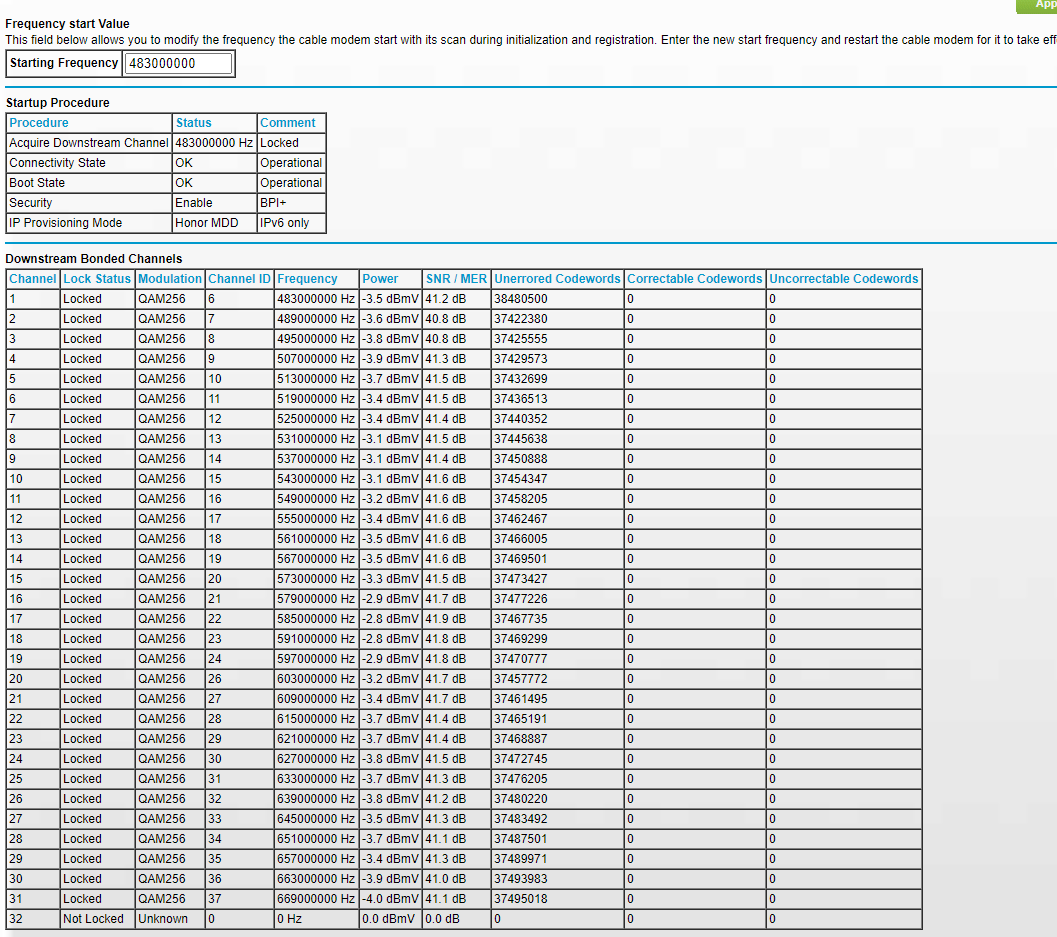
So my modem has rebooted three times in the last 45 minutes. I have attached the log...and the current signals
This was happening a couple weeks ago and Comcast just kept saying everything was ok on their side...then it stabilized now its back.
8 Replies
- OswulfAspirant
- OswulfAspirant
- FURRYe38Guru - Experienced User
Have the ISP check the signal and line quality UP to the modem.
Be sure there are no coax cable line splitters in the between the modem and ISP service box.
Be sure your using good quality RG6 coax cable up to the modem.
Be sure to power OFF the modem for 1 minute them back ON.Try a factory rest on the CM modem.
Be sure to disable LAG on the modem as well,
- OswulfAspirant
Did you look at my attachments? The SNR levels appear to be good, although I dont know what the log entries mean.
- OswulfAspirant
Still having reboot issues. Today was really bad as it recycled over and over for about 25 minutes. Finally settled down and then two more times tonight. Comcast no help, keeps saying "Reset Modem", "Power Cycle Modem" (Which is exactly the problem I am having!). Of course when I finally got them, it had settled down and I get "Everything looks good on our end". They are the only providor here so I cant threaten to leave :(
Very frustrating. Modem is maybe 14 months old (Costco). So tempted to go get a different one.
- FURRYe38Guru - Experienced User
Well ISPs will say anything or blame the HW when its there issue. Try a different modem then see what happens. if you still have problems, you'll need to get a tech on site and have them take a closer look.
- OswulfAspirant
So, if you were buying another Modem today, what would you get? Currently I have CM1100. Only 300Mbps service today but probably going 1GBp. Seems there are basically three choices:
Arris 8200
Motorola 8600
Netgear CM1200
(I have Orbi Mesh Wifi 6 so just modem then)