NETGEAR is aware of a growing number of phone and online scams. To learn how to stay safe click here.
Forum Discussion

U230148
Aug 16, 2021Aspirant
CM500 no connection
I bought a CM500-100NAS from a neighbor to have as a spare, and it only locks into one downstream channel at very low power, -26 dBmV, and no lock on any upstream channel.
I have two other modems that have been connecting OK for several years, though we lose internet in the neighborhood several times a day for a few minutes each.
The neighbor said it worked for him but he doesn't need it anymore. He agreed to take it back if I had any problems. I suspect it's bad but I'd like to get some confirmation before returning it.
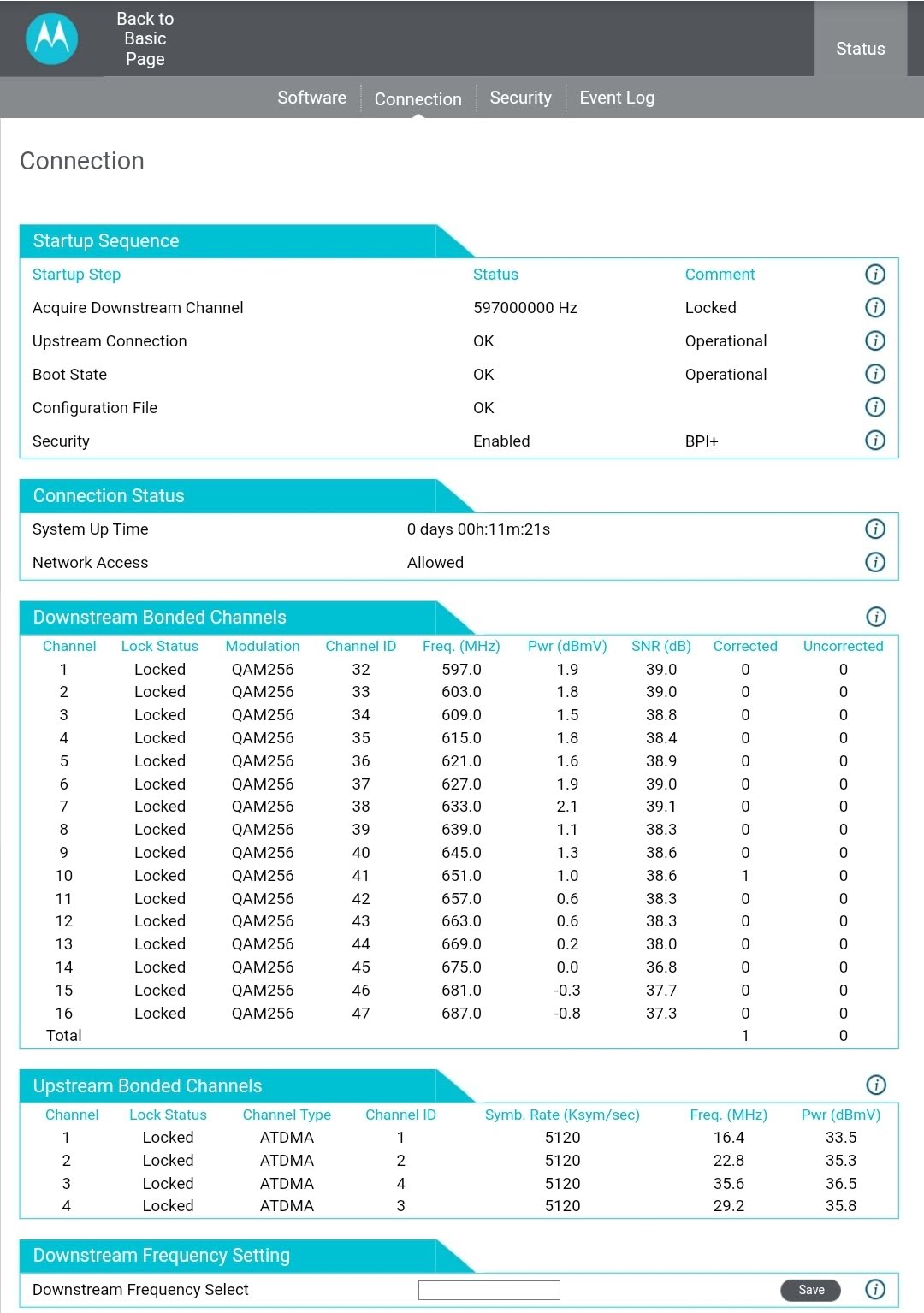
I've attached the channel status, I'll follown up with the error log and channel status of my known good modem.
9 Replies
- U230148Aspirant
- U230148Aspirant
- plemansGuru - Experienced User
try changing coax cables. Also, check any splitters,amplifiers, or signal attenuators. remove them if you have th em.
Your correct in that either something is dropping the power or its bad.
The connection info from the known good ones might help. Plus it might tell us why its dropping daily.
- plemansGuru - Experienced User
power levels look good on the motorola but it hasn't been running long enough to give us logs/errors of much use.
the logs on the cm500 are indicating low power. Again, I'd try a different cable. If the downstream power really is that low, you'd have a much higher upstream value as it'd have to boost its power to communicate with the cmts.
So check the cables to see if theres one thats kinked, damaged, loose, correded, etc.
- U230148Aspirant
I ran a homerun RG6 from the outside interface to my modem last year when we kept getting the daily drops. It did not help. There is nothing between the interface and the modem except new RG6.
I saw an Xfinity truck in the neighborhood earlier this year, and I chased him down to ask him about the service issues. He was well aware of problems in the neighborhood and was there to troubleshoot. Things are better since then but we still have several short drops everyday. Calling support is of little use because they require you to reboot the modem before they will help, and typically by then the drop has ended.
- plemansGuru - Experienced User
Try it back at the neighbors house you got it from. See if the signal is bad there as well.